
GPT Image 2AI Prompt
4-Panel Fashion Try-On Poster — Sora 2 Prompt
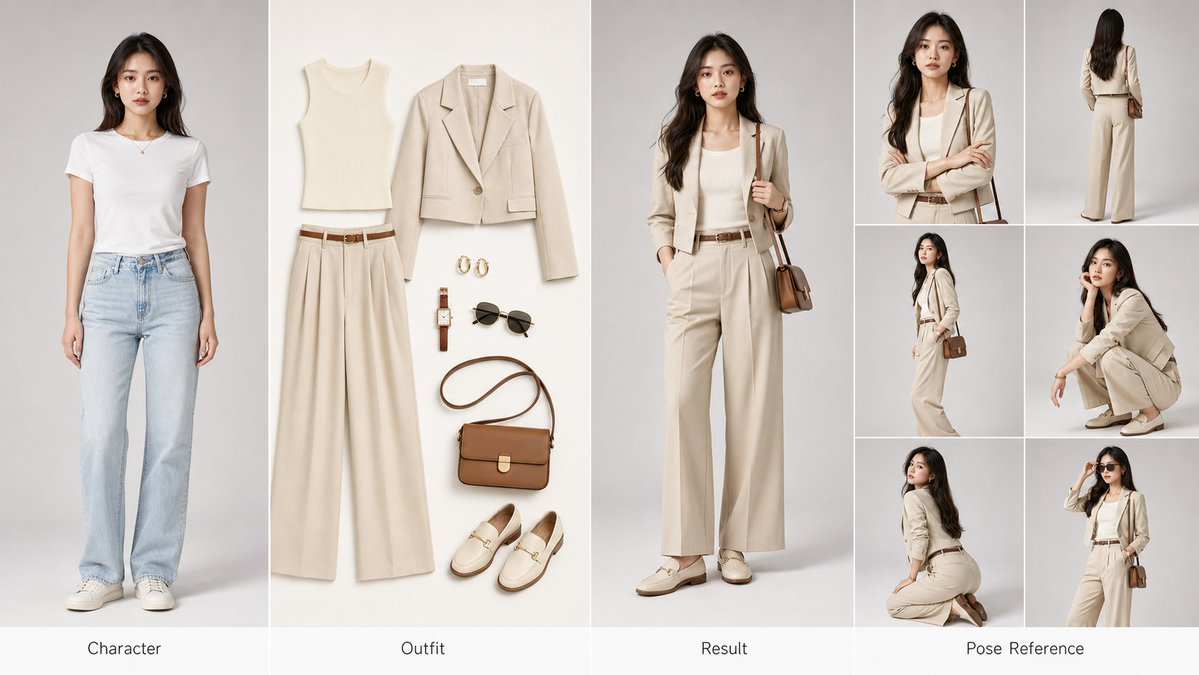
Create a professional 4-panel fashion poster for AI training and commercial display, featuring character reference, flat-lay outfit, styled result, and pose sheet.
1 / 4
PROMPT · EN
创建一个横向 argaspect ratio: 16:9 arglayout: four-panel 的时尚试穿参考海报,适用于 AI 训练和商业展示。📐 布局(从左至右):① 左侧格 — 角色(原型):原始角色肖像,标准正面姿势,面部特征清晰,自然的头发和肤色,干净的浅灰色摄影棚背景,专业肖像布光。② 中间格 — 服装(平铺):完整服装套装的精致平铺展示:上衣 / 外套 / 裤子或裙子 / 鞋子 / 包袋 / 配饰,无缝白色或米色背景,商业级产品布光。③ 右侧格 — 效果(成品):同一角色穿着新服装,与原始角色特征完美匹配,自然的贴合度和面料垂坠感,光影与左侧格保持一致。④ 最右侧格 — 姿势参考:由六张小图组成的排列,展示不同角度:正面特写、背面站立、45 度侧面、蹲姿、跪姿及标志性姿势。🎨 视觉规格:4K 超高清画质,独立的干净摄影棚背景,统一的色调,三点式专业摄影棚布光,argaesthetic style: high-end fashion editorial 风格,类似 Vogue/Elle 的质感,逼真的面料纹理和反光,每个格下方带有优雅的英文标签。🎯 核心要求:角色面部一致性 ≥ 95% | 服装贴合自然 | 视觉风格统一 | 可直接使用的商业级图像。
About this prompt
Create a professional 4-panel fashion poster for AI training and commercial display, featuring character reference, flat-lay outfit, styled result, and pose sheet. Use it as a Concept Art starting point for GPT Image 2: keep the visual structure and style constraints intact, then swap in your own subject, brand, or scene.
Start by replacing aspect ratio, layout, and aesthetic style, then keep the camera, composition, and material cues in the same order. This makes the output easier to compare across variations.
How to use this prompt
- Copy the full prompt and paste it into your preferred AI image generator.
- Adjust the
aspect ratio,layout, andaesthetic stylevariables to match your project needs. - Choose a high-quality model like Sora 2 or Midjourney v6 for best photorealistic results.
- Generate the image and review the four panels for consistency in character and lighting.
- Refine and regenerate if needed, then export for training datasets or marketing materials.


