
GPT Image 2AI Prompt
Anime Girl on Stolen Crescent Moon — Sora 2 Prompt
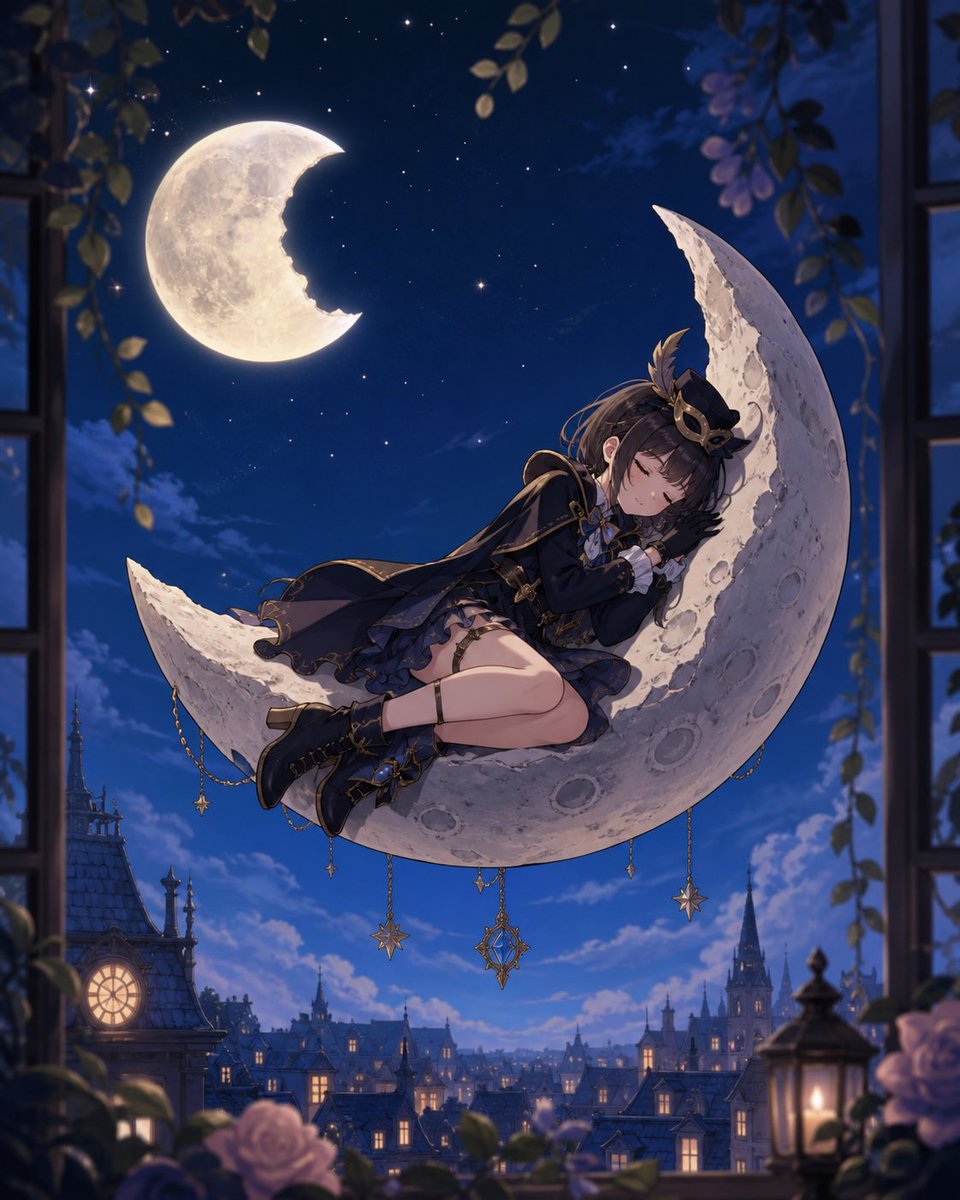
Generate a dreamy vertical anime illustration of a girl sleeping on a giant crescent moon above a gothic town, perfect for storybook or album art.
PROMPT · EN
Create a dreamy vertical anime fantasy illustration of argcharacter description: a petite teenage girl with dark brown hair in a tousled side ponytail sleeping curled up on an enormous cratered crescent moon floating above a European gothic town at night. She wears {argument name="outfit style" default="a black and navy Victorian military-lolita outfit with gold trim, short layered skirt, capelet, gloves, lace details, ribbon bows, and black ankle boots"}, with a small ornate hat and crescent-shaped gold accessory in her hair. Her eyes are closed, expression peaceful, hands tucked near her face as if hugging the moon, legs folded comfortably along the lower curve. The crescent moon is large, pale ivory, rough and cratered, with 6 visible dangling gold chains and charms hanging from its lower edge: two star charms, one ornate diamond-shaped celestial pendant, and three small decorative drops. In the upper left sky, show a second bright full moon with a crescent-shaped bite missing from its right side, implying the sleeping girl has stolen a piece of the moon. The background is a deep cobalt-blue starry sky over a fairytale city of steep rooftops, lit windows, clock tower, spires, and distant castle silhouettes. Frame the scene as if viewed from an open window or balcony, with dark window edges on both sides, hanging green vines and leaves at the top, soft purple flowers and roses near the bottom, and a warm lantern glowing in the lower right foreground. Use cinematic moonlight, soft rim lighting, delicate painterly anime rendering, high detail, romantic magical atmosphere, depth of field, rich blues and golds, vertical composition, no text.
About this prompt
Generate a dreamy vertical anime illustration of a girl sleeping on a giant crescent moon above a gothic town, perfect for storybook or album art. Use it as a Concept Art starting point for GPT Image 2: keep the visual structure and style constraints intact, then swap in your own subject, brand, or scene.
Start by replacing character description and outfit style, then keep the camera, composition, and material cues in the same order. This makes the output easier to compare across variations.
How to use this prompt
- Copy the full prompt text from the page.
- Open your preferred AI image generator (e.g., Sora 2, Midjourney, DALL·E).
- Replace the
{argument}placeholders with your own character and outfit descriptions. - Paste the customized prompt into the model's input field.
- Generate the image and adjust settings like aspect ratio (vertical recommended) if needed.


