
Anime Dojo Battle — Dynamic Female Fighters Sora 2 Prompt
Create a stunning high-impact anime illustration of two female martial artists clashing in a traditional dojo with swirling elemental energy effects.
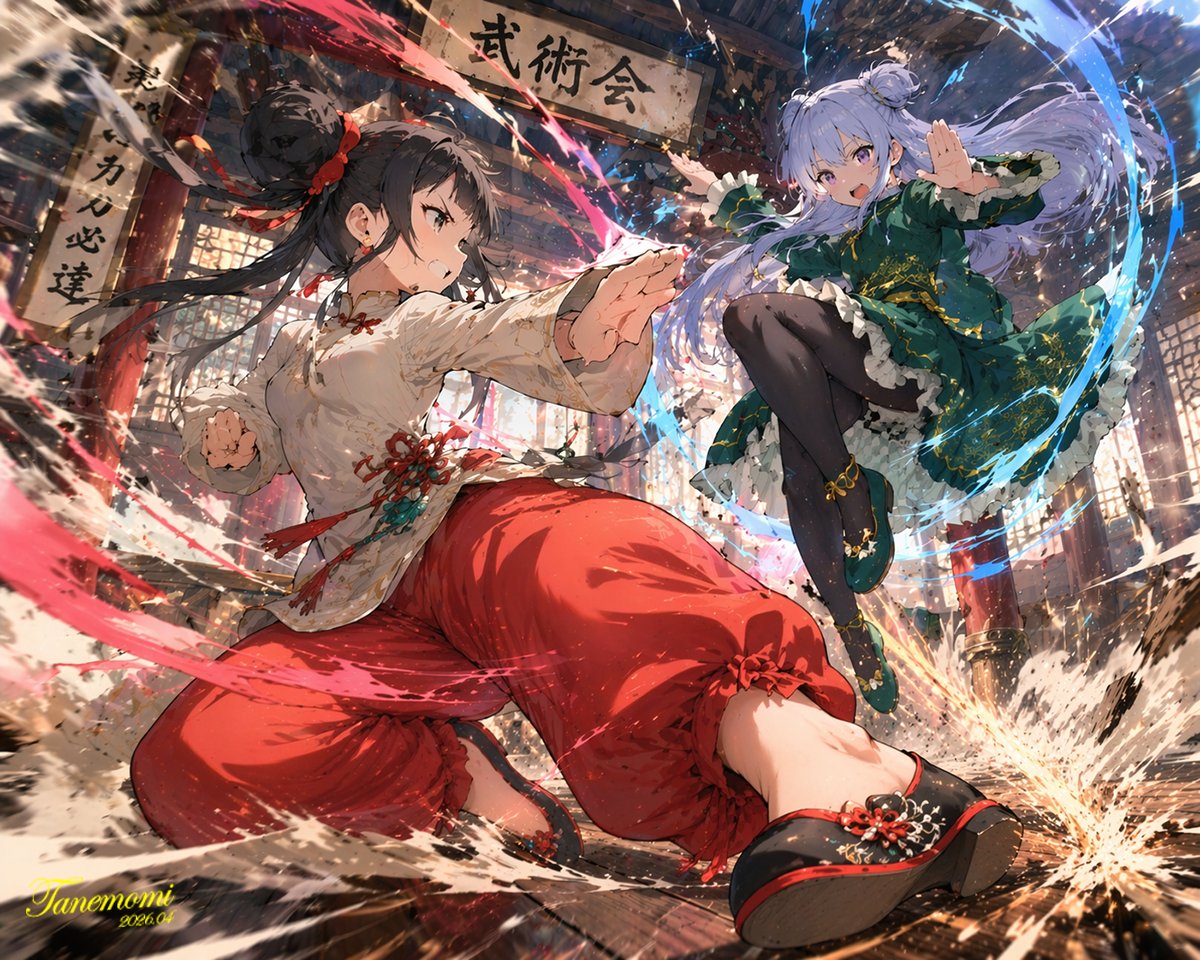
An anime-style illustration of a argaction type: high-impact martial arts battle between two young female fighters in a argsetting: traditional wooden martial arts dojo. In the foreground, a girl with black hair in a high bun wears a argcharacter 1 color theme: red and white Chinese-style martial arts outfit with baggy pants. She is in a dynamic, low, forward-thrusting stance, surrounded by swirling red energy and water splashes. In the background to the right, a girl with light purple hair in twin buns wears a argcharacter 2 color theme: green and purple Chinese dress with gold embroidery and black tights. She is leaping through the air in a flying kick pose, surrounded by swirling blue energy. The wooden floorboards are splintering from the intense impact, with debris and dust flying through the air. Above them hangs a weathered wooden sign with the text "argsign text: 武術会". The scene features dramatic lighting, a low-angle dynamic perspective, and intense action effects.
About this prompt
Create a stunning high-impact anime illustration of two female martial artists clashing in a traditional dojo with swirling elemental energy effects. Use it as a Concept Art starting point for GPT Image 2: keep the visual structure and style constraints intact, then swap in your own subject, brand, or scene.
Common directions include gptimage2api prompts, gptimage2api, and en. Treat these tags as creative cues; the prompt structure and preview image are the more useful guide.
Start by replacing action type, setting, character 1 color theme, and character 2 color theme, then keep the camera, composition, and material cues in the same order. This makes the output easier to compare across variations.
How to use this prompt
- Copy the entire prompt text above.
- Open your preferred AI image generator (e.g., Sora 2, Midjourney, DALL·E).
- Paste the prompt into the input field.
- Customize the variables in curly braces — such as action type, setting, color themes, and sign text — to match your vision.
- Generate the image and refine by adjusting variables or adding style keywords for your desired result.


