
Anime Starry Night Sky — Custom Text Prompt for Sora 2
Create a cinematic Makoto Shinkai-inspired scene with a vibrant Milky Way, shooting stars, and your own glowing neon text above a tranquil lakeside town.
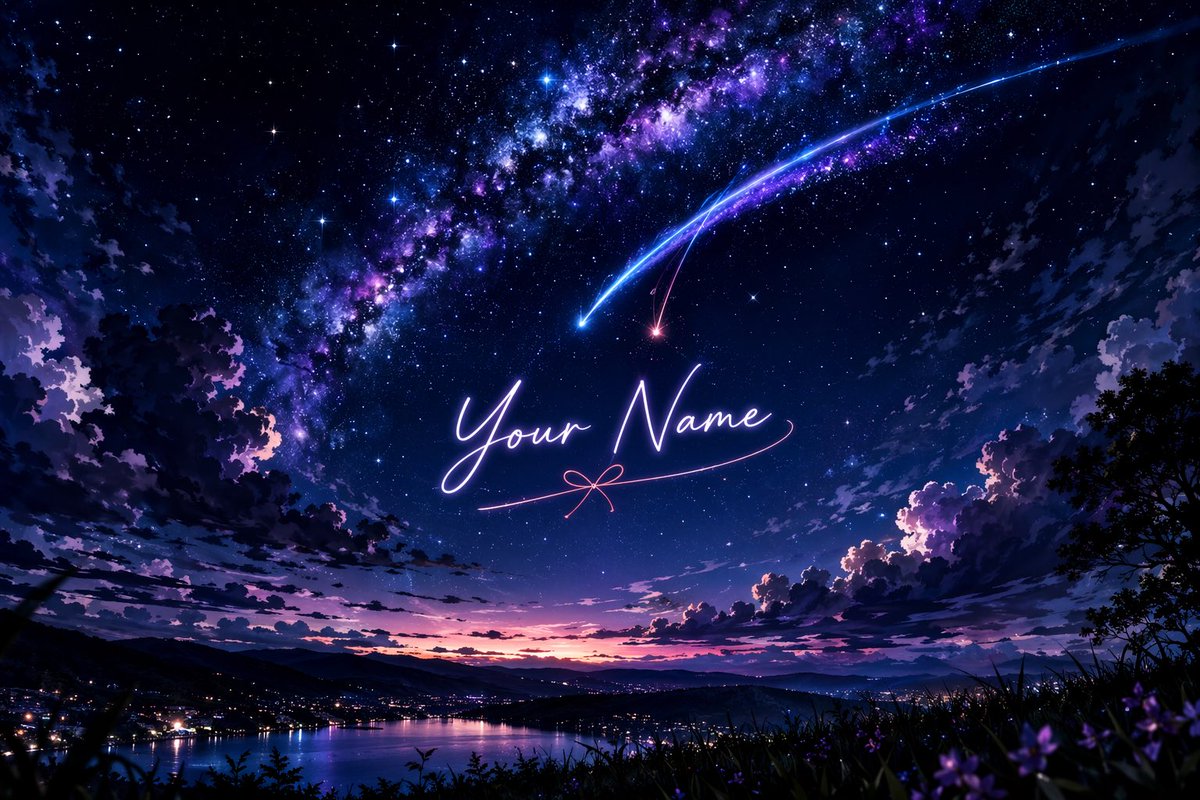
A breathtaking anime-style landscape featuring a vibrant, starry night sky dominated by a brilliant, sweeping Milky Way in hues of deep purple, blue, and magenta. Two prominent shooting stars, one glowing bright blue and the other a softer pinkish-red, streak downwards across the sky, their tails intersecting. In the center of the sky, written in elegant, glowing cursive neon-like script, is the text "argcustom text: Your Name", underlined by a delicate pink line that forms a small bow in the middle. Below, a serene landscape unfolds with dark, silhouetted clouds framing the edges. A distant town with glowing city lights sits nestled along the shores of a calm lake, reflecting the twilight colors of the horizon where the sun has just set, leaving a gradient of pink and orange. The foreground features dark silhouettes of grassy hills and subtle hints of purple flowers, adding depth to this magical, cinematic scene reminiscent of Makoto Shinkai's art style.
About this prompt
Create a cinematic Makoto Shinkai-inspired scene with a vibrant Milky Way, shooting stars, and your own glowing neon text above a tranquil lakeside town. Use it as a Concept Art starting point for GPT Image 2: keep the visual structure and style constraints intact, then swap in your own subject, brand, or scene.
Common directions include gptimage2api prompts, gptimage2api, and en. Treat these tags as creative cues; the prompt structure and preview image are the more useful guide.
Start by replacing custom text, then keep the camera, composition, and material cues in the same order. This makes the output easier to compare across variations.
How to use this prompt
- Copy the prompt and paste it into your Sora 2 (or compatible AI video/image generator) workspace.
- Locate the
custom textvariable and replace"Your Name"with any text or name you want glowing in the sky. - Choose your preferred model and aspect ratio (16:9 recommended for landscape).
- Tweak details like color descriptors (e.g., swap
purpleforteal) if desired. - Generate the output and iterate by adjusting the text or sky colors until the scene matches your vision.


