
GPT Image 2AI Prompt
Anime Tennis Player Diorama — Sora 2 Prompt
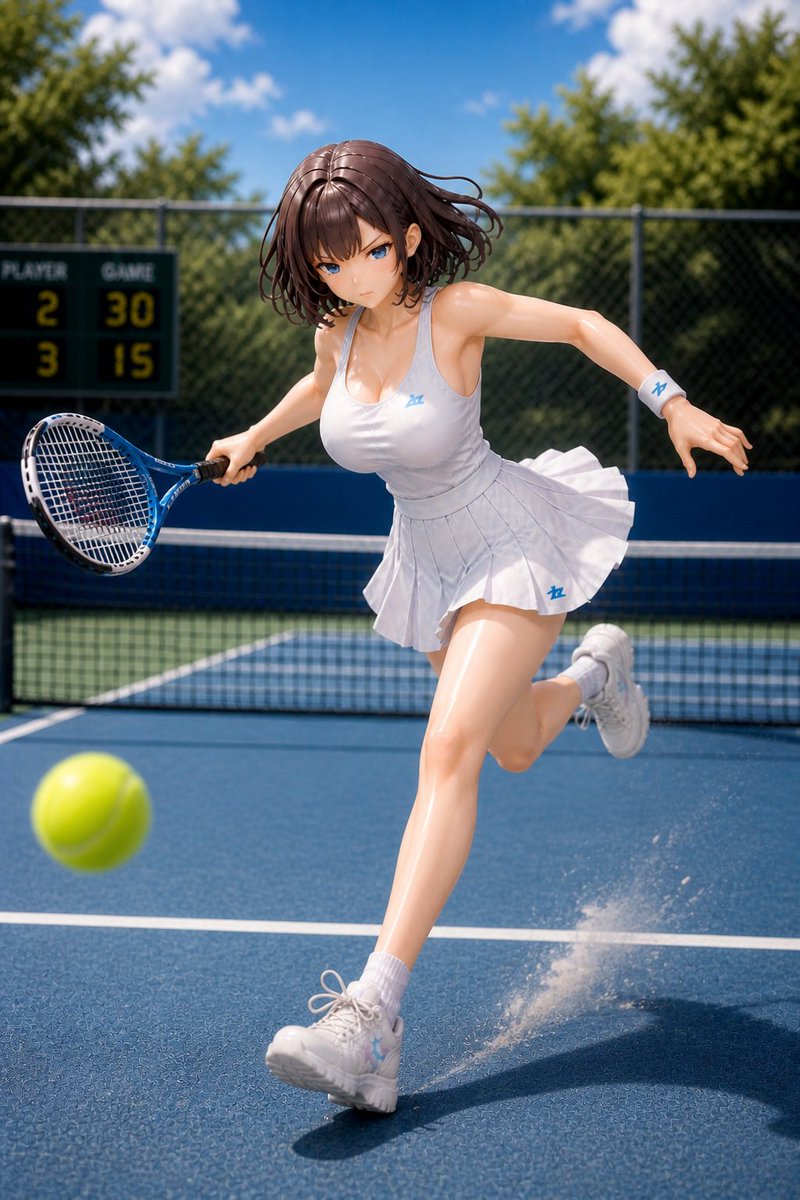
Generates a hyper-realistic toy-photography style diorama of an anime tennis player in dynamic mid-rally motion with cinematic sports framing.
PROMPT · EN
Create a highly realistic miniature diorama-style action figure scene of argcharacter name: an anime-style female tennis player on an outdoor blue hard tennis court in bright midday sunlight. The subject is a glossy collectible figurine with smooth plastic-resin skin, athletic curvy proportions, and short windblown arghair color: dark brown bob hair; her face is intentionally obscured by a soft square blur. She is captured mid-sprint during a tennis rally, leaning forward dynamically with one leg extended toward the camera and the other kicked back, holding a blue tennis racket in her right hand while reaching her left arm outward for balance. Dress her in a fitted argoutfit color: white sleeveless tennis tank dress with a low neckline, pleated skirt flaring from motion, white wristband with a small blue logo, white ankle socks, and chunky white tennis shoes with pale blue accents. Place one bright yellow-green tennis ball in the left foreground, motion-blurred and close to the camera. Add a tennis net across the midground, a dark green scoreboard in the left background showing Player 2, Game 30, 3 and 15, chain-link fencing, leafy green trees, and a vivid blue sky with soft white clouds. Use shallow depth of field, cinematic sports photography framing, low camera angle, strong sunlight highlights, crisp shadows, tiny dust or court particles spraying near the front foot, realistic court texture, and a polished toy-photography / 3D-rendered diorama aesthetic.
About this prompt
Generates a hyper-realistic toy-photography style diorama of an anime tennis player in dynamic mid-rally motion with cinematic sports framing. Use it as a Concept Art starting point for GPT Image 2: keep the visual structure and style constraints intact, then swap in your own subject, brand, or scene.
Start by replacing character name, hair color, and outfit color, then keep the camera, composition, and material cues in the same order. This makes the output easier to compare across variations.
How to use this prompt
- Copy the prompt text from this page.
- Select a compatible AI model (e.g. Sora 2, Runway, or similar image/video generator).
- Customize the variables like character name, hair color, and outfit color to match your vision.
- Generate and refine — adjust camera angle or lighting keywords if the first result needs tweaking.


