
Anime VTuber Live Stream Overlay — Sora 2 Prompt
Generates a cozy anime VTuber streaming scene with customizable UI badges, chat box, and studio setup details.
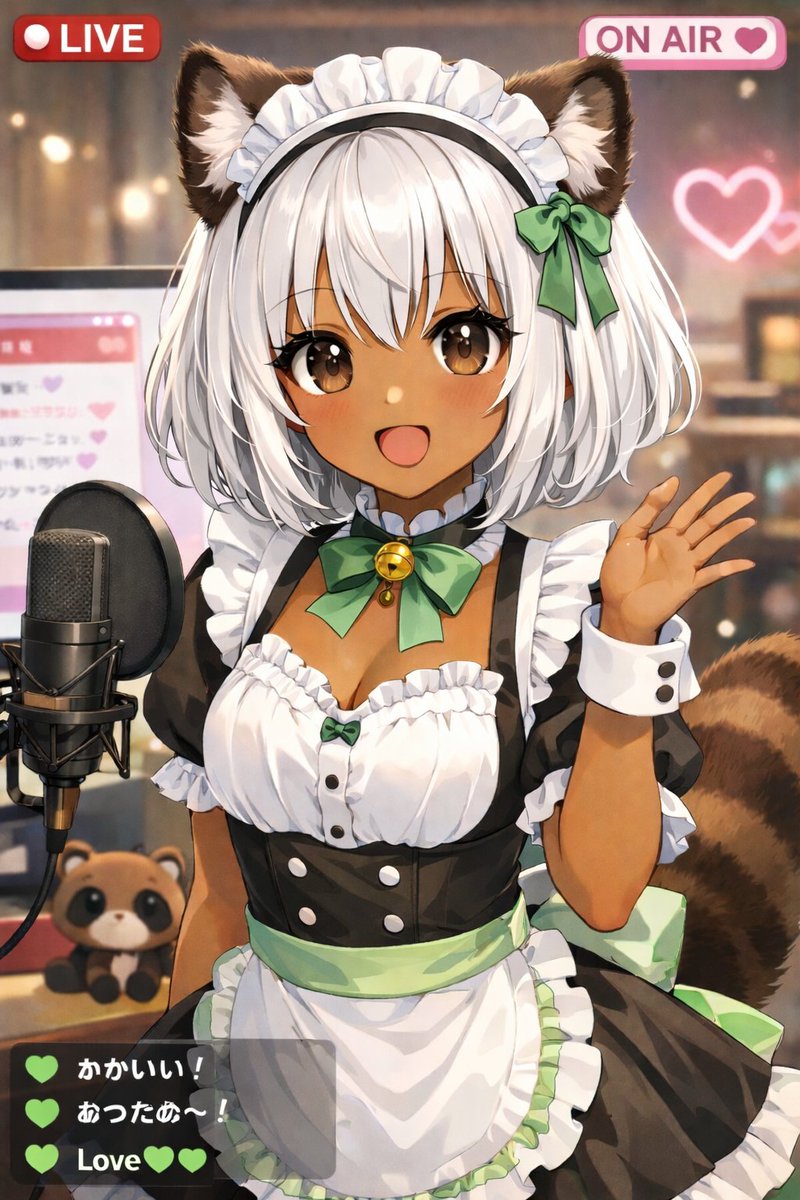
An anime-style illustration of a cute arganimal type: tanuki-girl VTuber streaming live. She has dark skin, short white bob hair, fluffy brown animal ears, large brown eyes, and a fluffy striped tail. She is smiling happily with her mouth open and waving at the camera with her left hand. She is wearing a black and white maid outfit with frilly white trim, a white apron with a light green waistband, and a green ribbon choker with a golden bell. The background is a cozy, softly lit room with bokeh effects, featuring a glowing pink neon heart on the wall. To her left is a professional black studio microphone on a stand, and behind it is a computer monitor displaying a pink chat interface. A small argplushie type: tanuki plushie sits on the desk next to the microphone. The image features a streaming UI overlay with 3 distinct components: a red badge in the top left reading "argtop left badge: LIVE", a pink badge in the top right reading "argtop right badge: ON AIR" with a heart icon, and a semi-transparent dark grey chat box in the bottom left containing exactly 3 messages. The first message has a green heart and the text "Cute!", the second has a green heart and the text "Warm~!", and the third says "argchat message: Love" with two green hearts.
About this prompt
Generates a cozy anime VTuber streaming scene with customizable UI badges, chat box, and studio setup details. Use it as a Concept Art starting point for GPT Image 2: keep the visual structure and style constraints intact, then swap in your own subject, brand, or scene.
Common directions include gptimage2api prompts, gptimage2api, and en. Treat these tags as creative cues; the prompt structure and preview image are the more useful guide.
Start by replacing animal type, plushie type, top left badge, and top right badge, then keep the camera, composition, and material cues in the same order. This makes the output easier to compare across variations.
How to use this prompt
- Copy this prompt into your preferred AI image generator.
- Choose a model optimized for anime or illustration styles.
- Customize the variables like animal type or chat messages to personalize your VTuber.
- Adjust any lighting or background details if the model allows further tweaking.
- Generate the image and use it for streaming overlays, profile art, or content.


