
GPT Image 2AI Prompt
Accidental Selfie ChatGPT UI — AI Prompt
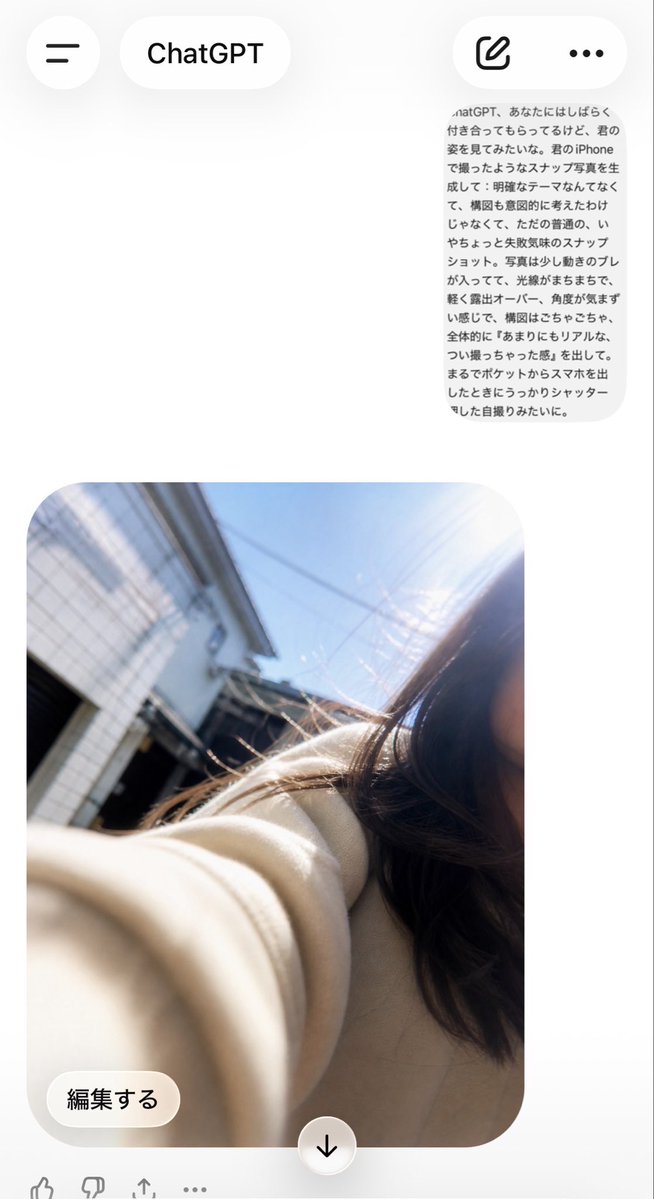
Generates a messy, pocket-taken selfie photo seamlessly integrated into a realistic ChatGPT mobile app interface.
PROMPT · EN
使用 REFERENCE_0 作为源提示文本,REFERENCE_1 作为应用界面构图参考,生成最终的 ChatGPT 移动端对话界面。将日语提示词保留在右上角附近,作为一个小巧的灰色圆角消息气泡;在下方生成一张看起来像是从口袋里掏出手机时误触快门拍摄的普通自拍:画面应呈现凌乱的倾斜构图、轻微的运动模糊、不均匀的阳光眩光或过曝,且没有任何刻意的构图感。自拍背景设定在明亮日光的住宅区街道,画面右侧裁切掉了一名年轻女性的部分身影,她留着深色长发,前景中有一只穿着米色外套的袖子伸向镜头,背景是建筑物和蓝天。包含 ChatGPT 应用 UI:顶部栏带有汉堡菜单按钮、“ChatGPT”标题胶囊、撰写图标和三点菜单;在图片下方包含一个“編集する”编辑按钮和一个居中的向下箭头按钮。保持随意的非完美快照感,而非精致或电影级的画面。
About this prompt
Generates a messy, pocket-taken selfie photo seamlessly integrated into a realistic ChatGPT mobile app interface. Use it as a Concept Art starting point for GPT Image 2: keep the visual structure and style constraints intact, then swap in your own subject, brand, or scene.
Start with small changes to subject, scene, camera, and color, then generate a few variations to compare composition and detail without turning the page copy into keyword stuffing.
How to use this prompt
- Copy the prompt from this page. 2. Select an image generation model like Sora 2 or DALL·E 3. 3. Paste the prompt and, optionally, adjust details like clothing color or background. 4. Generate the image to get a casual, imperfect selfie mockup.


