
Galgame Style Phone Screenshot — Realistic Cosplay AI Prompt
Create an immersive phone screenshot blending realistic cosplay with anime aesthetics, complete with UI overlays and healing dialogue for a visual novel feel.
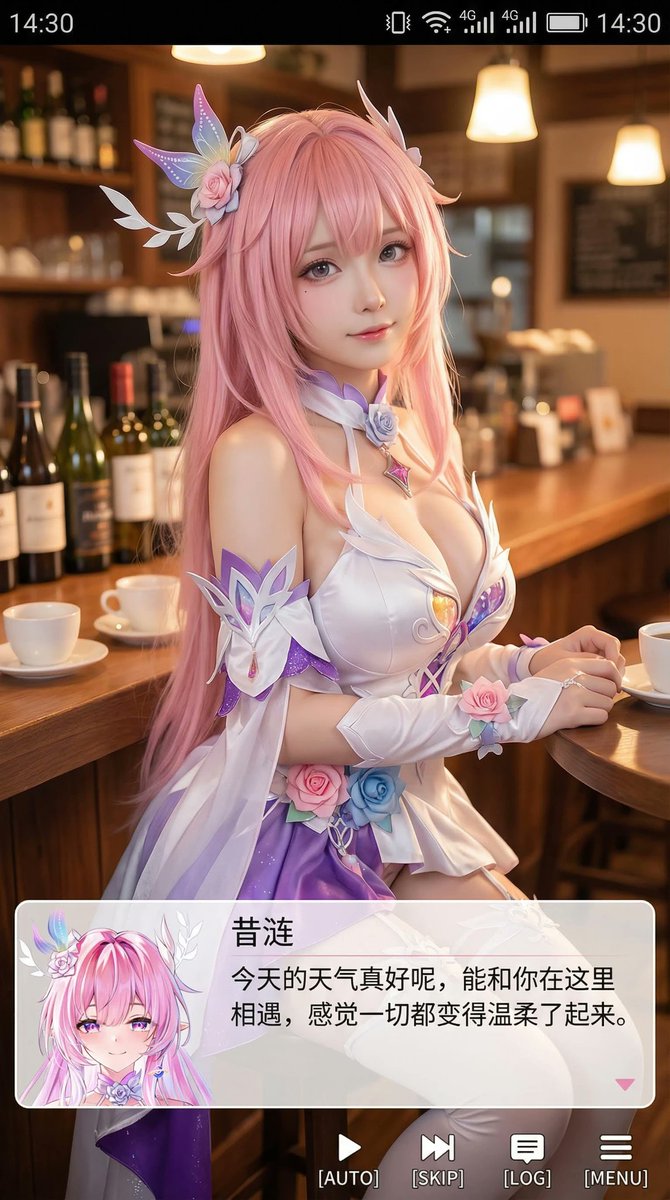
Generate a vertical phone screenshot-style image, approximately 9:16 ratio. In the center-top area is a realistic cosplayer portraying an anime character. The person is rendered in realistic style but with slightly anime-influenced features 鈥?refined skin, slightly larger eyes, gentle expression looking at the camera, sitting in a casual indoor setting such as a cafe or bar counter, with scene-appropriate props in the background. At the top of the image, add a phone system status bar UI including time, battery, signal, and network icons so the entire image looks like a real phone screenshot. At the bottom, overlay a large semi-transparent galgame-style dialogue box with a small anime or chibi avatar on the left side matching the character; on the right side of the box, display the character name in larger font on the first line, followed by one or two lines of warm, healing dialogue text. Below the dialogue box, add an action bar mimicking a galgame UI. Overall style is high-definition, detail-rich, soft lighting, with a natural blend of anime and live-action photography aesthetics.
About this prompt
Create an immersive phone screenshot blending realistic cosplay with anime aesthetics, complete with UI overlays and healing dialogue for a visual novel feel. Use it as a Concept Art starting point for GPT Image 2: keep the visual structure and style constraints intact, then swap in your own subject, brand, or scene.
Common directions include portraits, advanced, cosplay, and galgame. Treat these tags as creative cues; the prompt structure and preview image are the more useful guide.
Start with small changes to subject, scene, camera, and color, then generate a few variations to compare composition and detail without turning the page copy into keyword stuffing.
How to use this prompt
- Copy the prompt from [sora2hub.com](https://sora2hub.com) to your clipboard.
- Paste it into an AI image model like Sora 2, Midjourney, or DALL·E 3.
- Adjust variables such as the character’s appearance, dialogue text, or background setting to fit your story.
- Generate the image — most models will output a 9:16 vertical composition.
- If needed, refine with negative prompts (e.g., "no distorted UI elements") for perfect results.


