
GPT Image 2AI Prompt
Cyberpunk Anime Virtual Idol — Sora 2 Prompt
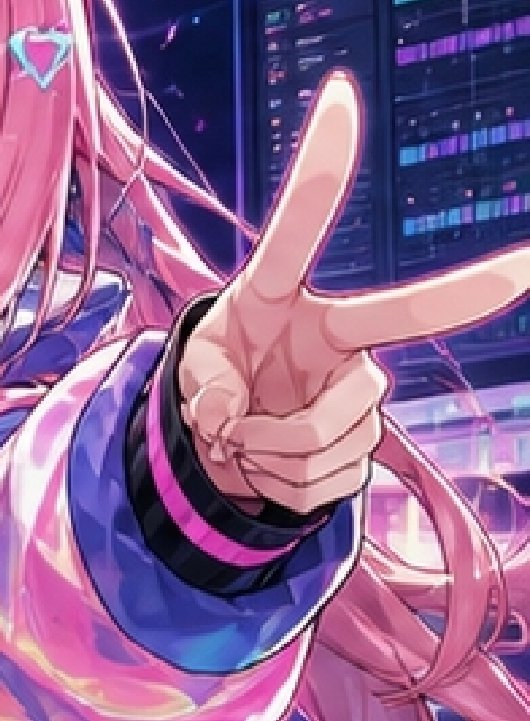
Generate a vibrant cyberpunk anime close-up of a pink-haired virtual idol with an oversized peace sign hand in a neon server room.
PROMPT · EN
Create a vibrant cyberpunk anime close-up illustration of argcharacter name: a pink-haired virtual idol girl in a neon server-room setting, framed as a tight vertical crop with the left half of her face mostly cut off and her oversized hand dominating the center foreground. She has very long flowing arghair color: bright pink hair with loose strands and ribbons, a small turquoise diamond-shaped hair ornament near the top left, pale skin, and a glossy futuristic jacket in argjacket color: electric blue and magenta with black cuffs and hot-pink trim. Her hand is thrust toward the viewer in extreme perspective, making a peace sign with 2 long extended fingers, 1 visible thumb, and 3 curled or partially fused lower fingers for a slightly imperfect six-finger AI-art look. The background shows tall dark data panels and monitor columns with glowing purple, cyan, and magenta code-like bars, plus diagonal neon light streaks and pink reflections. Use a polished high-saturation anime key visual style, dramatic rim lighting, glossy highlights, shallow depth of field, energetic idol-promo composition, and a futuristic website hero-image feel.
About this prompt
Generate a vibrant cyberpunk anime close-up of a pink-haired virtual idol with an oversized peace sign hand in a neon server room. Use it as a Concept Art starting point for GPT Image 2: keep the visual structure and style constraints intact, then swap in your own subject, brand, or scene.
Start by replacing character name, hair color, and jacket color, then keep the camera, composition, and material cues in the same order. This makes the output easier to compare across variations.
How to use this prompt
- Copy the full prompt and paste it into your Sora 2 or compatible AI image generator.
- Choose an anime-specialized model or high-saturation style setting for best results.
- Customize the variables like
{character name},{hair color}, and{jacket color}to match your creative vision. - Adjust aspect ratio to portrait/vertical orientation for the intended tight crop composition.
- Generate and iterate—refine the prompt wording or variable values to fine-tune the output.


