Sora2 Hub
Sora2 Hub
  • Prompt Library
  • Pricing
  • Showcase
  • Blog
Sora2 Hub
Sora2 Hub
Sora2 Hub

Sora2 Hub

Professional AI creation platform powered by Sora 2, Veo 3.1, and Nano Banana Pro. Create stunning videos and studio-grade images with advanced control, HD quality, and no watermarks.

Email:support@sora2hub.org

AI Video Generator

  • Text to Video
  • Image to Video
  • Veo 3.1
  • Sora 2
  • Kling 3.0
  • Kling 2.6
  • Kling 2.5
  • Runway
  • Wan 2.6
  • Seedance 2.0
  • Hailuo 2.3
  • Grok Imagine
  • HappyHorse-1.0
  • HappyHorse 1.1
  • Kling 3.0 Turbo
  • Volcengine Video-to-Video Lip Sync
  • OmniHuman 1.5
  • Grok Imagine Video 1.5
  • Gemini Omni
  • Wan 2.7 Video
  • Seedance 2.0 Mini

AI Image Generator

  • Text to Image
  • Image to Image
  • Nano Banana Pro
  • Nano Banana
  • 4o Image
  • Flux Kontext
  • Z Image
  • Seedream 4.5
  • Seedream 5.0 Lite
  • Nano Banana 2
  • GPT Image 2
  • AI Image Upscaler
  • Seedream 5.0 Pro
  • Nano Banana 2 Lite
  • Qwen Image 2.0

AI Effects

  • AI Age Filter
  • AI Gender Swap
  • AI Kiss
  • AI Hug
  • Ghibli Image
  • AI Mermaid Filter
  • AI Bodyshake
  • Smiling Filter
  • AI Fat
  • Action Figure

Product

  • Features
  • Showcases
  • Pricing

Company

  • About
  • Contact

© 2025 • Sora2 Hub ORG All rights reserved.

  • Privacy Policy
  • Terms of Service
  • Refund Policy
  1. Home
  2. /
  3. Prompts
  4. /
  5. GPT Image 2
  6. /
  7. Medical Anatomy Split-View — Sora 2 Prompt
GPT Image 2AI Prompt

Medical Anatomy Split-View — Sora 2 Prompt

Generates a highly detailed, labeled medical infographic of human anatomy with a split-view of muscles, bones, and internal organs.
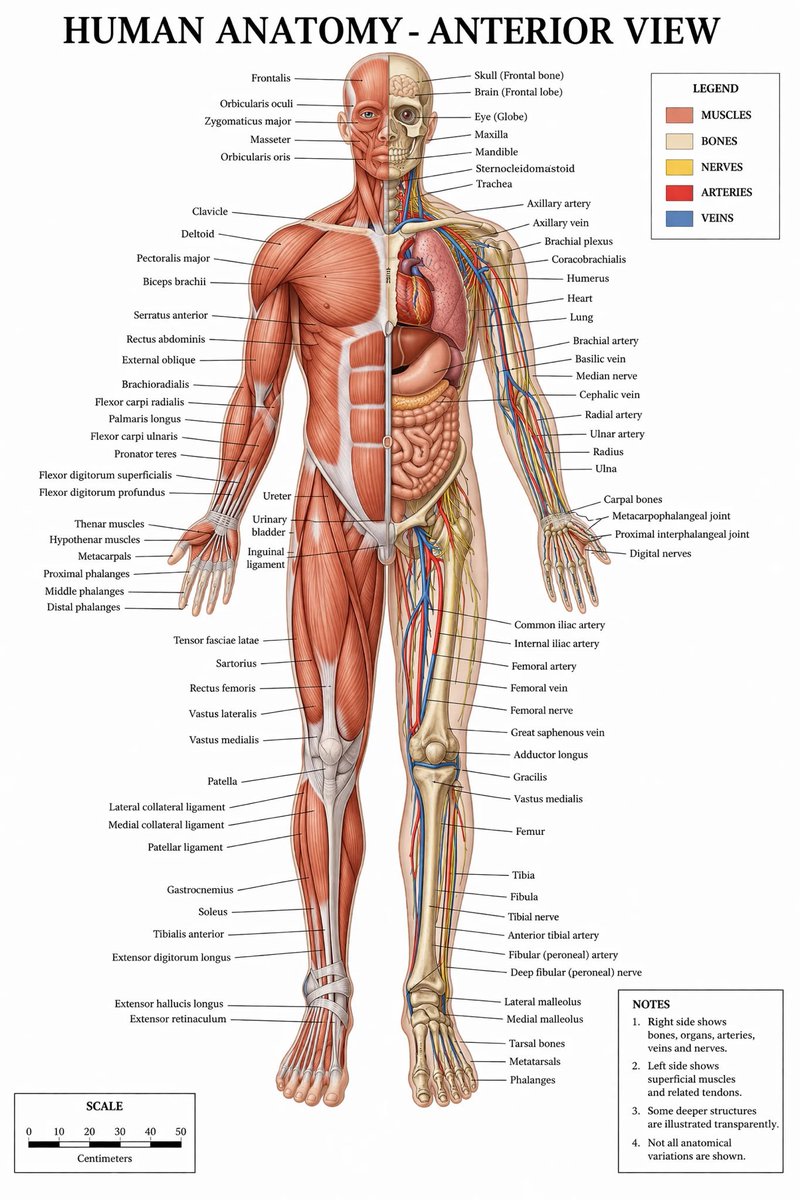
Medical Anatomy Split-View — Sora 2 Prompt
PROMPT · EN
type
medical infographic poster
title
{argument name="main title" default="HUMAN ANATOMY - ANTERIOR VIEW"}
subject
description
Full-body {argument name="subject type" default="male human figure"}, anterior view, split vertically down the midline.
viewer_left_side
{argument name="left side focus" default="superficial muscles"}
viewer_right_side
{argument name="right side focus" default="bones, internal organs, arteries, veins, and nerves"}
style
{argument name="color palette" default="clinical medical textbook colors"}
layout
centerpiece
The anatomical figure stands centrally, arms slightly away from the body, palms facing forward.
labeling_system
Thin black leader lines connect anatomical structures to text labels arranged neatly on the left and right margins.
label_counts
head_and_neck
12
torso_and_arms
29
hands
10
pelvis_and_legs
34
feet
5
panels
item 1
title
LEGEND
position
top-right
count
5
items
item 1
color
red/brown
label
MUSCLES
item 2
color
beige
label
BONES
item 3
color
yellow
label
NERVES
item 4
color
red
label
ARTERIES
item 5
color
blue
label
VEINS
item 2
title
NOTES
position
bottom-right
count
4
items
item 1
1. Right side shows bones, organs, arteries, veins and nerves.
item 2
2. Left side shows superficial muscles and related tendons.
item 3
3. Some deeper structures are illustrated transparently.
item 4
4. Not all anatomical variations are shown.
item 3
title
SCALE
position
bottom-left
count
6
description
A horizontal bar scale with 6 numeric markers (0, 10, 20, 30, 40, 50) labeled 'Centimeters'.

About this prompt

Generates a highly detailed, labeled medical infographic of human anatomy with a split-view of muscles, bones, and internal organs. Use it as a Concept Art starting point for GPT Image 2: keep the visual structure and style constraints intact, then swap in your own subject, brand, or scene.

This prompt is organized as structured JSON with fields such as type, title, subject, and layout. Keeping that hierarchy helps the model separate the subject, layout, interface elements, and detail constraints.

Start with small changes to subject, scene, camera, and color, then generate a few variations to compare composition and detail without turning the page copy into keyword stuffing.

How to use this prompt

  1. Copy the prompt JSON from sora2hub.com.
  2. Choose Sora 2 or a comparable text-to-image model.
  3. Edit the 'main title' or 'subject type' variables to customize the view (e.g., female, anterior/posterior).
  4. Paste the customized prompt into the model.
  5. Generate and refine by tweaking the 'color palette' or 'left/right side focus' arguments.
FAQ

Ivan Davila

@prompts→

Published
Apr 30, 2026
Language
EN
Model
GPT Image 2
Category
Concept Art
GPT Image 2Concept Artgpt-image-2gptimage2api promptsgptimage2apien
Views
5.7K
Copies
724
Likes
262

Share

More from GPT Image 2

Browse all
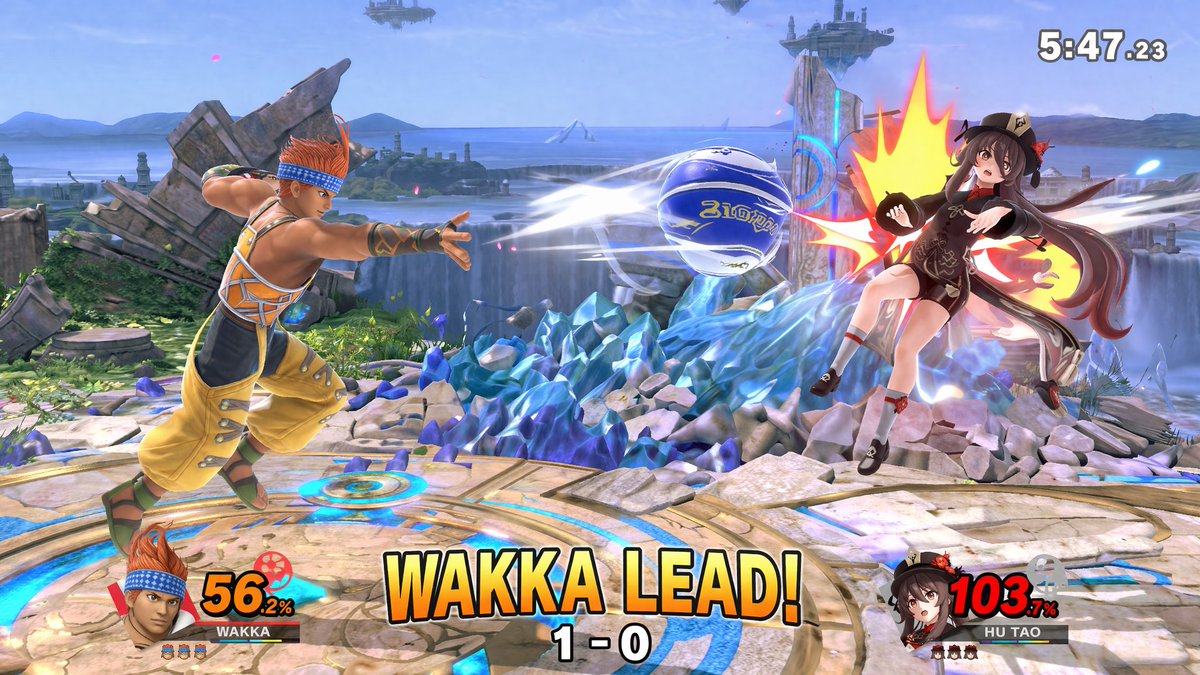
AI-Generated Crossover Fighter Screenshot — Sora 2 Prompt

AI-Generated Crossover Fighter Screenshot — Sora 2 Prompt

@momoringo_sub
Graphic Novel Ink Splash Portrait — Sora 2 Prompt

Graphic Novel Ink Splash Portrait — Sora 2 Prompt

@iamsofiaijaz
Cozy Anime Cat Holiday Bedroom — Sora 2 Prompt

Cozy Anime Cat Holiday Bedroom — Sora 2 Prompt

@miya_space

Create faster with Sora2Hub prompts.

Use curated prompt pages as searchable entry points, then jump straight into generation with the right model context.

Explore prompts