
Fashion Magazine Cover Portrait — Sora 2 Prompt
Create a photorealistic high-end fashion magazine cover with a stylish portrait, customizable headline, and professional studio lighting.
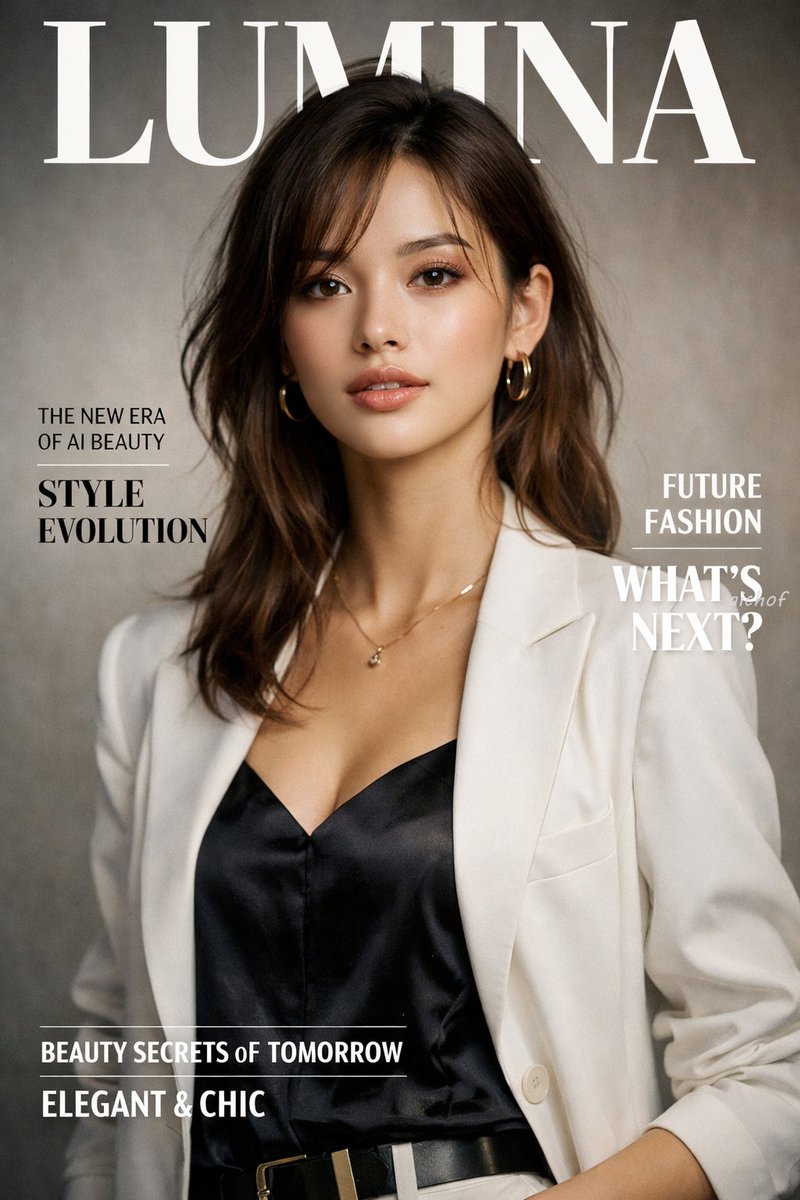
A photorealistic high-end fashion magazine cover titled "argmagazine title: LUMINA" in large white serif letters at the top. The cover features a portrait of a argsubject description: beautiful young woman with shoulder-length wavy brown hair, wearing a argoutfit: white blazer over a black silk camisole, accessorized with gold hoop earrings and a delicate gold necklace. She is looking directly at the camera with a confident, elegant expression against a textured warm grey studio backdrop. On the left side, black text reads "THE NEW ERA OF AI BEAUTY" and a larger headline "argmain headline: STYLE EVOLUTION". On the right side, white text reads "FUTURE FASHION" and "WHAT'S NEXT?". At the bottom, white text reads "BEAUTY SECRETS OF TOMORROW" and "argbottom text: ELEGANT & CHIC". Professional studio lighting, soft shadows, highly detailed.
About this prompt
Create a photorealistic high-end fashion magazine cover with a stylish portrait, customizable headline, and professional studio lighting. Use it as a Concept Art starting point for GPT Image 2: keep the visual structure and style constraints intact, then swap in your own subject, brand, or scene.
Common directions include gptimage2api prompts, gptimage2api, and en. Treat these tags as creative cues; the prompt structure and preview image are the more useful guide.
Start by replacing magazine title, subject description, outfit, and main headline, then keep the camera, composition, and material cues in the same order. This makes the output easier to compare across variations.
How to use this prompt
- Copy the prompt text above and paste it into your preferred AI image generator.
- Select a model that excels at photorealistic portraits, such as Sora 2, Midjourney, or DALL-E 3.
- Customize the optional variables — magazine title, subject description, outfit, main headline, and bottom text — to match your creative vision.
- Generate the image and review the result. If the typography or lighting needs adjustment, tweak the prompt details and regenerate.


