
AI Image Workflow Infographic — Neon UI Dark Tech Prompt
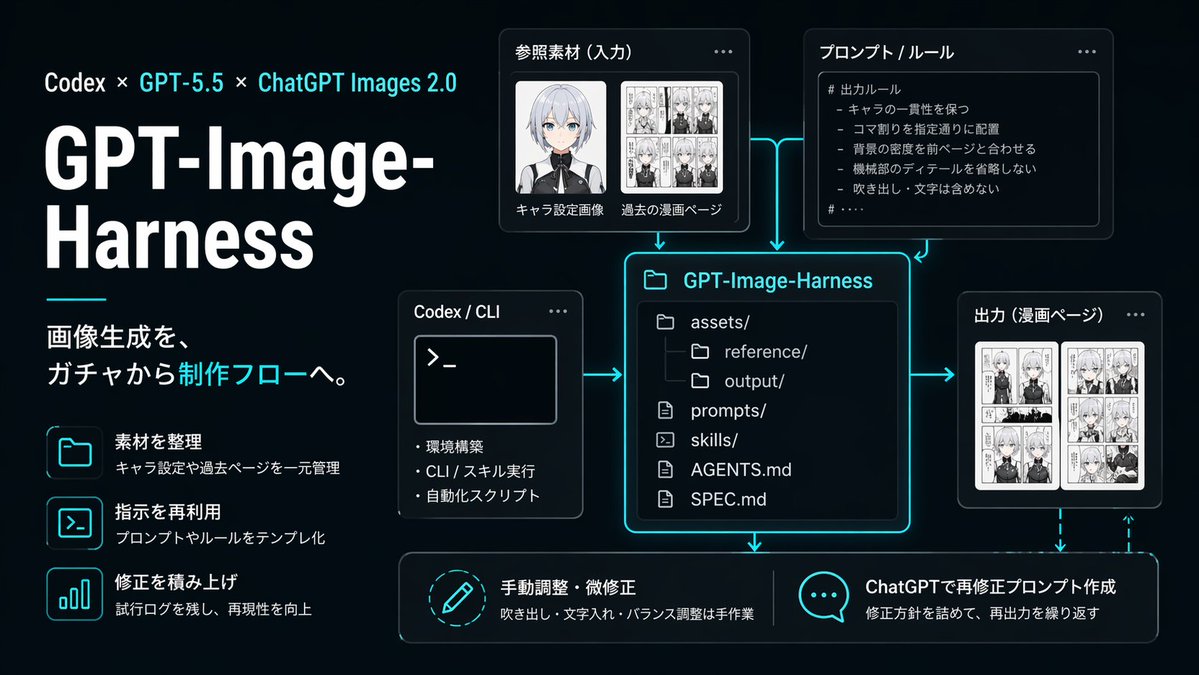
A sleek, dark-themed infographic visualizing a structured AI image-generation pipeline, perfect for tech presentations, product documentation, and social media posts about reproducible creative workfl
About this prompt
A sleek, dark-themed infographic visualizing a structured AI image-generation pipeline, perfect for tech presentations, product documentation, and social media posts about reproducible creative workfl. Use it as a Concept Art starting point for GPT Image 2: keep the visual structure and style constraints intact, then swap in your own subject, brand, or scene.
This prompt is organized as structured JSON with fields such as type, style, canvas, branding, layout, left panel, and diagram. Keeping that hierarchy helps the model separate the subject, layout, interface elements, and detail constraints.
Start with small changes to subject, scene, camera, and color, then generate a few variations to compare composition and detail without turning the page copy into keyword stuffing.
How to use this prompt
- Copy the full prompt JSON above into your AI image generator.
- Choose a model that supports high-fidelity UI and infographic rendering (e.g., GPT-4o image mode, Midjourney, or Ideogram).
- Tweak the
title,subtitle, orlabelsfields to match your own project or brand name. - Adjust the
aspect_ratioif you need a vertical (9:16) or square (1:1) layout instead of 16:9. - Generate and iterate — refine node labels, color accents, or add/remove sections to fit your specific workflow diagram.


