
New Chinese Minimalist Lotus City — Sora 2 Prompt
Create a premium commercial illustration of a minimalist lotus with a glowing miniature city inside, blending Eastern aesthetics and cinematic realism.
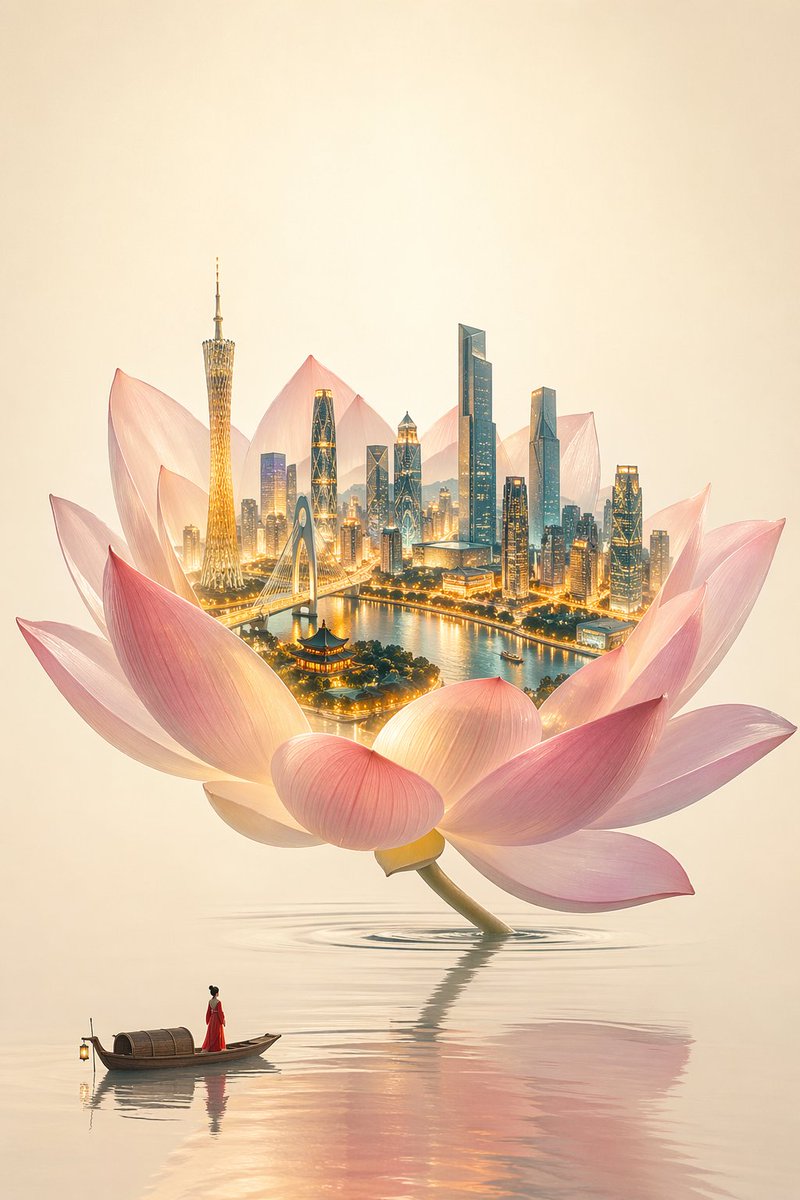
New Chinese minimalist Eastern aesthetics meets high-end commercial illustration. Theme: "a world within a single flower." Minimalist, restrained, ethereal, premium commercial visual, surreal Eastern imagery, clean and translucent composition. A giant lotus flower serves as a spatial container, growing naturally from a calm water surface, slightly tilted, with elegant composition and generous negative space. Low-saturation clean pink, soft rouge tones, semi-transparent petals, light and airy. The interior of the lotus is the sole visual focal point: a glowing 3D miniature city with ultra-fine structures and realistic materials 鈥?warm gold highlights on the city, cool cyan-blue shadows, creating a warm-cool contrast. The water surface is crystal clear, minimalist, and calm with only a few soft ripples. The background has a warm cream-white xuan paper texture with large areas of negative space. At the bottom of the scene, a minimalist small boat carries a fisherwoman in a red dress, rendered at an extremely small scale, standing still and gazing up at the lotus 鈥?the red being the only high-saturation color accent. High-end CG commercial illustration, cinematic realistic lighting, 8K detail.
About this prompt
Create a premium commercial illustration of a minimalist lotus with a glowing miniature city inside, blending Eastern aesthetics and cinematic realism. Use it as a Concept Art starting point for GPT Image 2: keep the visual structure and style constraints intact, then swap in your own subject, brand, or scene.
Common directions include posters, expert, chinese aesthetic, and illustration. Treat these tags as creative cues; the prompt structure and preview image are the more useful guide.
Start with small changes to subject, scene, camera, and color, then generate a few variations to compare composition and detail without turning the page copy into keyword stuffing.
How to use this prompt
- Copy the full prompt text from this page.
- Open Sora 2 (or compatible models like Midjourney / Stable Diffusion) and paste it into the prompt field.
- For best results, use a model fine-tuned for realistic CG art and enable 8K upscaling.
- Optionally adjust small details, e.g., the red dress color or ripple intensity, by editing the corresponding parts.
- Generate the image and refine if needed by tweaking the city’s material warmth or lotus transparency.


