
Premium Fitness Earbuds Ad Prompt — Dark Gym Campaign
Generate a cinematic, high-end sports-tech advertisement for wireless earbuds featuring a muscular athlete, dramatic rim lighting, bold motivational typography, and realistic product rendering.
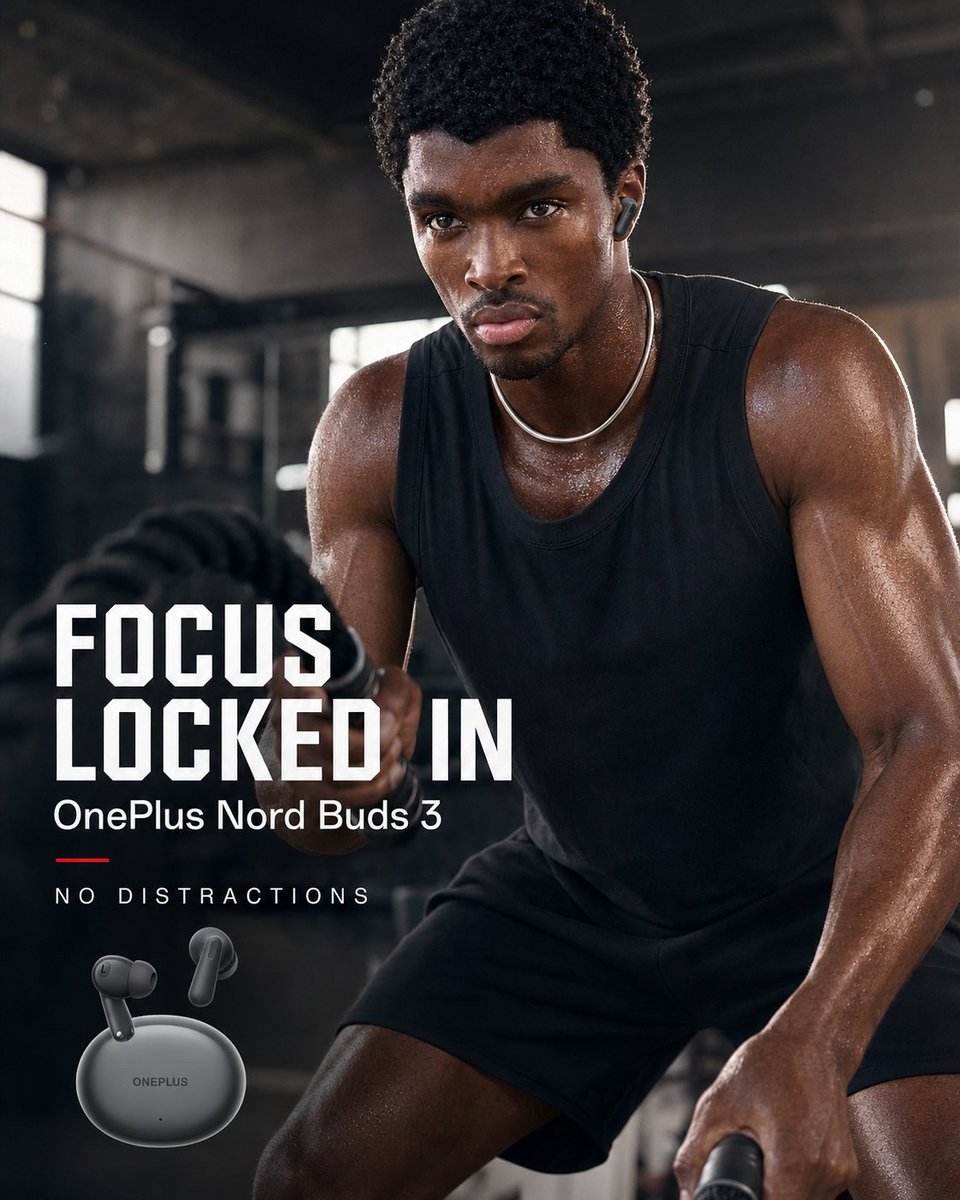
Create a square high-end fitness advertisement for argproduct name: OnePlus Nord Buds 3. Show a muscular Black male athlete in a dark industrial gym, cropped close from thighs to head, leaning forward intensely while exercising with thick battle ropes; his face is obscured by a plain dark brown rectangular block for anonymity. He wears a black sleeveless training tank, black shorts, a thin silver chain necklace, and one visible dark wireless earbud in his right ear. His skin is sweaty and glossy, with dramatic rim lighting on his shoulders and arms, shallow depth of field, smoky gym atmosphere, blurred windows and equipment in the background, cinematic contrast, realistic commercial photography. In the lower left, place bold ad typography with 4 visible text elements: the large stacked headline “argheadline text: FOCUS LOCKED IN” in white condensed athletic block letters, the smaller product line “argproduct line: OnePlus Nord Buds 3” beneath it, a short red horizontal accent line, and the spaced-out tagline “argtagline: NO DISTRACTIONS”. At the bottom left beneath the text, show exactly 3 product elements: 1 matte dark gray oval charging case labeled ONEPLUS and 2 floating matching earbuds angled above it. Use a premium sports-tech campaign style, dark charcoal and black palette with white typography and a small red accent, sharp product rendering, realistic sweat texture, and polished social media ad composition.
About this prompt
Generate a cinematic, high-end sports-tech advertisement for wireless earbuds featuring a muscular athlete, dramatic rim lighting, bold motivational typography, and realistic product rendering. Use it as a Concept Art starting point for GPT Image 2: keep the visual structure and style constraints intact, then swap in your own subject, brand, or scene.
Start by replacing product name, headline text, product line, and tagline, then keep the camera, composition, and material cues in the same order. This makes the output easier to compare across variations.
How to use this prompt
- Copy the full prompt text and paste it into a capable AI image generator like Sora 2 or Midjourney.
- Replace the default variables (
product name,headline text,tagline) with your own brand and messaging. - Choose a model that supports photorealistic output and square aspect ratios for the best ad-ready result.
- Generate the image and review the composition, lighting, and text placement for accuracy.
- Re-roll or adjust variables if text elements need correction or if you want a different athletic pose.


