
GPT Image 2AI Prompt
Out the Window Meme Comic — Sora 2 Prompt
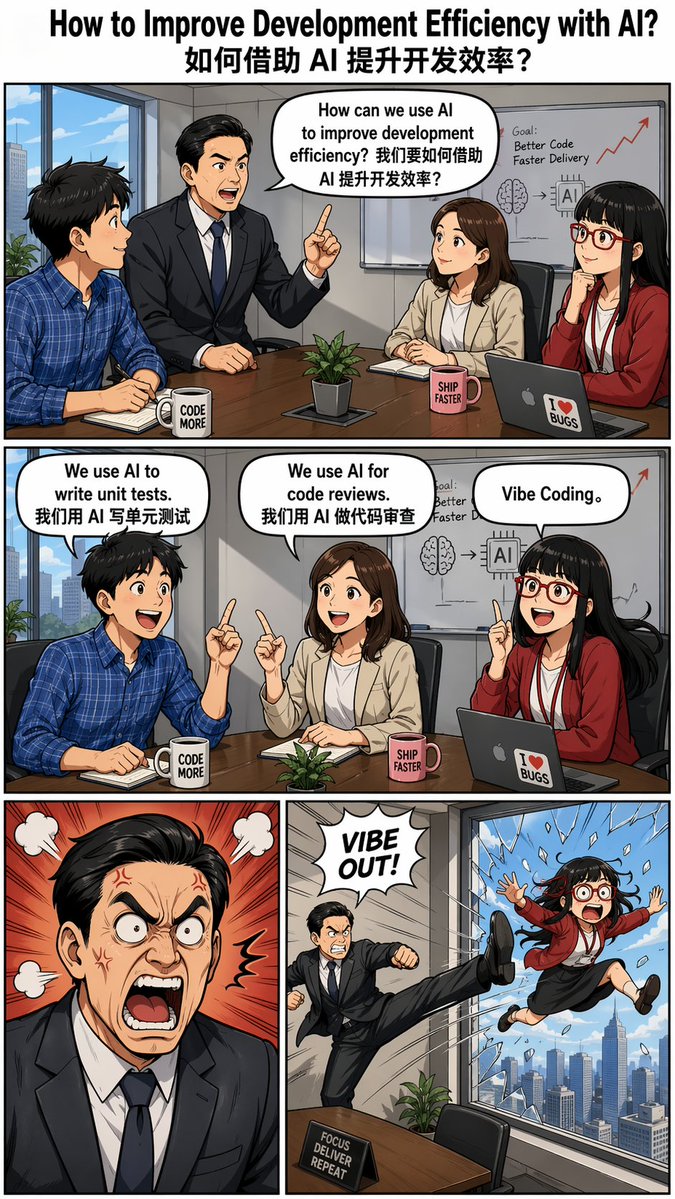
Generate a side-splitting 4-panel meme comic with AI: an office meeting turns chaotic when 'Vibe Coding' leads to a window exit. Detailed prompt for Sora 2.
PROMPT · EN
创建一个“argmeme style: Out the Window”模因风格的四格漫画,标题为“argtitle: How to Improve Development Efficiency with AI? 如何借助 AI 提升开发效率?”,并包含对话气泡。 --ar 9:16 角色: - 老板:亚裔男性,身穿西装,发型整齐。
- 员工小明:男性,身穿蓝色格子衬衫。
- 员工小红:女性。
- 员工小虎:女性,亚裔,齐刘海,佩戴红框眼镜。 分镜描述: - 第一格(单幅宽屏): 老板在会议中问道:“How can we use AI to improve development efficiency? 我们要如何借助 AI 提升开发效率?” 三名员工坐着聆听。 - 第二格(单幅宽屏): 每位员工分别回答: - 小明:“We use AI to write unit tests. 我们用 AI 写单元测试” - 小红:“We use AI for code reviews. 我们用 AI 做代码审查” - 小虎:“Vibe Coding。” - 第三行(两格): - 左侧分镜:老板看起来非常愤怒。 - 右侧分镜:员工小虎被滑稽地踢出了高层窗户。
About this prompt
Generate a side-splitting 4-panel meme comic with AI: an office meeting turns chaotic when 'Vibe Coding' leads to a window exit. Detailed prompt for Sora 2. Use it as a Concept Art starting point for GPT Image 2: keep the visual structure and style constraints intact, then swap in your own subject, brand, or scene.
Start by replacing meme style and title, then keep the camera, composition, and material cues in the same order. This makes the output easier to compare across variations.
How to use this prompt
- Copy the prompt from this page.
- Paste it into Sora 2 or a compatible AI video model.
- Adjust the
meme styleandtitlearguments if desired (default: "Out the Window" and "How to Improve Development Efficiency with AI?"). - Ensure the aspect ratio is set to 9:16 for optimal comic layout.
- Generate and enjoy your custom four-panel meme comic!


