
GPT Image 2AI Prompt
Anime Silhouette Narrative Poster — Sora 2 Prompt
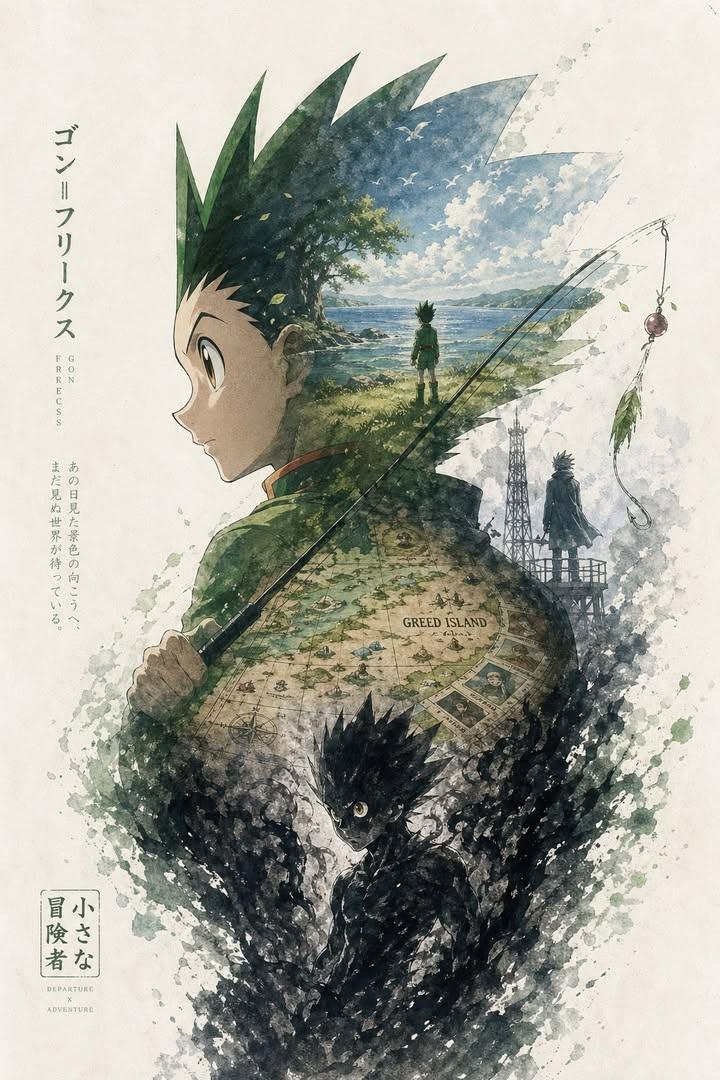
Generate a cinematic, dual-exposure silhouette poster blending watercolor dreamscape with epic narrative scenes—fully customizable by theme, character, and color palette.
1 / 2
PROMPT · EN
基于 argtheme: 进击的巨人,自动生成一张具有收藏价值的史诗级叙事海报:使用 argcharacter: 戴着红色围巾的米卡莎·阿卡曼 的侧面剪影作为外轮廓。在剪影内部,有机地生长出一个最契合主题的完整世界。希干希纳区燃烧的街道倒映在她的眼中;少年艾伦·耶格尔的笑容在烟雾中逐渐消散;阿卡曼家族的纹章如水印般隐约浮现;最终战场的阵阵海风带走了所有记忆;倒计时沙漏的碎片化作飘落的樱花,随后消散为灰烬。 整体构图不应是简单的拼贴,而应是精致的剪影叙事合成。它应具备双重曝光的联想效果,但更倾向于电影海报与梦幻水彩插画的融合。运用柔和的空气透视、轻柔的雾气过渡、纸张纹理、带有笔触感的白边以及大面积的留白。布局应显得克制、高级、宁静、宏大、神圣、怀旧、诗意且具有传奇色彩。 调色板:argcolors: 深红色与灰色的融合、柔和的粉色、深邃的黑曜石色。 所有元素——风格、色彩、场景、材质——必须自动适配主题,每一个细节都与主题紧密相连。一眼即可精准识别。避免杂乱、生硬的拼贴、模板化的背景或廉价的奇幻素材。
About this prompt
Generate a cinematic, dual-exposure silhouette poster blending watercolor dreamscape with epic narrative scenes—fully customizable by theme, character, and color palette. Use it as a Concept Art starting point for GPT Image 2: keep the visual structure and style constraints intact, then swap in your own subject, brand, or scene.
Start by replacing theme, character, and colors, then keep the camera, composition, and material cues in the same order. This makes the output easier to compare across variations.
How to use this prompt
- Copy the entire prompt text and paste it into your preferred AI image generator (e.g., Sora, Midjourney, or DALL·E).
- Choose a capable model that handles complex compositions and stylized art (e.g., Sora 2 Pro, Midjourney v6).
- Customize the variables: replace
theme,character, andcolorswith your desired fandom, hero, and palette. - Generate the image. If results are too busy, add "minimalist, negative space" to reinforce the serene aesthetic.
- Iterate: adjust the color palette or add "ink wash texture, soft paper grain" for a more painterly finish.


