
GPT Image 2AI Prompt
Exact Photo Replication — Clone Any Image with AI Prompt
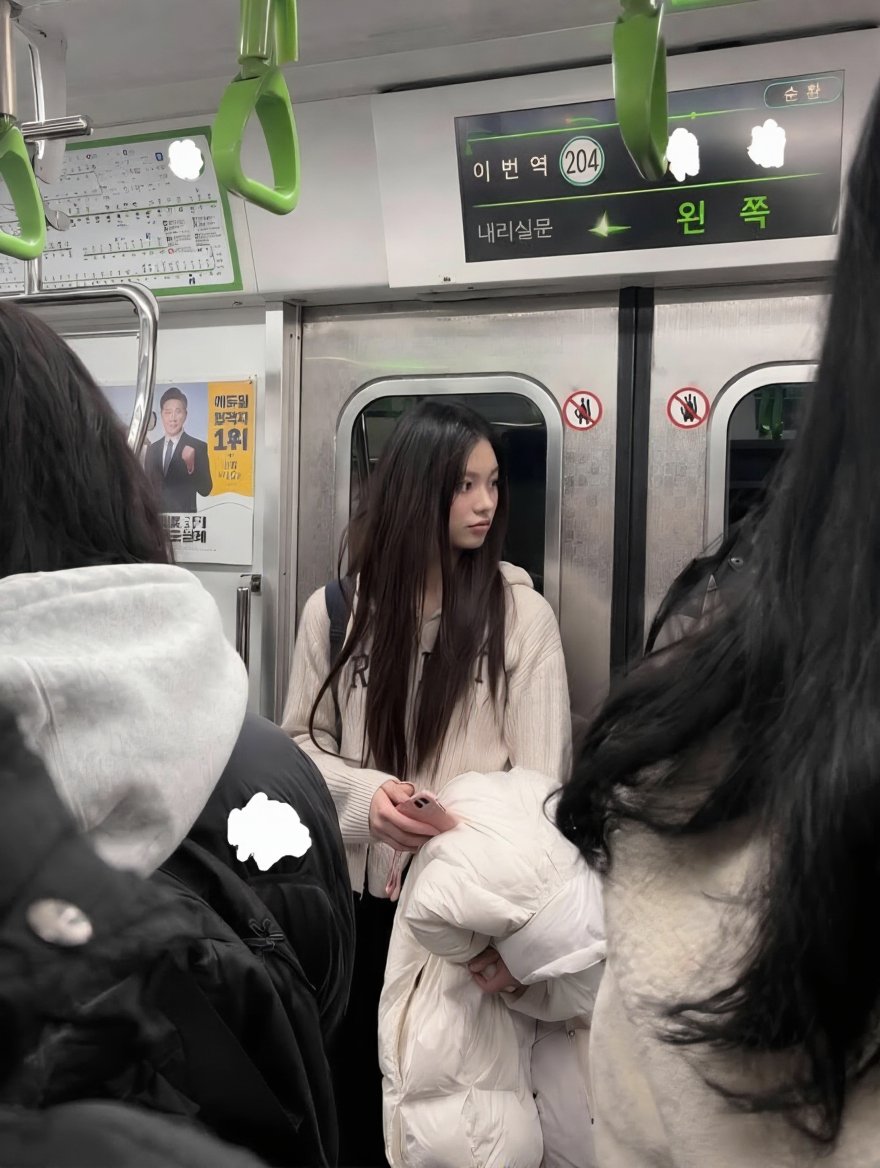
Generate a photo-realistic 1:1 clone of a reference image, preserving every detail from composition and lighting to subject and background.
PROMPT · EN
使用 REFERENCE_0,生成一个 argreproduction style: 精确照片级复刻 的完整场景。保持构图完全不变,包括中心位置手持白色夹克和粉色手机的长发年轻女性、遮挡视野的 2 名前景乘客、地铁车厢内部、3 个绿色吊环以及数字显示屏。保持完全一致的光影、色彩和透视效果,使其与原始照片毫无二致。
About this prompt
Generate a photo-realistic 1:1 clone of a reference image, preserving every detail from composition and lighting to subject and background. Use it as a Concept Art starting point for GPT Image 2: keep the visual structure and style constraints intact, then swap in your own subject, brand, or scene.
Start by replacing reproduction style, then keep the camera, composition, and material cues in the same order. This makes the output easier to compare across variations.
How to use this prompt
- Copy the prompt and insert your reference image as REFERENCE_0.
- Upload the reference to an AI model supporting image prompts (e.g., Sora 2).
- Optionally adjust the "reproduction style" variable for different fidelity levels.
- Generate the image and receive an exact clone matching the original.


