
GPT Image 2AI Prompt
Anime Crowd Angle Shift: Overhead to Ground-Level — Sora 2 Prompt
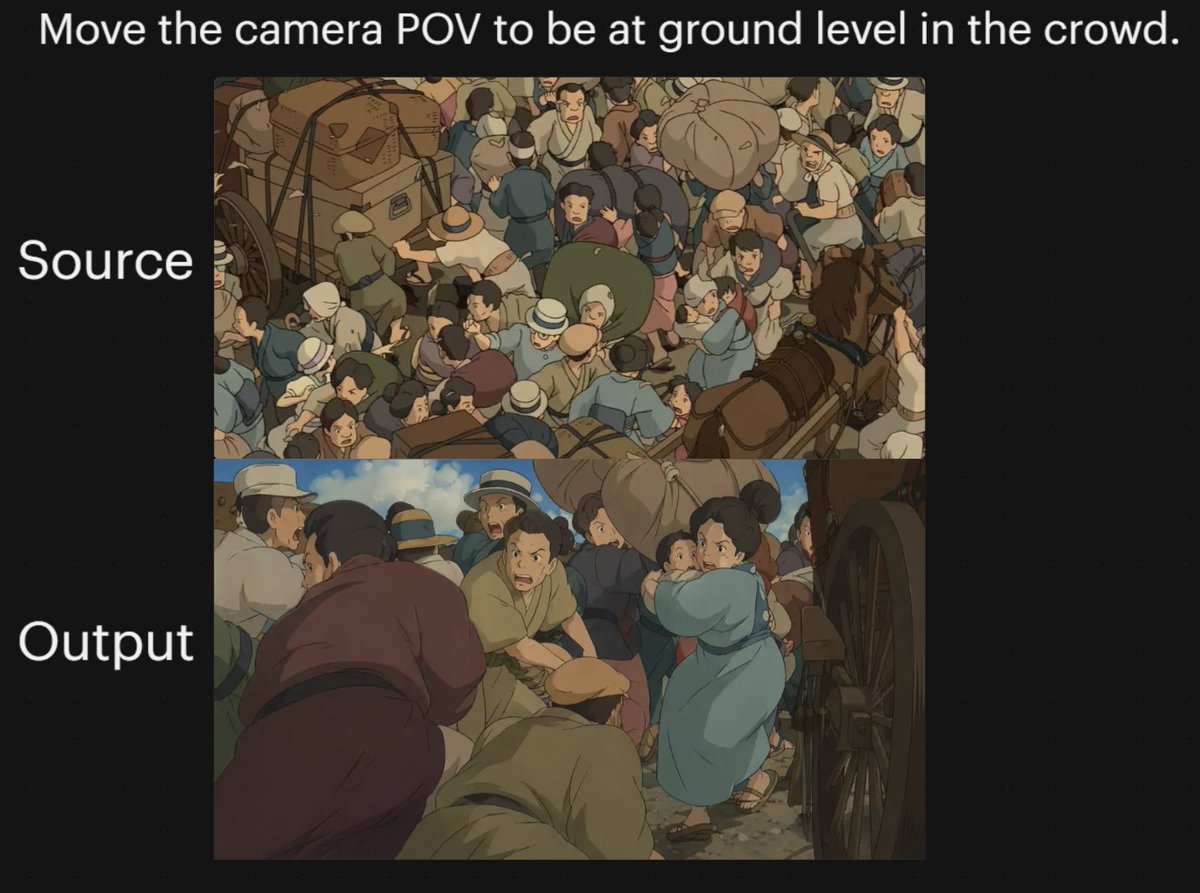
Create a striking before-and-after comparison of an anime crowd scene, shifting from overhead to immersive ground-level perspective, perfect for demonstrating AI camera angle control.
PROMPT · EN
一张黑色背景的双图对比图,展示动漫风格拥挤街道场景中戏剧性的镜头角度变化。在顶部居中放置一行醒目的白色文字:“argheadline text: 将镜头视角移至人群中的地面水平。”。在左侧添加两个与面板对齐的大号白色标签:上方面板旁标注“源图像”,下方面板旁标注“输出结果”。在画布中央创建 2 个垂直堆叠的矩形图像面板。上方面板展示手绘动漫电影风格中,历史街道上人群密集的俯视视角,数十人挤在一起,周围有马车和车轮;包含捆绑的行李、帽子、柔和的大地色系服装、蓝色和棕褐色服饰,构图繁忙,人物在各个方向重叠。下方面板重现相同类型的场景,但将镜头切换至人群内部的低位地面视角,穿过人群身体之间,右侧边缘可见一个大车轮。前景应具有沉浸感和拥挤感,几个人物弯腰或蹲伏在镜头附近,左前景有一位身穿柔和紫色长袍的人物,底部中央有一位身穿棕褐色衣服的跪姿或佝偻人物,右中方有一位身穿浅蓝色连衣裙或外套的女性抱着一个小孩子穿过人群。保持环境为混乱的旧世界市场或交通街道,有马匹、马车、戴宽檐帽和穿着简单时代服装的人、尘土飞扬的地面以及温暖柔和的色调。使用柔和的电影级动漫光影、绘画质感的阴影,并呈现出经典吉卜力工作室人群序列的视觉感受。整体图像应呈现为一次“前后对比”的镜头实验,上方面板为原始的俯视构图,下方面板为转换后的低角度视角。
About this prompt
Create a striking before-and-after comparison of an anime crowd scene, shifting from overhead to immersive ground-level perspective, perfect for demonstrating AI camera angle control. Use it as a Concept Art starting point for GPT Image 2: keep the visual structure and style constraints intact, then swap in your own subject, brand, or scene.
Start by replacing headline text, then keep the camera, composition, and material cues in the same order. This makes the output easier to compare across variations.
How to use this prompt
- Copy the prompt from the page.
- Open Sora 2 or a compatible text-to-image model.
- Replace the placeholder text in the
headline textargument with your desired caption (optional). - Generate the image. For best results, use a model that excels at anime style and multi-panel layouts.
- Review the output; you can tweak the prompt to adjust crowd density or lighting.


