
GPT Image 2AI Prompt
Moscow Helicopter Selfie — Sora 2 Prompt
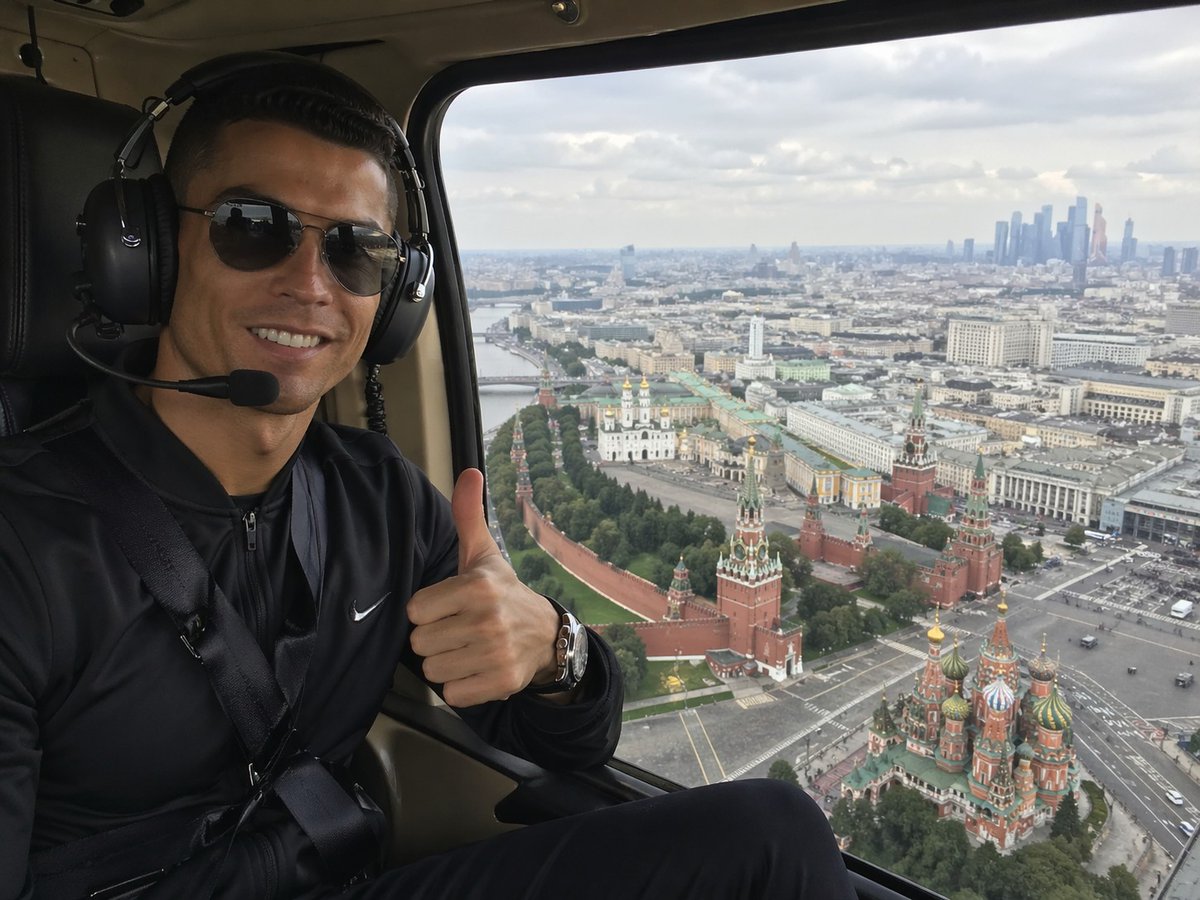
Generate a realistic helicopter selfie over Moscow, featuring a thumbs-up passenger with iconic aerial views of the Kremlin and St. Basil's Cathedral. Perfect for travel lifestyle imagery.
PROMPT · EN
一张逼真的智能手机风格旅行照片,拍摄于直升机机舱内。画面左侧为一名坐着的乘客,右侧大窗外呈现莫斯科的全景航拍视角。乘客身穿黑色拉链运动夹克,胸前有白色小勾标志,系着安全带,佩戴金属腕表和带有麦克风支架的大型黑色航空耳机。其面部被矩形模糊遮挡,正对着镜头竖起大拇指。直升机内部光线较暗,配有黑色真皮座椅,窗户边缘为米色舱内装饰。窗外捕捉到莫斯科市中心阴天白日的全景,克里姆林宫的围墙和塔楼清晰可见,右下角为圣瓦西里主教座堂色彩斑斓的洋葱头圆顶,广阔的城市景观向远处延伸,远处的地平线右侧可见一群现代摩天大楼。采用自然漫射光,呈现逼真的城市细节和轻微的大气雾感,构图模拟游客乘坐直升机时的随手自拍,广角但无畸变。
About this prompt
Generate a realistic helicopter selfie over Moscow, featuring a thumbs-up passenger with iconic aerial views of the Kremlin and St. Basil's Cathedral. Perfect for travel lifestyle imagery. Use it as a Concept Art starting point for GPT Image 2: keep the visual structure and style constraints intact, then swap in your own subject, brand, or scene.
Start with small changes to subject, scene, camera, and color, then generate a few variations to compare composition and detail without turning the page copy into keyword stuffing.
How to use this prompt
- Copy the prompt text from this page.
- Open your preferred AI image generator (Sora 2 recommended, or others like Midjourney).
- Paste the prompt and adjust any settings such as aspect ratio or style strength if needed.
- Generate the image to get a realistic travel selfie inside a helicopter over Moscow.
- If desired, tweak details like clothing or landmarks to personalize.


