AI Prompt

Photorealistic Figure Bursting Out of Manga — Sora 2 Prompt

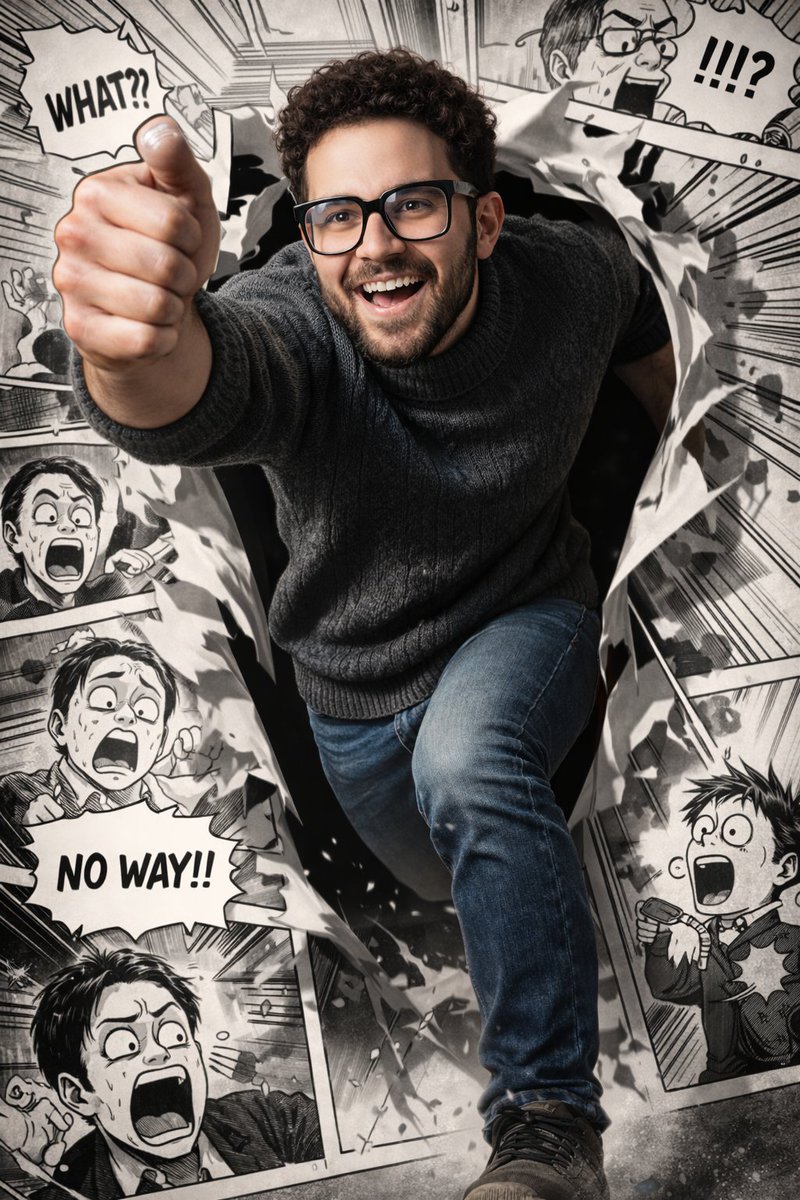
Create a stunning, ultra-detailed 8K image of a photorealistic man dynamically leaping from a black-and-white manga panel, blending reality and comic art.
Photorealistic Figure Bursting Out of Manga — Sora 2 Prompt
PROMPT · EN
prompt
Ultra-realistic, vibrant photorealistic rendering of a young man with short curly dark hair, neatly trimmed beard, and black rectangular glasses, wearing a dark textured turtleneck sweater and jeans. He is captured mid-run in a dynamic, forward-breaking pose, dramatically emerging from a torn manga panel — one leg and one arm bursting into the real world while the rest of his body remains inside the comic frame. His expression is energetic and joyful, with sharp facial details, natural skin texture, and dramatic cinematic lighting with high contrast and depth. Background: a highly detailed black-and-white manga layout filled with humorous, exaggerated reaction scenes that directly interact with him. The surrounding manga characters display shocked and comedic expressions, with bold speech bubbles and motion lines. The manga panels are illustrated in a classic high-contrast ink style with crisp linework and halftone shading. Torn paper edges and debris enhance the illusion of him breaking through the comic world. The fully colored, photorealistic figure contrasts strongly against the monochrome manga environment, creating a dynamic hybrid between reality and comic art. Ultra-detailed, 8k resolution, sharp focus, dramatic shadows, cinematic depth of field.

About this prompt

Create a stunning, ultra-detailed 8K image of a photorealistic man dynamically leaping from a black-and-white manga panel, blending reality and comic art. Use it as a Concept Art starting point for an AI model: keep the visual structure and style constraints intact, then swap in your own subject, brand, or scene.

This prompt is organized as structured JSON with fields such as prompt. Keeping that hierarchy helps the model separate the subject, layout, interface elements, and detail constraints.

Start with small changes to subject, scene, camera, and color, then generate a few variations to compare composition and detail without turning the page copy into keyword stuffing.

How to use this prompt

  1. Copy the prompt to your clipboard.
  2. Open your preferred AI image generator (e.g., Midjourney, DALL·E 3, Stable Diffusion).
  3. Paste the prompt into the input field.
  4. Optionally tweak parameters like aspect ratio (e.g., --ar 16:9) or style for best results.
  5. Generate and iterate, adjusting details like clothing or expression until satisfied.

FAQ

More from Prompt Vault

Browse all

Create faster with Sora2Hub prompts.

Use curated prompt pages as searchable entry points, then jump straight into generation with the right model context.