
GPT Image 2AI Prompt
Surrealist Invisible Man Fashion Editor — Sora 2 Prompt
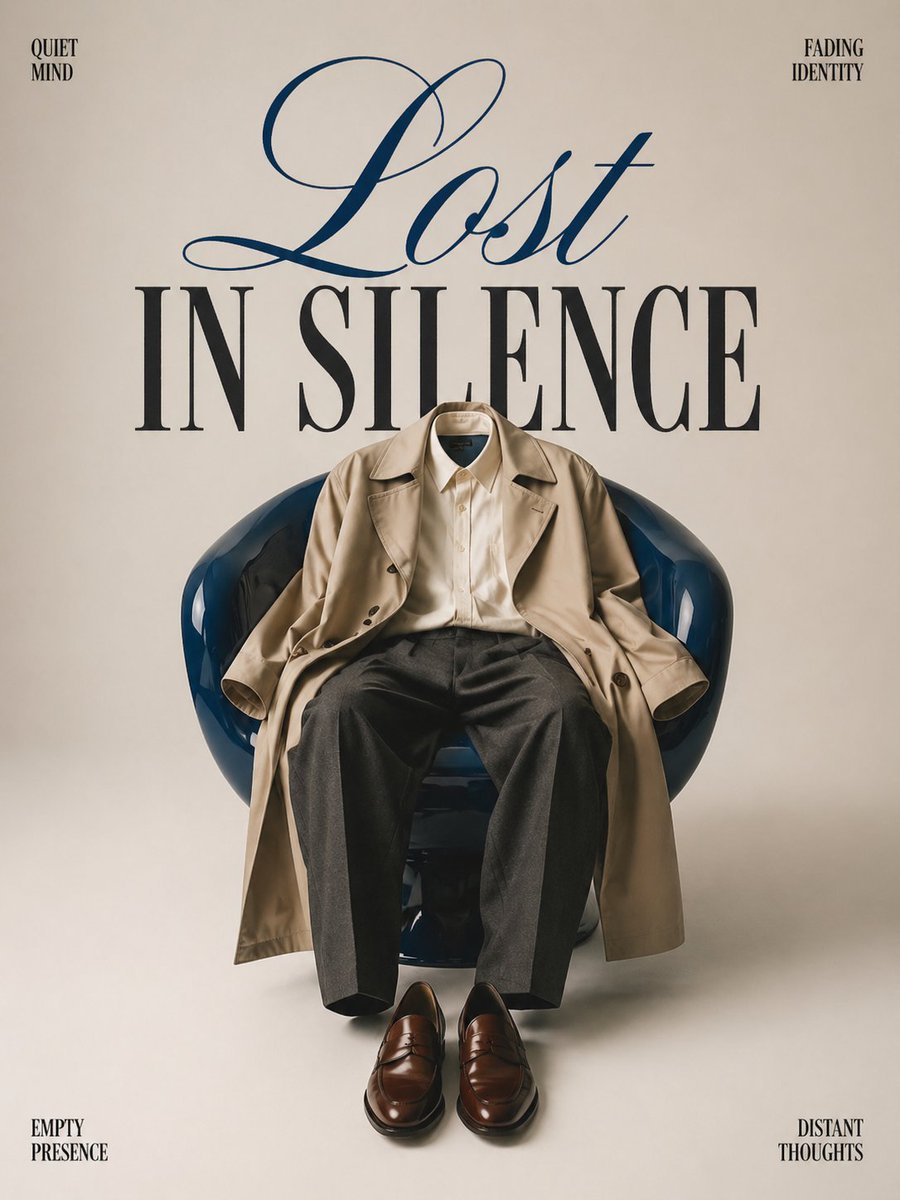
Generate a high-end, minimalist fashion poster with a surrealist 'invisible person' effect, complete with customizable typography and luxury editorial styling.
PROMPT · EN
极简主义概念时尚编辑海报,在干净的 argbackground color: 米白色 无缝背景下进行影棚拍摄。中心放置一把 argfurniture: 亮面深蓝色现代躺椅,上面自然地披着一件 argclothing: 超大款米色风衣和剪裁利落的炭灰色长裤,营造出一位隐形人坐在那里的错觉。椅子前的地板上整齐地摆放着一双抛光棕色皮鞋。椅子后方有优雅的大号排版,写着“LOST IN SILENCE”——其中“Lost”采用流畅的奢华连体草书,“IN SILENCE”采用粗体衬线大写字母。角落处有细小的文字,如“quiet mind”、“fading identity”、“empty presence”和“distant thoughts”。高级时尚杂志封面美学,电影感柔光,柔和色调,超现实情感氛围,构图干净,奢华编辑风格,高端时尚广告大片质感,艺术且富有象征意义。
About this prompt
Generate a high-end, minimalist fashion poster with a surrealist 'invisible person' effect, complete with customizable typography and luxury editorial styling. Use it as a Concept Art starting point for GPT Image 2: keep the visual structure and style constraints intact, then swap in your own subject, brand, or scene.
Start by replacing background color, furniture, and clothing, then keep the camera, composition, and material cues in the same order. This makes the output easier to compare across variations.
How to use this prompt
- Copy this entire prompt and paste it into a compatible AI video/image model like Sora 2.
- Generate an initial version to see the core concept with the default settings.
- Modify the
{argument}variables (e.g.,background color,furniture,clothing) to fit your specific creative vision. - Adjust the quoted text like 'LOST IN SILENCE' or the corner phrases for a different narrative.
- Generate multiple iterations to explore subtle variations in lighting, composition, and emotional tone.


