
Photo Vocabulary Notebook — English Learning Overlay Prompt
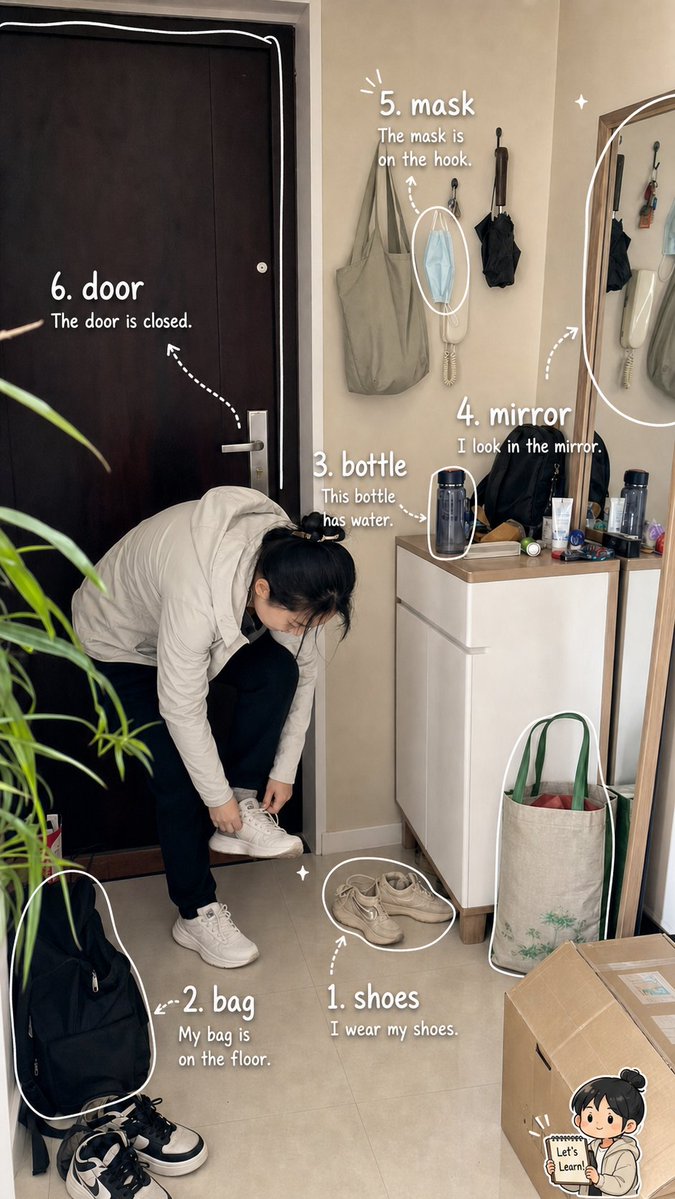
Turn a real apartment photo into a cute English vocabulary notebook with labeled objects and example sentences for visual learning.
About this prompt
Turn a real apartment photo into a cute English vocabulary notebook with labeled objects and example sentences for visual learning. Use it as a Concept Art starting point for GPT Image 2: keep the visual structure and style constraints intact, then swap in your own subject, brand, or scene.
This prompt is organized as structured JSON with fields such as type, goal, format, scene, vocabulary overlay, decorative details, and text rules. Keeping that hierarchy helps the model separate the subject, layout, interface elements, and detail constraints.
Start with small changes to subject, scene, camera, and color, then generate a few variations to compare composition and detail without turning the page copy into keyword stuffing.
How to use this prompt
- Copy this prompt and paste it into a Sora 2 compatible AI image generator. 2. Choose a model that supports photorealistic styles and text overlays. 3. Customize the variables like word one and sentence one to fit your vocabulary list. 4. Generate the image and review the labeled vocabulary notebook result.


