
GPT Image 2AI Prompt
Formula 3 Wind Tunnel Smoke Test — Sora 2 Prompt
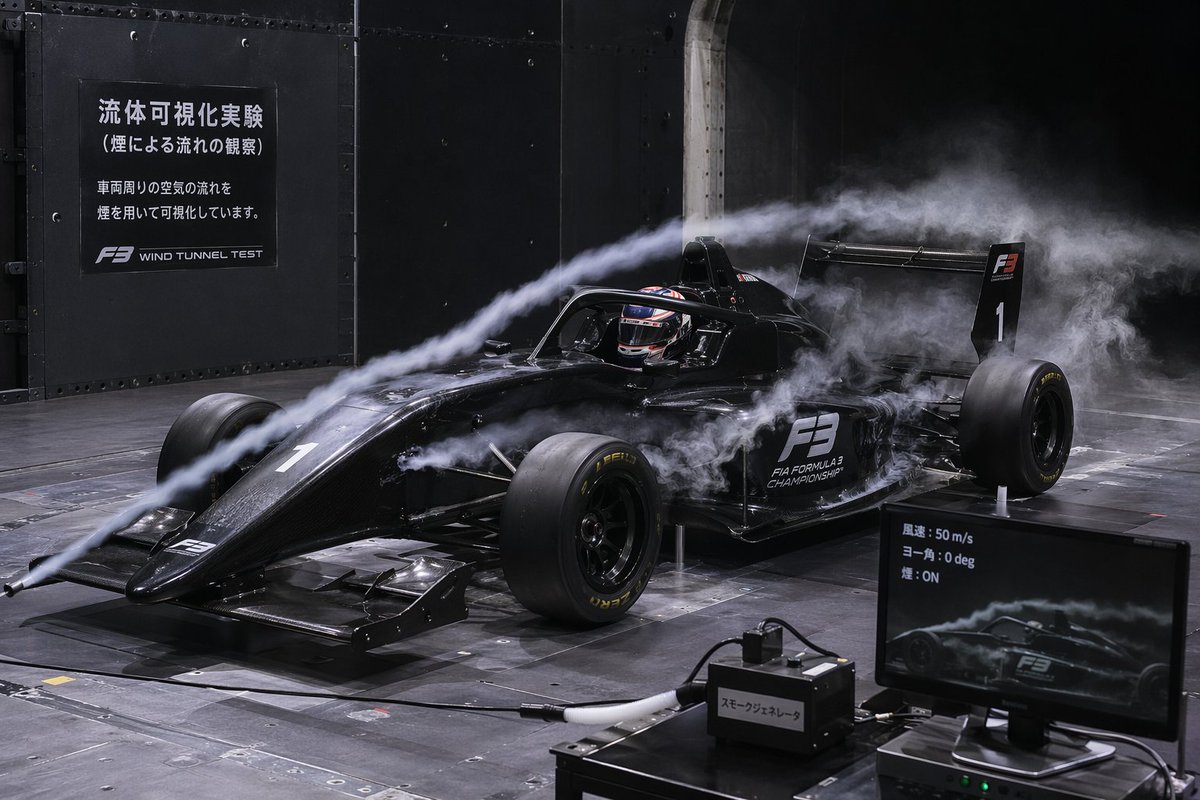
Generate hyper-realistic wind tunnel smoke test images of a Formula 3 car with customizable signage and smoke effects — perfect for aerodynamic studies and visualizations.
PROMPT · EN
一张超写实、高细节的 argvehicle type: 黑色三级方程式赛车 在风洞中进行空气动力学测试的图像。赛车带有“F3”和“FIA FORMULA 3 CHAMPIONSHIP”贴纸以及数字“1”。一名佩戴头盔的车手坐在驾驶舱内。两股明显的浓厚白烟从左侧喷嘴喷出,顺着空气动力学轨迹流经赛车的车鼻、光环保护装置(halo)和侧箱。场景设定在一个昏暗的工业风洞中,配有金属板墙壁和网格地板。在左上方的暗色墙壁上,一块大型黑色标牌显示着白色文字:“argmain sign text: 流体可視化実験 (煙による流れの観察) 車両周りの空気の流れを煙を用いて可視化しています。 F3 WIND TUNNEL TEST”。在右下角前景处,有一台电脑显示器,显示着赛车的侧面烟雾可视化效果,屏幕文字为:“argmonitor text: 風速: 50 m/s ヨー角: 0 deg 煙: ON”。显示器旁边放着一个连接有软管的黑色盒子,上面贴着标签,写着:“argequipment label: スモークジェネレータ”。戏剧性的电影级灯光凸显了烟雾轨迹和赛车的光泽漆面。
About this prompt
Generate hyper-realistic wind tunnel smoke test images of a Formula 3 car with customizable signage and smoke effects — perfect for aerodynamic studies and visualizations. Use it as a Concept Art starting point for GPT Image 2: keep the visual structure and style constraints intact, then swap in your own subject, brand, or scene.
Start by replacing vehicle type, main sign text, monitor text, and equipment label, then keep the camera, composition, and material cues in the same order. This makes the output easier to compare across variations.
How to use this prompt
- Copy the prompt from this page.
- Open Sora 2 or another advanced text-to-image model.
- Replace the variables in curly braces (e.g., vehicle type, sign text) with your desired values.
- Use high-resolution settings for best detail.
- Generate and download your hyper-realistic wind tunnel image.


