
GPT Image 2AI Prompt
Personalized Sample ID Card — Realistic Hand-Held Close-Up
Generate a hyper-realistic photo of a hand holding a customizable, fictional sample ID card with a holographic finish and your portrait.
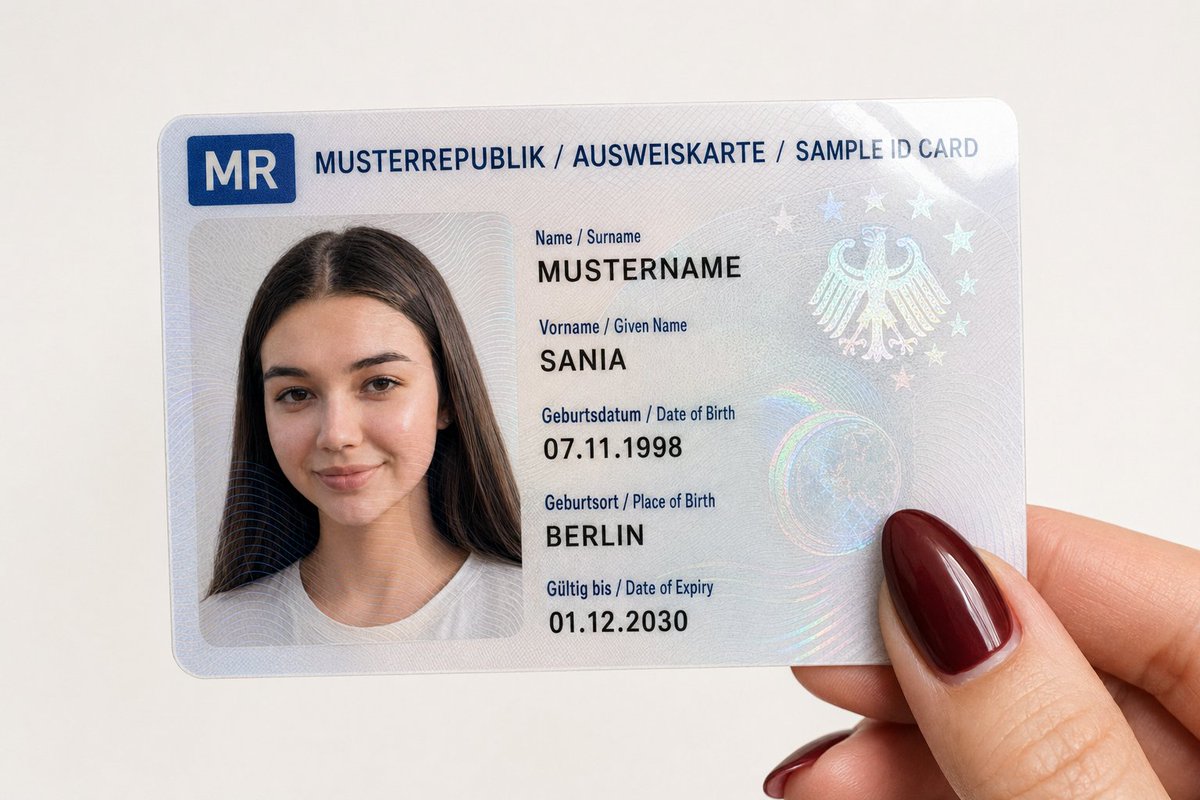
PROMPT · EN
{"type": "特写摄影","subject": "一只手拿着一张虚构的 argID type: 身份证","card_content": {"header_text": "MODEL REPUBLIC / ID CARD / SAMPLE ID CARD","logo": "左上角有一个蓝色符号区域,带有国家代码 'MR'","portrait": {"appearance": "人像完全基于用户提供的参考图像","facial_features": "面部特征、表情和视线方向与上传的图像完全一致","clothing": "与参考图像中可见的一致","accessories": "与参考图像中可见的一致"},"text_data": {"surname": "argsurname: 姓氏","given_name": "arggiven name: SANIA","birth_date": "07.11.1998","birth_place": "BERLIN","expiry_date": "01.12.2030"},"surface_texture": "光面层压表面,在人像和文字上方有可见的全息防伪图案和扭索纹"},"foreground_hand": {"position": "拿着卡片的右下角","skin_tone": "浅色","fingernail": "可见拇指,留有长长的杏仁形指甲,涂有亮面波尔多红或深红色指甲油"},"background": "纯色、纯白色表面","lighting": "柔和、均匀的室内光,卡片表面和亮面指甲油上有轻微反光","framing": "垂直俯视特写,完全聚焦于卡片和拇指"}About this prompt
Generate a hyper-realistic photo of a hand holding a customizable, fictional sample ID card with a holographic finish and your portrait. Use it as a Concept Art starting point for GPT Image 2: keep the visual structure and style constraints intact, then swap in your own subject, brand, or scene.
Start by replacing ID type, surname, and given name, then keep the camera, composition, and material cues in the same order. This makes the output easier to compare across variations.
How to use this prompt
- Copy the entire JSON prompt structure.
- Select a compatible AI image generator (e.g., Sora 2).
- Customize the variables: 'ID type', 'surname', 'given name', and upload your reference portrait.
- Generate the image to create a unique, personalized sample ID card close-up.


