
GPT Image 2AI Prompt
Printable Digital Paint-by-Number Generator — Sora 2 Prompt
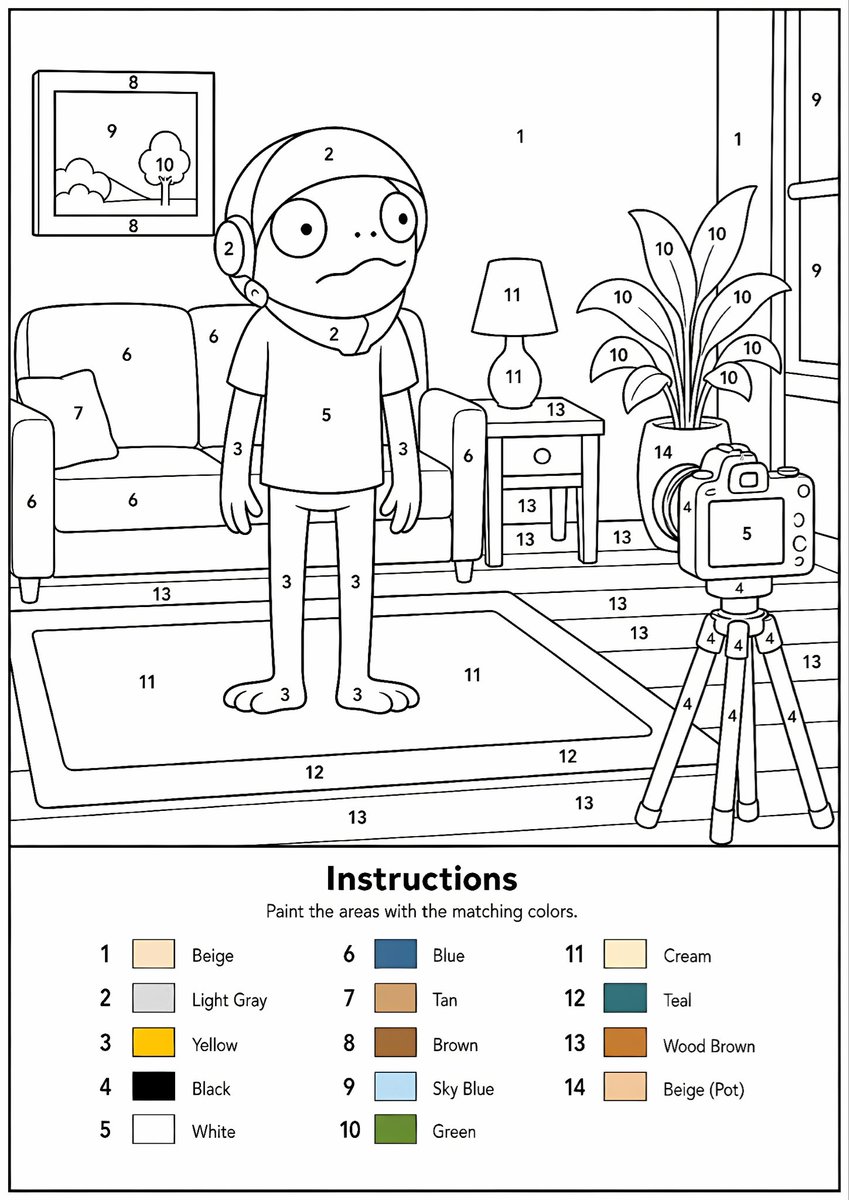
Transform any image into a professional, print-ready paint-by-number template with clear outlines, numbered areas, and a color legend.
PROMPT · EN
将提供的图像转换为专业的单张高分辨率 PNG 格式数字油画模板。请使用 argcanvas size: A4 纵向比例画布,分辨率为 300 DPI,背景为纯白色。主体艺术作品必须是清晰的黑白线条画,仅包含黑色轮廓、黑色数字和白色未填充的可涂色区域。请勿创建 PDF、文档、样机、多页布局或彩色版本。主体艺术作品中不得使用颜色、灰色、阴影、纹理、渐变、透明度或预填充区域。 分析原始图像,并根据图像复杂度自适应选择颜色数量,范围从 1 种到最多 argcolor count: 14 种颜色。如果图像仅有 1-2 种重要颜色,则仅使用 1-2 种;简单图像使用 3-6 种;中等复杂度使用 7-10 种;复杂、摄影类或高度详细的图像使用 11-14 种。不要强行使用不必要的颜色。为每种选定的颜色分配一个唯一的数字,除非为了识别必须区分,否则请合并相似的色调。 将图像转换为简化、完全闭合且易于涂色的区域,同时保留可识别的构图、主体对象、角色、文本、徽标、前景、背景和关键细节。每个可涂色的白色区域必须包含正确的黑色数字,数字需清晰居中于匹配区域内,且易于阅读、正向放置且不接触轮廓。原始图像中的大面积黑色或深色区域必须保留为带有正确数字的白色可涂色区域,而不是填充为黑色。仅微小的永久性黑色线条细节(如嘴部线条、鼻孔、瞳孔、睫毛、接缝或小型装饰笔触)可以保持无编号状态。 在同一张 PNG 的底部,添加一个整洁的图例部分,标题为“Instructions”,正文为“Paint the areas with the matching colors.”,并列出每个使用的数字及其对应的小色块和英文颜色名称。色块仅可出现在图例中。确保编号与图例完全匹配,每个可涂色区域均已编号,所有区域均已闭合,最终结果应整洁、专业、适合打印,并能清晰识别出原始图像。
About this prompt
Transform any image into a professional, print-ready paint-by-number template with clear outlines, numbered areas, and a color legend. Use it as a Concept Art starting point for GPT Image 2: keep the visual structure and style constraints intact, then swap in your own subject, brand, or scene.
Start by replacing canvas size and color count, then keep the camera, composition, and material cues in the same order. This makes the output easier to compare across variations.
How to use this prompt
- Copy the prompt and paste it into an AI image model like Sora 2.
- Choose your canvas size and specify the number of colors in the prompt arguments (e.g., 14 colors).
- Upload or describe the reference image you want to convert.
- Generate the image and review the high-resolution output.
- Download the PNG file for printing.


