
GPT Image 2AI Prompt
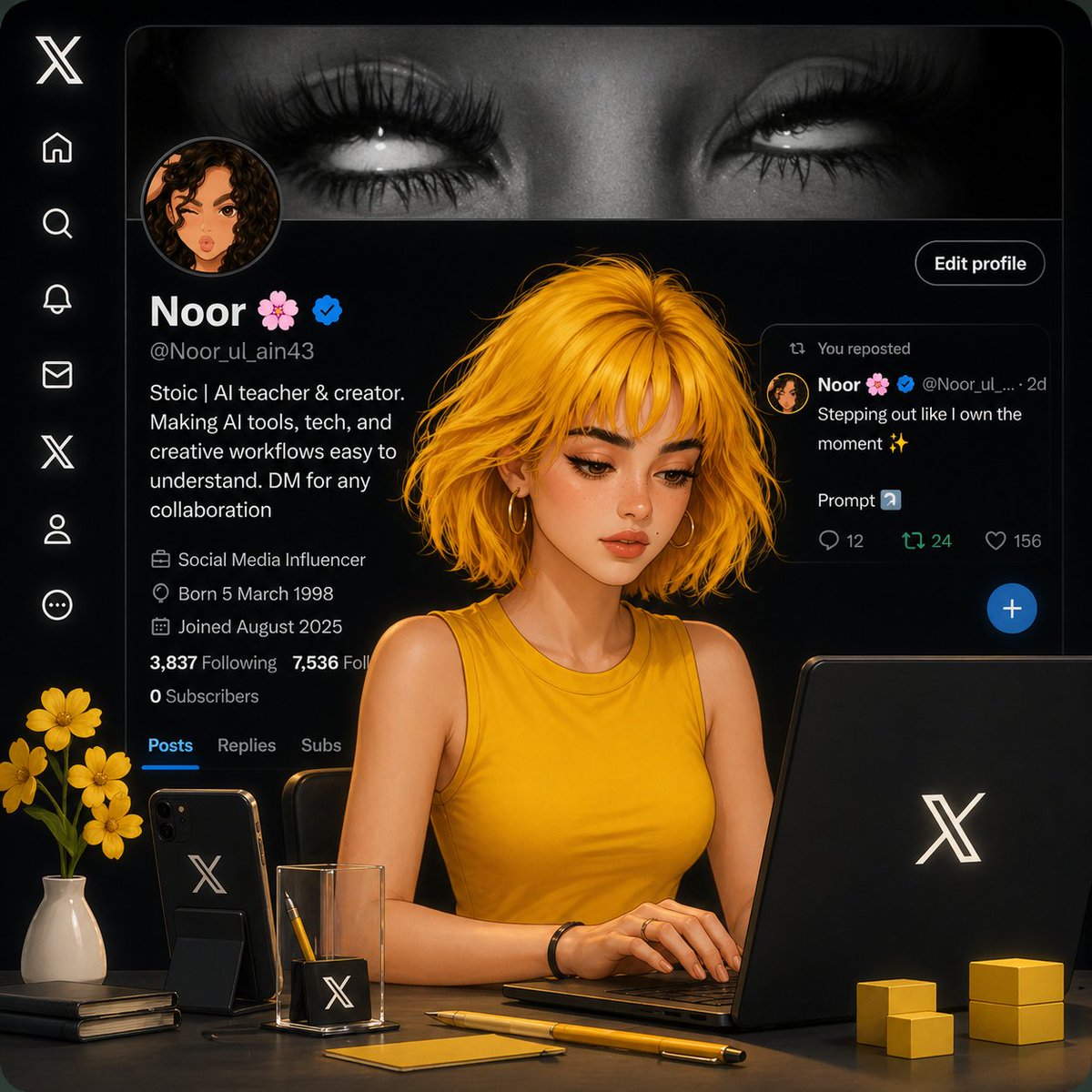
Aesthetic Creator Workspace — Cozy Digital Girl & X UI
A detailed Sora 2 prompt for a stylized, semi-realistic digital girl in a warm, aesthetic workspace with a dark-mode X (Twitter) UI background.
PROMPT · EN
在 X (Twitter) 个人资料界面内的美学 AI 工作空间场景,背景为深色主题 UI,显示着名为“Noor 🌸”且带有认证徽章的个人资料。前景中,一位风格化的半写实数字女孩,留着 arghair style: 凌乱的金色短发,皮肤散发着柔和的光泽,身穿 argoutfit: 芥末黄无袖上衣,正坐在桌前使用带有 X Logo 的笔记本电脑办公。 桌面布置包括:一部带有 X Logo 的黑色智能手机、一个极简玻璃笔筒(内含铅笔)、一支黄色钢笔、便签纸、堆叠的笔记本、小型黄色立方体装饰,以及一个 argdecor: 插有黄花的装饰花瓶。灯光柔和且具有电影感,暖色调与深色 UI 形成高对比度。 构图:主体居中,视角略微倾斜,焦点清晰对准女孩,背景界面虚化。细节丰富,渲染平滑,3D 与插画混合风格,ArtStation 热门趋势,极致简洁,专业且充满温馨的创作者工作空间氛围。
About this prompt
A detailed Sora 2 prompt for a stylized, semi-realistic digital girl in a warm, aesthetic workspace with a dark-mode X Twitter UI background. Use it as a Concept Art starting point for GPT Image 2: keep the visual structure and style constraints intact, then swap in your own subject, brand, or scene.
Start by replacing hair style, outfit, and decor, then keep the camera, composition, and material cues in the same order. This makes the output easier to compare across variations.
How to use this prompt
- Copy the entire prompt text below.
- Choose a compatible video or image generation model (e.g., Sora 2, Runway, or Pika).
- Customize the bracketed variables like
{hair style}and{outfit}to your preference. - Paste the prompt into your chosen AI model's generation interface.
- Generate and refine by adjusting the prompt or variables as needed.


