
GPT Image 2AI Prompt
Dramatic Black & White Editorial Portrait — Sora 2 Prompt
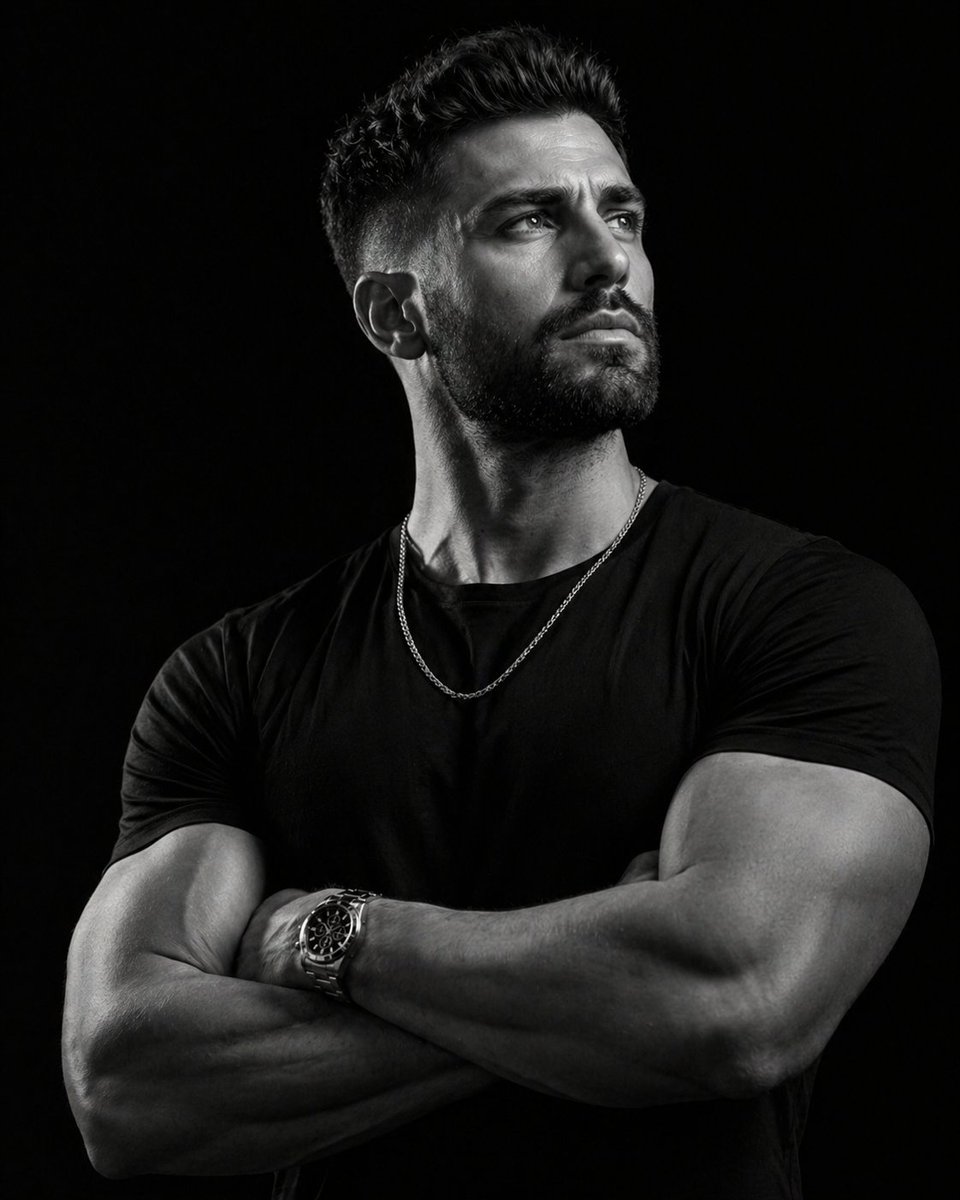
Generate a high-contrast, cinematic monochrome portrait of a confident subject with sharp rim lighting and a luxurious, editorial mood.
PROMPT · EN
一张高端、电影质感的黑白编辑人像,主角是一位身材健硕的 argsubject: 男士,留着修剪整齐的短发和精心打理的胡须。他呈四分之三侧面站立,微微抬头,表情沉思且坚毅,胸部正对镜头。他自信地交叉双臂于胸前,展现出精干的肌肉线条,手腕上佩戴着一款 argaccessory: 高级银色不锈钢手表。
服装与细节:服装:一件简约的高品质黑色 T 恤,紧身剪裁以突显其体格。配饰:一条精致的细银色古巴链项链垂在黑色 T 恤上,捕捉着光线。
目光:主角视线看向镜头外,朝向视线水平上方的一处光源。
光影与氛围:风格:低调照明,高对比度(明暗对照法效果)。背景:深邃的纯哑光黑色,营造出无缝的“虚空”感,使主角更加突出。
技术细节:使用 85mm 定焦镜头拍摄,以获得更具美感的压缩效果。光线应在脸部一侧和手臂上形成锐利的轮廓光,另一侧则呈现深邃、戏剧性的阴影。
质量标签:8K 分辨率,超写实皮肤纹理,戏剧性单色,焦点清晰聚焦于眼睛和手表,奢华时尚摄影风格,情绪化氛围。ar 4:5
About this prompt
Generate a high-contrast, cinematic monochrome portrait of a confident subject with sharp rim lighting and a luxurious, editorial mood. Use it as a Concept Art starting point for GPT Image 2: keep the visual structure and style constraints intact, then swap in your own subject, brand, or scene.
Start by replacing subject and accessory, then keep the camera, composition, and material cues in the same order. This makes the output easier to compare across variations.
How to use this prompt
- Copy the full prompt text from the prompt page.
- Paste it into your chosen AI video or image generation model (e.g., Sora 2).
- Customize the variables in the curly braces
{}likesubjectoraccessoryto fit your vision. - Generate the image or video to see your high-contrast, cinematic portrait.


