
GPT Image 2AI Prompt
Moody Obscured-Face Selfie Portrait — Sora 2 Prompt
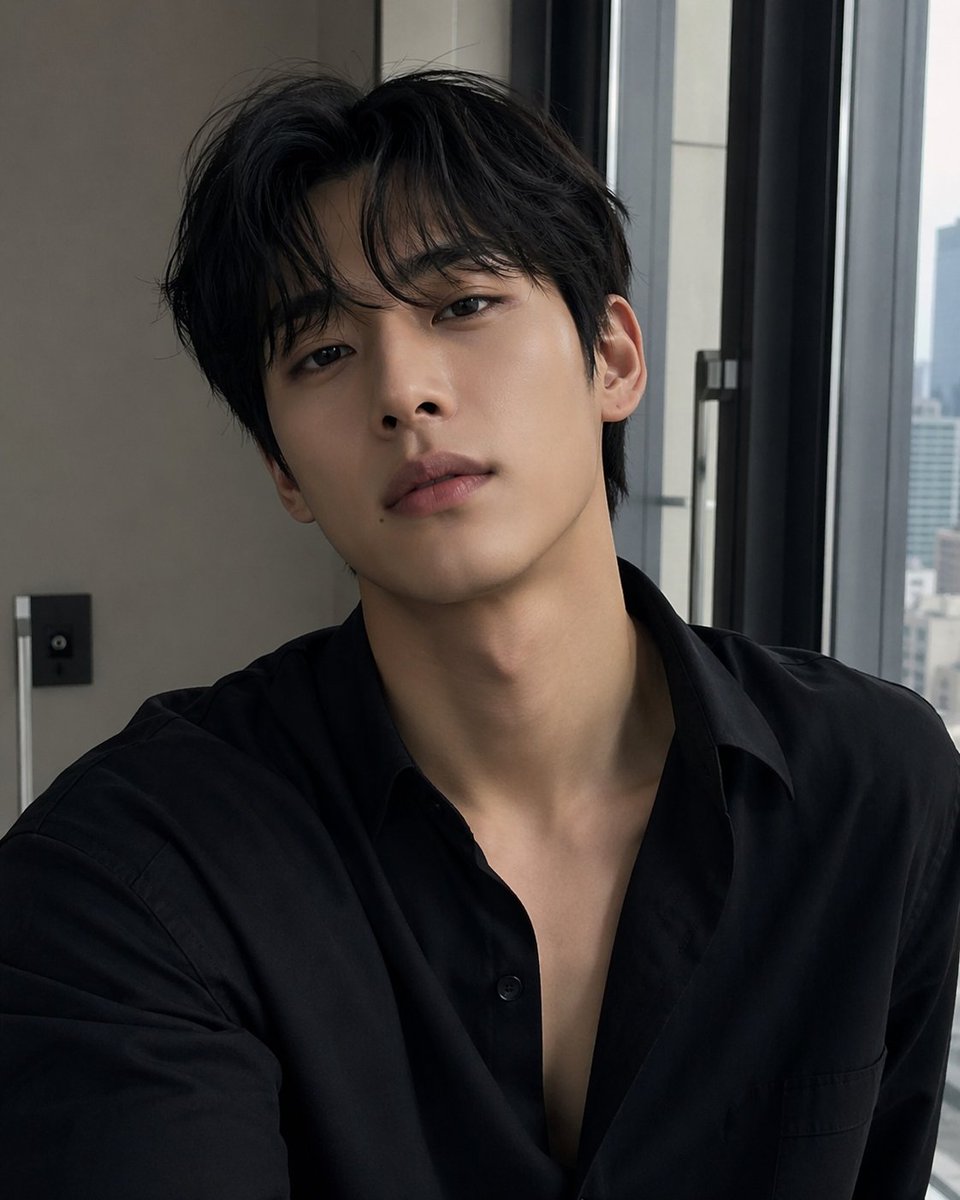
Generate a realistic, moody selfie with a hidden face and soft window lighting, ideal for anonymous social media profiles or artistic portraits.
PROMPT · EN
一张写实的室内自拍风格肖像,拍摄对象为一名年轻东亚男性,半身像。他坐在高层公寓或酒店房间的一扇大型现代窗户旁,沐浴在柔和的日光中。他留着 arghair color: black 的头发,发质浓密且略显凌乱,中分,额头和两侧有自然的蓬松感。体型偏瘦,颈部修长,肤色白皙细腻。他穿着一件 argshirt color: black 的哑光棉质或府绸衬衫,版型略微宽松,领口上方几颗纽扣解开,呈现出深 V 开领和随性的休闲风格。相机以自然的自拍角度近距离拍摄,竖构图,画面包含肩膀、胸部、颈部和头部。他的面部被一个位于中心的大型矩形模糊或马赛克遮挡块完全遮住,但耳朵、下颌边缘、颈部和头发清晰可见。整体氛围低调、忧郁且优雅,色调柔和中性,右侧透入柔和的窗光,阴影细腻,具有真实的社交媒体自拍感。背景细节包括左侧的一面米色墙壁、一个小型的深色墙面控制面板、一条垂直的金属饰条或灯具边缘,以及右侧两扇高大的深色边框窗户,窗外是模糊的城市天际线。写实风格智能手机摄影,整洁的现代室内环境,浅景深,自然的皮肤纹理,微妙的对比度,因遮挡块而看不到笑容,极简后期处理,时尚且真实的个人自拍。
About this prompt
Generate a realistic, moody selfie with a hidden face and soft window lighting, ideal for anonymous social media profiles or artistic portraits. Use it as a Concept Art starting point for GPT Image 2: keep the visual structure and style constraints intact, then swap in your own subject, brand, or scene.
Start by replacing hair color and shirt color, then keep the camera, composition, and material cues in the same order. This makes the output easier to compare across variations.
How to use this prompt
- Copy the prompt from Sora2Hub.
- Open Sora 2 or a compatible AI image generator.
- Paste the prompt and tweak
hair colororshirt colorvariables if desired (defaults are 'black'). - Generate the image to get a moody, obscured-face portrait with natural lighting.
- Download and use it for anonymous profiles or moody aesthetics.


