
GPT Image 2AI Prompt
Japanese Street Low-Angle Portrait — Realistic Sora 2 Prompt
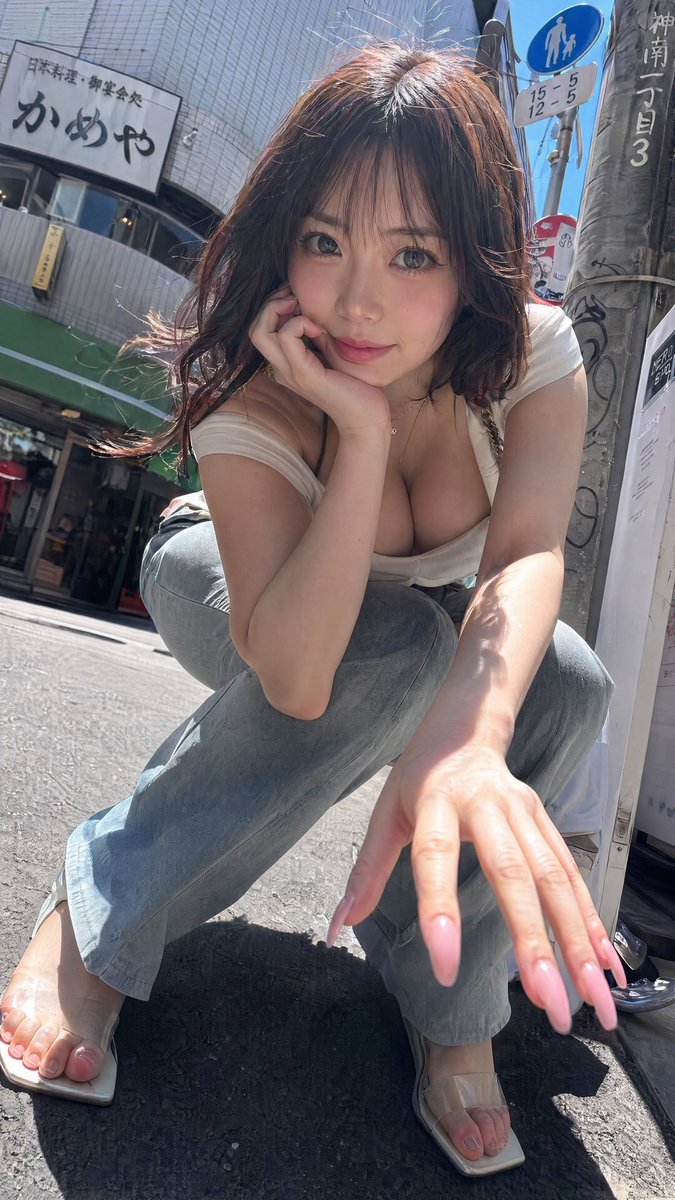
Generate hyper-realistic vertical phone-style street photography of an anonymous woman crouching in a sunlit Japanese city, with a dramatic low-angle perspective.
PROMPT · EN
生成一张写实风格的竖版手机街头抓拍,画面中 argsubject: 一位留着齐肩深棕色波浪卷发的成年女性 在阳光明媚的日本城市人行道上,蹲伏在广角镜头前。她呈低蹲姿势,身体前倾,一只手肘抵在膝盖上,另一只手向镜头伸出,使手部和修长的淡粉色光泽美甲在前景中显得格外突出。她的脸部被一个居中的不透明棕粉色模糊方块完全遮盖,呈现出匿名效果。她身穿一件紧身低胸 argtop color: 白色 短袖上衣、浅色水洗蓝牛仔裤和米色透明带方头凉鞋。采用正午强烈的阳光,沥青路面上的浓重阴影,逼真的皮肤高光,随风飘动的发丝,类似狗仔队的抓拍构图,略微倾斜的视角,超真实的手机拍摄质感,浅景深透视畸变,以及高细节表现。背景是日本城市街角,包含贴有瓷砖的建筑立面、绿色遮阳棚、带有贴纸和手写日文标记的垂直电线杆、蓝色行人路标,以及写有 argrestaurant sign text: かめや 的餐厅招牌;加入更多细小的日文标志和街头杂物以增强真实感。采用近地面的极低角度拍摄,紧凑裁剪,9:16 竖屏比例,写实纪录片风格,拒绝插画或动漫感。
About this prompt
Generate hyper-realistic vertical phone-style street photography of an anonymous woman crouching in a sunlit Japanese city, with a dramatic low-angle perspective. Use it as a Concept Art starting point for GPT Image 2: keep the visual structure and style constraints intact, then swap in your own subject, brand, or scene.
Start by replacing subject, top color, and restaurant sign text, then keep the camera, composition, and material cues in the same order. This makes the output easier to compare across variations.
How to use this prompt
- Copy the full prompt from the page.
- Select your preferred AI image generator (e.g., Sora 2, Midjourney, DALL·E).
- Customize the
subject,top color, andrestaurant sign textvariables to match your vision. - Paste the prompt and generate the image, adjusting any model-specific settings for realism.


