
GPT Image 2AI Prompt
Urban Street Fashion Portrait — Sora 2 Prompt
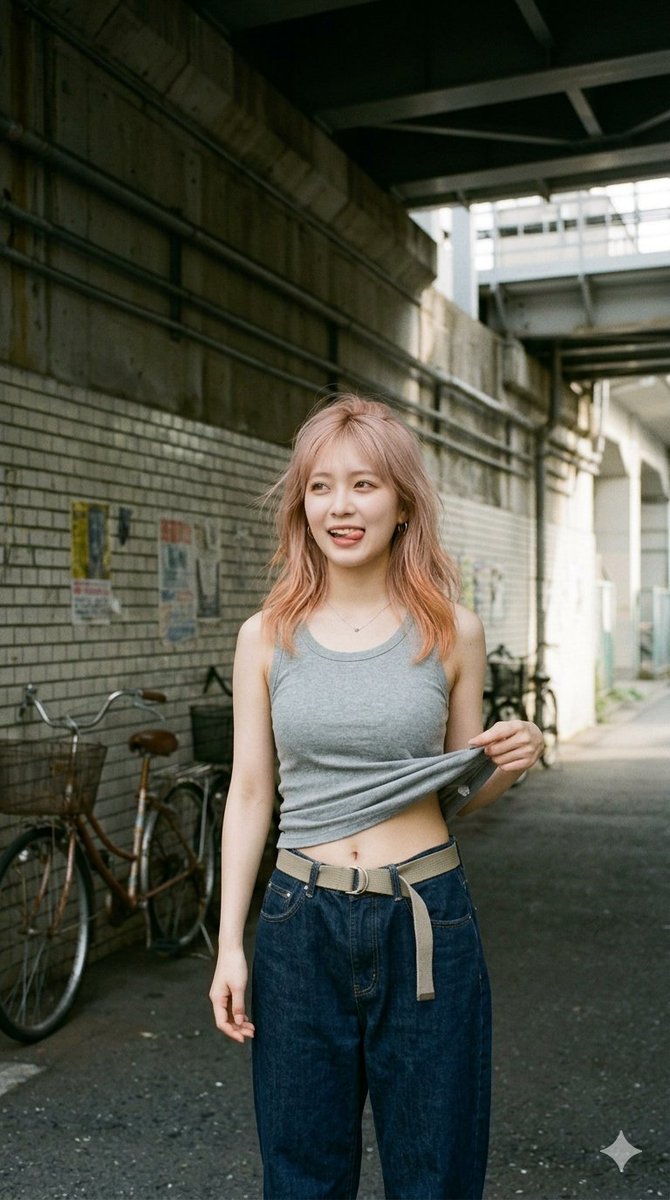
Generate a realistic vertical street-style photo of a young woman posing playfully in a gritty urban underpass, perfect for candid editorial portraits.
PROMPT · EN
创作一张写实的竖版街头时尚快照,展示一名成年年轻女性站在柔和晨光下的粗犷城市地下通道巷子里。她留着 arghair color: 桃金色 及肩微卷发,身材苗条,身穿一件 argtank top color: 灰麻色 无袖罗纹背心,搭配宽松的深靛蓝色阔腿牛仔裤和一条带有长垂带的米色帆布腰带。她以放松的休闲姿势面向镜头,一只手下垂,另一只手轻轻掀起背心下摆,露出下腹部和肚脐,营造出一种俏皮的抓拍时尚感。为了保持匿名,她的面部被一个纯肤色的矩形模糊处理。背景是位于高架铁路或混凝土基础设施下方的日式狭窄城市通道,墙面有混凝土污渍、白色砖块、头顶横梁、裸露的管道、墙上褪色的海报,左侧停放着两辆自行车。采用自然胶片摄影美学,35mm 镜头视角,低饱和度色彩,柔和对比度,浅至中等景深,真实的皮肤和织物纹理,纪录片街头风格,取景范围从上半身到大腿,竖版 2:3 构图,无文字,无 Logo,仅在右下角有一个细微的类似闪光水印的标记。
About this prompt
Generate a realistic vertical street-style photo of a young woman posing playfully in a gritty urban underpass, perfect for candid editorial portraits. Use it as a Concept Art starting point for GPT Image 2: keep the visual structure and style constraints intact, then swap in your own subject, brand, or scene.
Start by replacing hair color and tank top color, then keep the camera, composition, and material cues in the same order. This makes the output easier to compare across variations.
How to use this prompt
- Copy the full prompt text above.
- Open your preferred AI image generator (Sora 2, Midjourney, etc.).
- Replace the default variables for hair color and tank top color to customize the subject.
- Paste the prompt and generate, adjusting aspect ratio to 2:3 vertical if needed.
- Review results and regenerate with slight variations for the best candid street-fashion feel.


