
GPT Image 2AI Prompt
Light Novel Cover & Bookstore Display — Sora 2 Prompt
Create a detailed light novel character on a custom cover, then place the finished book realistically on a store shelf scene.
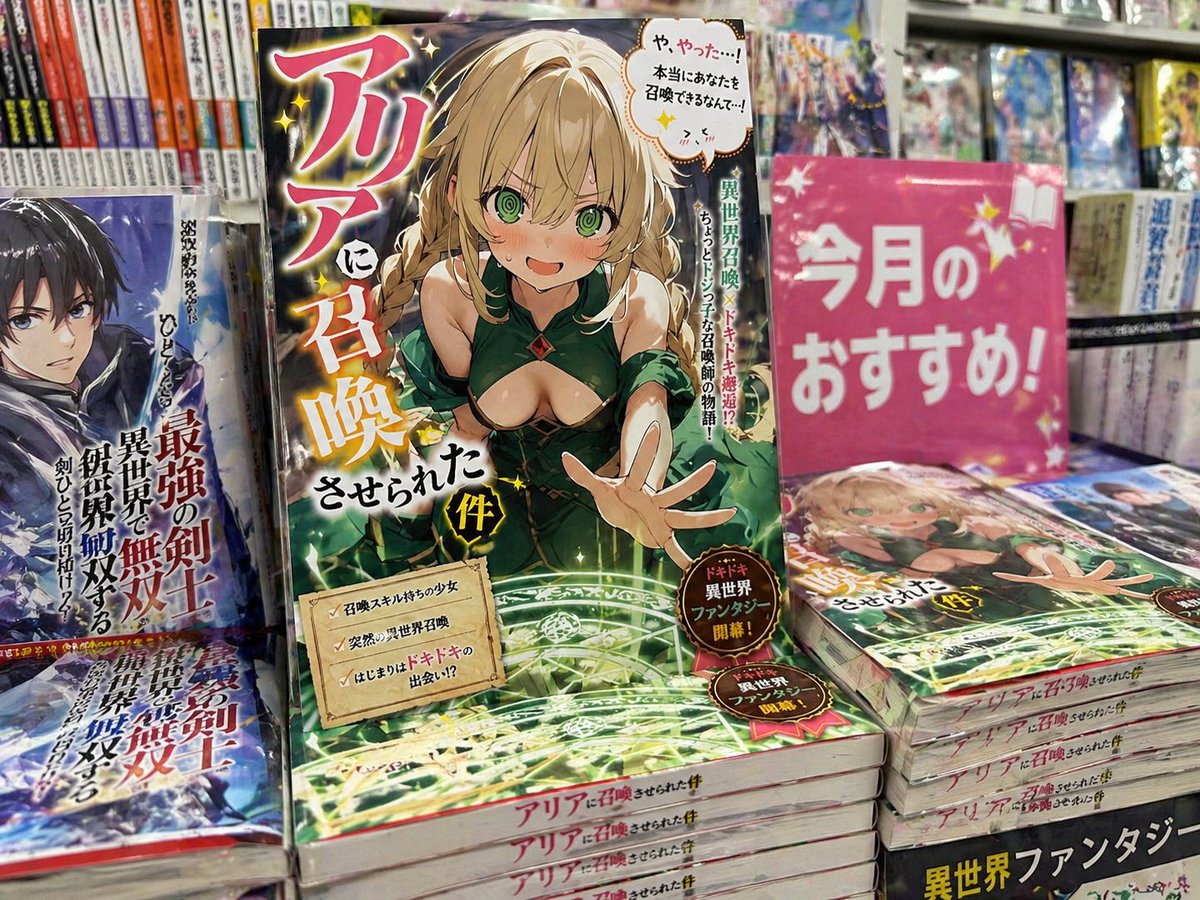
PROMPT · EN
请使用此角色创作一张轻小说封面。请勿包含任何真实的出版社或作者名称。标题:argtitle: ...,简介:argdescription: ... 生成一张该书在书店中陈列的照片。
About this prompt
Create a detailed light novel character on a custom cover, then place the finished book realistically on a store shelf scene. Use it as a Concept Art starting point for GPT Image 2: keep the visual structure and style constraints intact, then swap in your own subject, brand, or scene.
Start by replacing title and description, then keep the camera, composition, and material cues in the same order. This makes the output easier to compare across variations.
How to use this prompt
- Copy this prompt into your preferred Sora 2 compatible AI image generator.
- Replace
{title}with your desired light novel title and{description}with a brief plot or character summary. - Select a high-quality model like Sora 2 for best photorealistic results.
- Generate the image and review the composition.
- Tweak the title, description, or scene details and regenerate until satisfied.


