
GPT Image 2AI Prompt
Editorial Color Analysis Project — Sora 2 Prompt
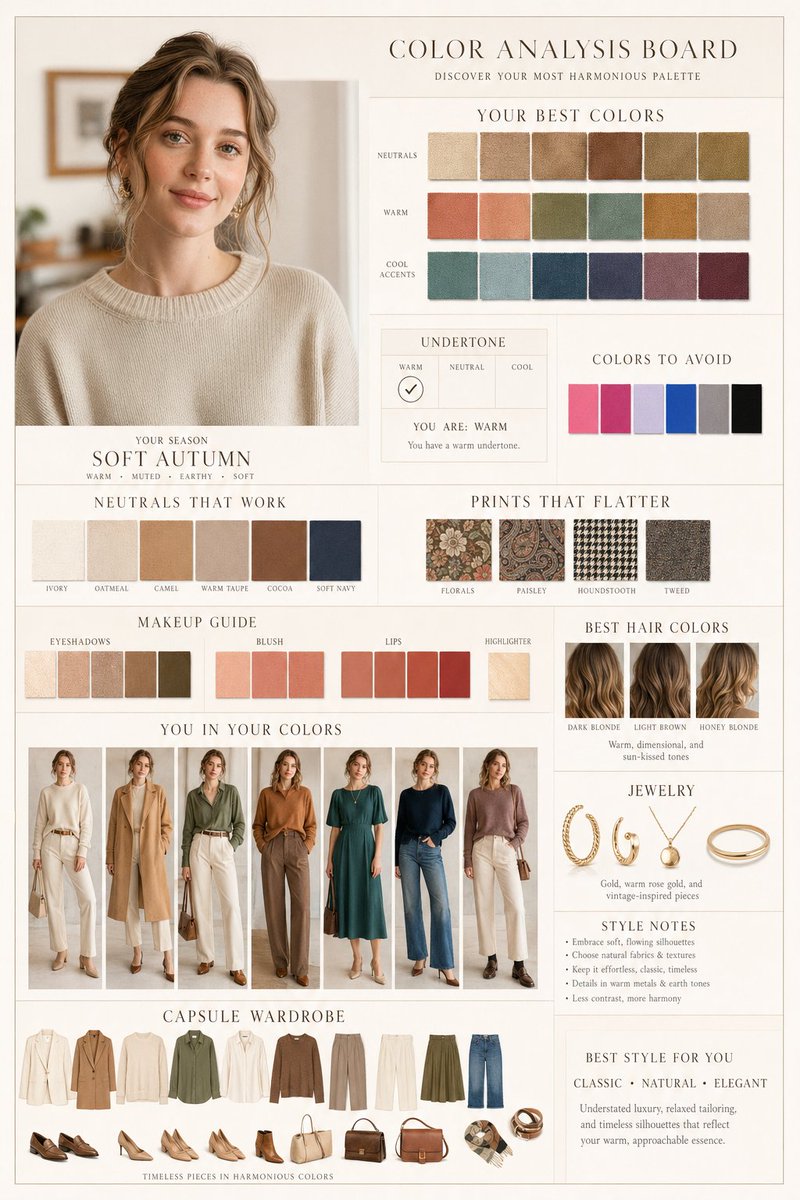
Generate a luxury magazine-style color analysis layout with curated palettes, beauty guides, and capsule wardrobe recommendations in a photorealistic editorial look.
PROMPT · EN
基于此肖像创建一个高端编辑风格的“色彩分析项目”,采用 argaesthetic: Dior / Ralph Lauren 风格。简洁的米色/象牙白背景,暖色调,柔和的漫射光,超精细照片级画质,光影一致,极简优雅的排版,网格布局。 主肖像:增强自然美感(保持相同身份,平滑肌肤,柔和光泽,逼真的纹理)。
顶部区域:“你的最佳色彩”,包含基于算法筛选的最佳面料色卡。
底色面板:标注暖色/中性/冷色调的测试结果。
避免使用的颜色
适用的中性色
修饰身材的印花
美妆指南:眼影、腮红、唇妆、高光
“色彩中的你”:多种最佳服装搭配方案
发色:最佳发色建议
珠宝
风格笔记 胶囊衣橱:协调的服装、鞋履、包袋及配饰
风格:最适合我的风格
About this prompt
Generate a luxury magazine-style color analysis layout with curated palettes, beauty guides, and capsule wardrobe recommendations in a photorealistic editorial look. Use it as a Concept Art starting point for GPT Image 2: keep the visual structure and style constraints intact, then swap in your own subject, brand, or scene.
Start by replacing aesthetic, then keep the camera, composition, and material cues in the same order. This makes the output easier to compare across variations.
How to use this prompt
- Copy the full prompt text into your preferred AI image generator (e.g., Sora 2, Midjourney, DALL·E).
- Select a model that supports high-resolution, photorealistic output with text rendering.
- Customize the
{aesthetic}variable to match your desired brand style (e.g., "Dior", "Ralph Lauren", "Chanel"). - Optionally adjust background color, lighting tone, or wardrobe sections to fit your project needs.
- Generate and review the output — iterate by refining specific panel descriptions for cleaner layout results.


