
GPT Image 2AI Prompt
Anime Idol Guitarist Character Sheet — Sora 2 Prompt
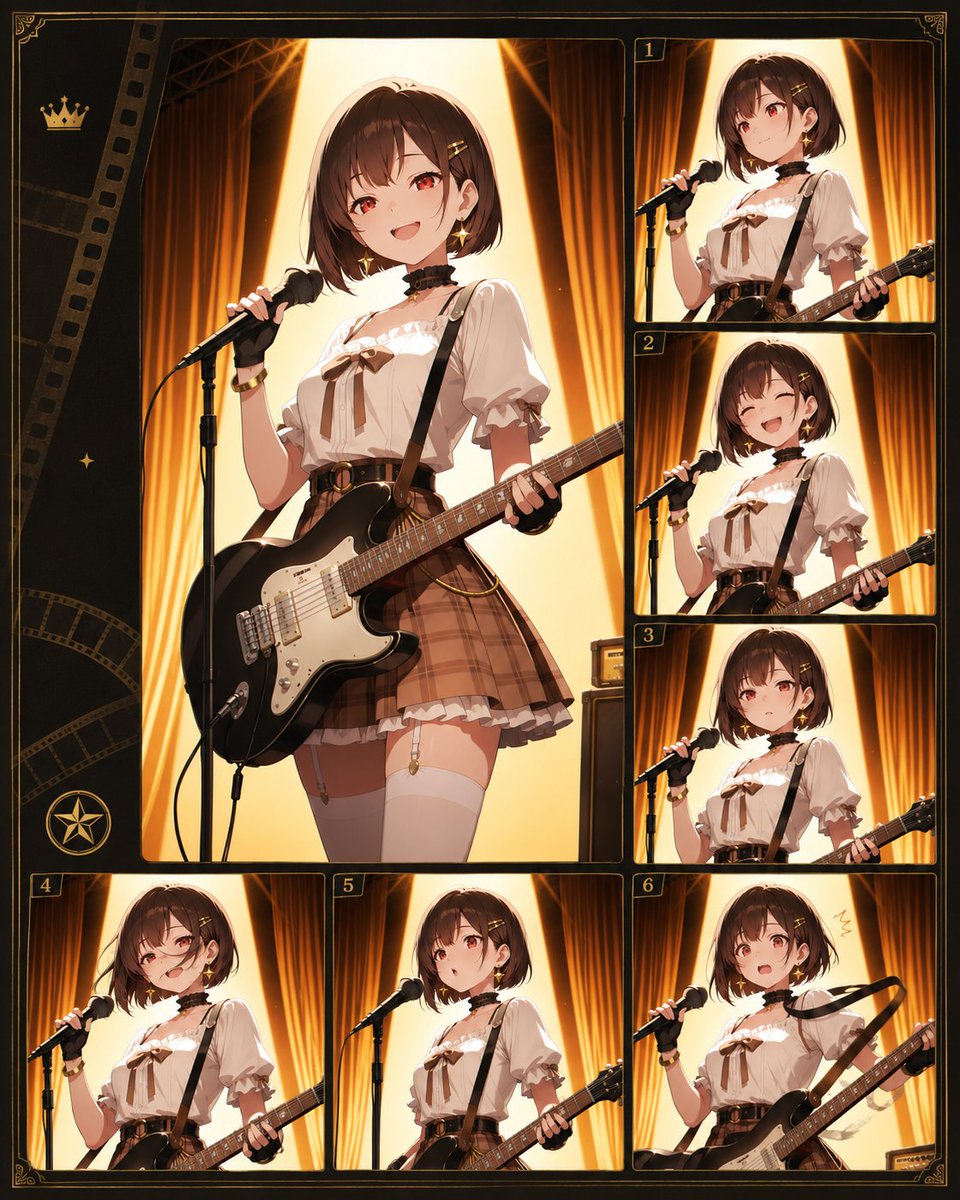
Generate a glamorous anime character reference sheet featuring an idol guitarist on a warm theater stage, with 7 cinematic panels and blurred faces.
PROMPT · EN
目标:创建一个华丽的动漫风格角色拼贴设定表,展示 argcharacter name: 一位匿名偶像吉他手 在温暖的剧院舞台上表演的场景,每个面板中角色的面部均用柔和的方形模糊效果遮盖。 画布:垂直 4:5 构图,深色复古胶片接触印相表设计,带有细金边、装饰性边角花纹以及黑金电影质感边框。使用温暖的琥珀色、棕色、奶油色和黑色调,并配以发光的舞台灯光。 布局:总共使用 7 个图像面板:左侧是一个占据画布大部分面积的大型主肖像面板,周围环绕 6 个较小的带编号面板。小面板在右侧列从上到中分别标注金色数字 1、2、3,底部一行标注 4、5、6。最左侧包含装饰性胶片条纹,左上角附近有一个小金冠图标,左中有一个小闪光图标,左下角附近有一个圆形星形徽章。每个面板都有圆角黑色边框和精致的金色轮廓线。 主体细节:同一位动漫少女出现在所有 7 个面板中。她留着 arghair color: 栗棕色短波波头,带有刘海和小发夹,面部有模糊的方形遮挡,身材苗条,偶像乐队造型。服装:奶油色泡泡袖衬衫,领口有荷叶边,胸前有棕色丝带蝴蝶结,黑色颈圈,黑色吉他背带,高腰棕色格子百褶裙,带圆形扣的腰带,白色过膝袜,金色小配饰和腕带。她拿着一把 argguitar color: 亮黑色电吉他,配有白色护板,对着支架上的黑色麦克风唱歌。 面板数量与内容:左侧的大型面板 1 展示了四分之三全身姿势,左手拿着麦克风,吉他横跨腰间,展现自信的舞台站姿。右上角的面板 2 展示了更近的腰部以上唱歌姿势,吉他琴颈向右延伸。中右侧的面板 3 展示了类似的腰部以上姿势,麦克风对着她的嘴部。右下中部的面板 4 展示了角色在画面中位置稍低,背景是温暖的幕布。左下角的小面板 5 展示了麦克风和吉他琴身的特写。底部中央的小面板 6 展示了她以麦克风支架和吉他琴颈为中心的姿势。右下角的小面板 7(标注为 6)展示了一个更具活力的姿势,吉他斜向上方举起,头部附近有一个小的手绘动作标记。 背景与灯光:每个面板都展示了相同的舞台设置,背景是高大的金橙色幕布、深色舞台装置,表演者身后有明亮的三角形聚光灯,营造出光环般的背光效果。使用戏剧性的轮廓光、吉他上的光泽高光、电影般的阴影以及精致的动漫插画细节。 约束:保持构图为精致的角色参考/接触印相表,而非真实照片。保留 6 个带编号的缩略图标签以及一个大型无编号主面板。除小金数字外,请勿添加额外角色、额外文字、徽标、水印或可读标题。
About this prompt
Generate a glamorous anime character reference sheet featuring an idol guitarist on a warm theater stage, with 7 cinematic panels and blurred faces. Use it as a Concept Art starting point for GPT Image 2: keep the visual structure and style constraints intact, then swap in your own subject, brand, or scene.
Start by replacing character name, hair color, and guitar color, then keep the camera, composition, and material cues in the same order. This makes the output easier to compare across variations.
How to use this prompt
- Copy the full prompt and paste it into your Sora 2 or compatible AI image generator.
- Select your preferred model or style setting for anime illustration.
- Customize the
{character name},{hair color}, and{guitar color}variables to match your OC or creative vision. - Generate the image and review the 7-panel layout with the main portrait and 6 numbered thumbnails.
- Refine or regenerate if needed, adjusting lighting or pose descriptions for your desired result.


