
Epic Phoenix-Eagle Falconer in Dark Forest — Sora 2 Prompt
Create a cinematic fantasy scene of a fierce female warrior falconer commanding a blazing phoenix-eagle hybrid in a dark, misty forest with this AI prompt.
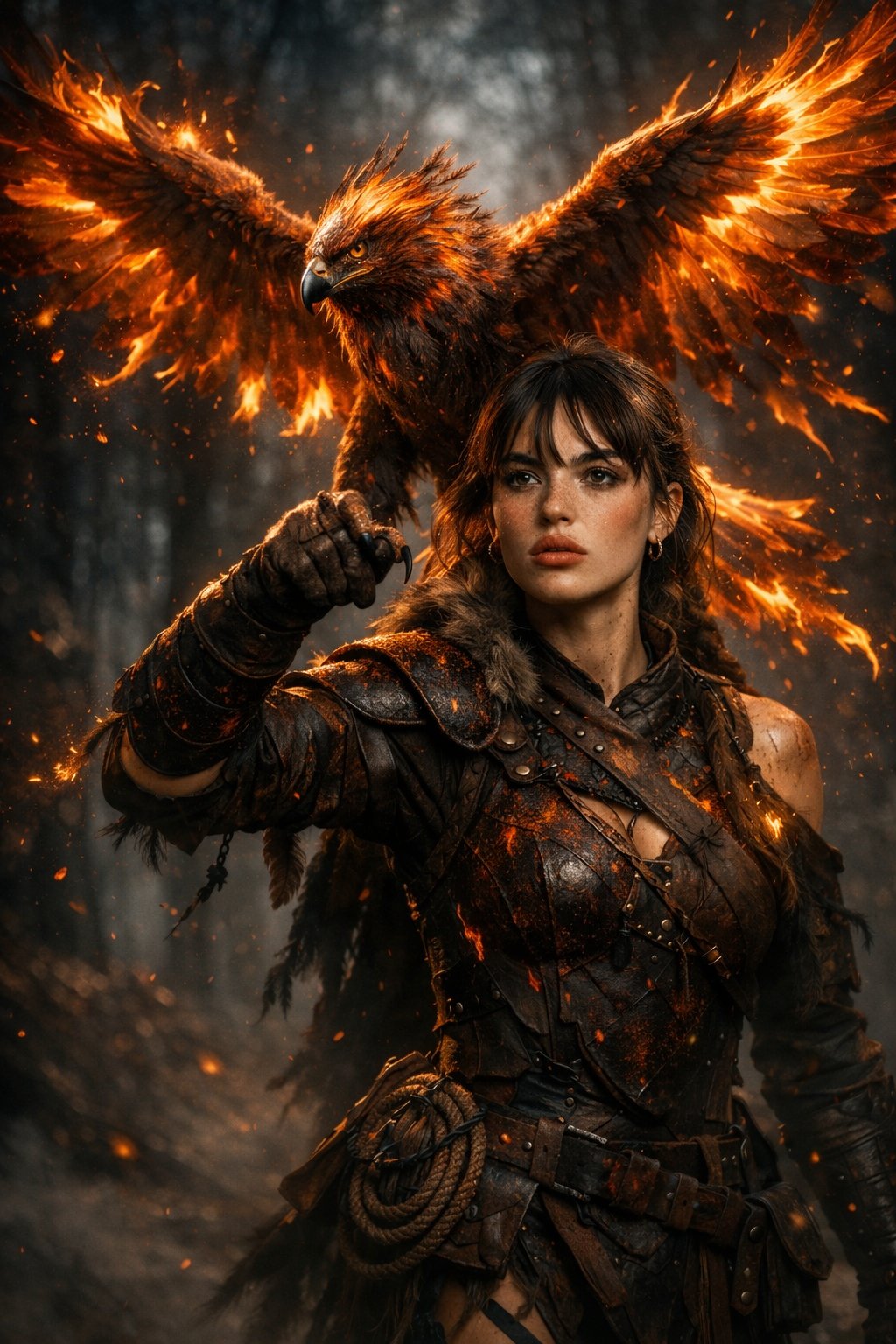
A cinematic fantasy scene of a fierce female use image for face reference warrior falconer walking through a dark misty forest, wearing battle-worn leather armor infused with glowing ember textures. Her arm is raised, commanding a massive phoenix-eagle hybrid with blazing wings and flaming feathers, fire trailing from its tips. The bird radiates molten orange and red light, casting sparks and embers into the air.The warrior has braided hair, ash-streaked skin, and a determined expression, carrying a rope and utility pouch. Ultra-detailed feathers, realistic fire physics, dramatic lighting, volumetric fog, shallow depth of field, epic fantasy atmosphere, hyper-realistic, cinematic color grading, dark moody background, 8k, concept art, unreal engine quality.
About this prompt
Create a cinematic fantasy scene of a fierce female warrior falconer commanding a blazing phoenix-eagle hybrid in a dark, misty forest with this AI prompt. Use it as a Concept Art starting point for an AI model: keep the visual structure and style constraints intact, then swap in your own subject, brand, or scene.
Common directions include chatgpt, fantasy, landscape, and nature. Treat these tags as creative cues; the prompt structure and preview image are the more useful guide.
Start with small changes to subject, scene, camera, and color, then generate a few variations to compare composition and detail without turning the page copy into keyword stuffing.
How to use this prompt
- Copy the prompt text from above.
- Paste it into your AI image generator (Midjourney, DALL·E 3, or Stable Diffusion).
- If supported, upload a face reference image to customize the warrior’s appearance.
- Add parameters like
--ar 16:9for widescreen or--style rawfor realism. - Generate and refine until you get the desired epic scene.


