
GPT Image 2AI Prompt
Tuscan Vineyard Portrait — Cinematic Sora 2 Prompt
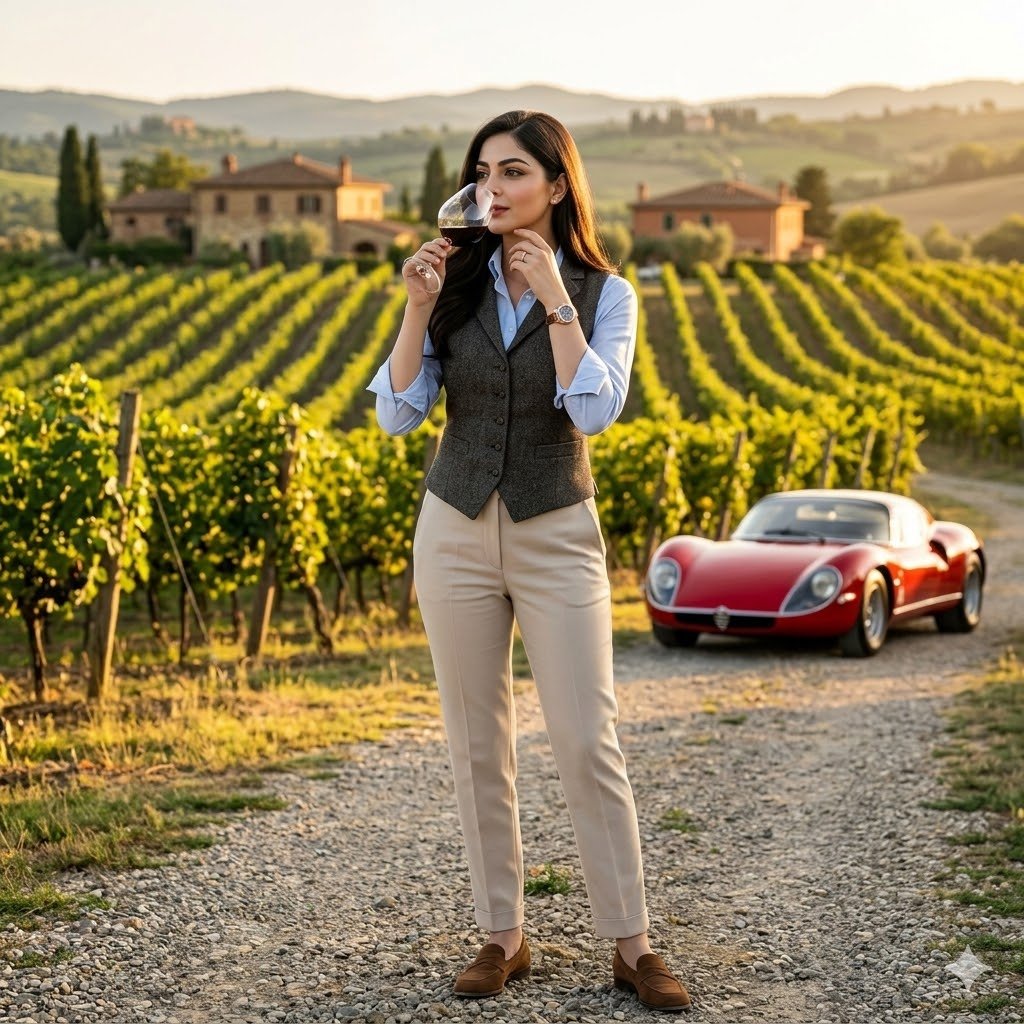
Generate a hyper-realistic, cinematic portrait set in a golden-hour Tuscan vineyard, complete with a classic Alfa Romeo and timeless European luxury.
PROMPT · EN
一个超高细节的电影感场景,将用户上传的人脸 100% 作为参考,并设定为 argstatus: 高地位赞助人。镜头以绝对的清晰度和戏剧性的存在感捕捉画面中心的主角。她身穿剪裁合身的背心,袖口卷起,搭配挺括的蓝色衬衫、修身浅色长裤、麂皮乐福鞋和名贵腕表。场景设定在黄金时刻的专属 arglocation: 托斯卡纳葡萄园庄园,背景是成排的葡萄藤。他啜饮着葡萄酒,俯瞰着葡萄园,一辆经典的 Alfa Romeo 33 Stradale 停在碎石车道上,展现出永恒的欧洲奢华感。氛围浓郁。使用受高端摄影和专家级照片处理技术(类似于高端 Photoshop)启发的语言,以实现无需 CGI 或 3D 图形的高质量写实效果。创造一个独一无二、令人难忘的场景,具备无与伦比的细节、电影级的表现力,并完全聚焦于主角。不使用 CGI、3D 图形或艺术渲染。如果场景不合逻辑或属于虚构,请使用 Photoshop 处理技术。
About this prompt
Generate a hyper-realistic, cinematic portrait set in a golden-hour Tuscan vineyard, complete with a classic Alfa Romeo and timeless European luxury. Use it as a Concept Art starting point for GPT Image 2: keep the visual structure and style constraints intact, then swap in your own subject, brand, or scene.
Start by replacing status and location, then keep the camera, composition, and material cues in the same order. This makes the output easier to compare across variations.
How to use this prompt
- Copy the prompt text and paste it into your preferred Sora 2 or compatible AI video/image generator.
- Replace the
{status}and{location}variables with your desired character role and setting (e.g., 'weary detective' in a 'rainy Tokyo alley'). - Upload your reference face photo as instructed by the model to ensure character consistency.
- Adjust any other descriptive details (clothing, car model, time of day) to better fit your vision.
- Generate and review the output; re-run or tweak for the perfect shot.


