
GPT Image 2AI Prompt
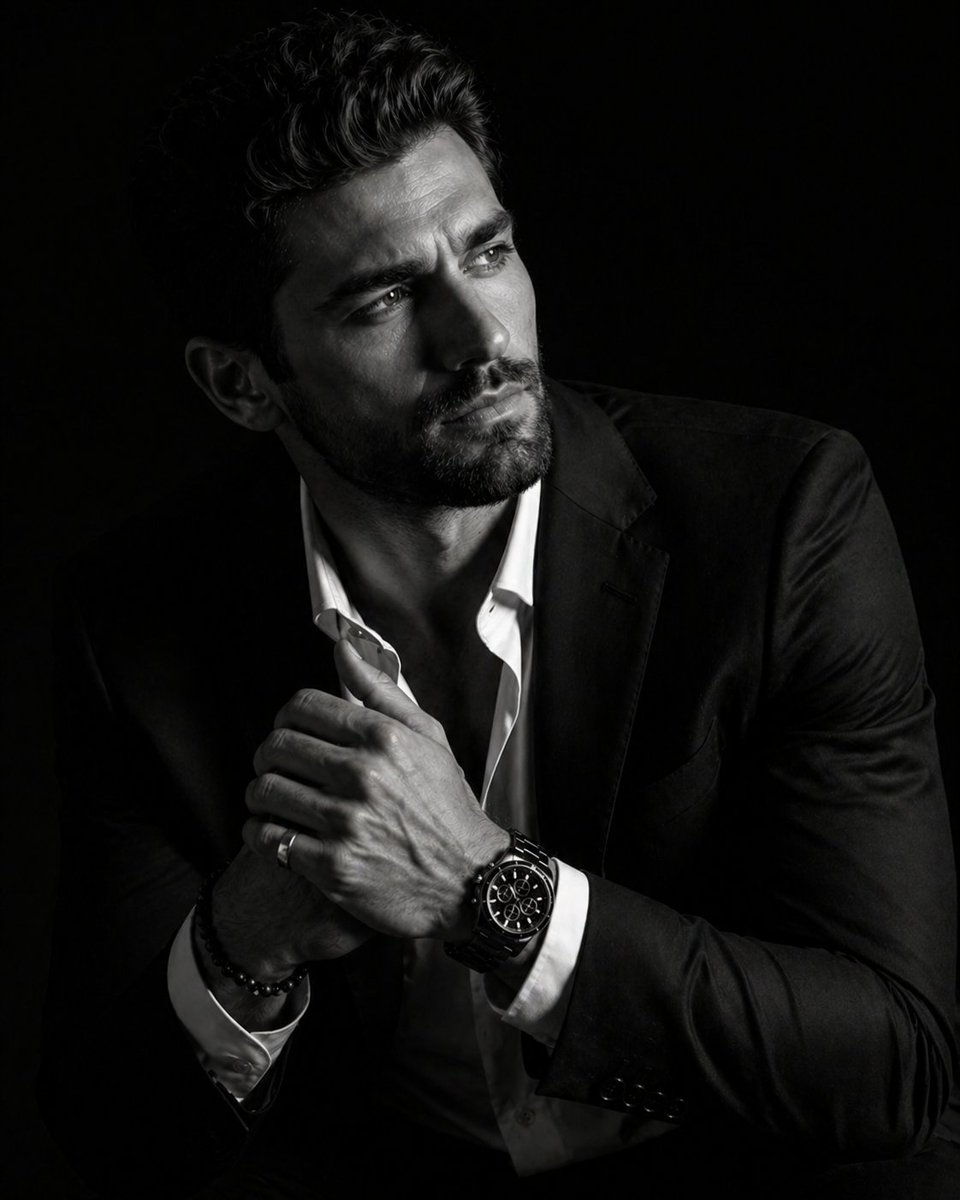
Chiaroscuro Portrait — 8K Cinematic Lighting Prompt
Generate stunning black-and-white portraits with dramatic Rembrandt lighting, deep shadows, and hyperrealistic 8K detail.
PROMPT · EN
一张超写实 8K 电影级肖像,拍摄上传的人物,采用戏剧性的明暗对照法(Chiaroscuro)风格。主体以四分之三侧面角度就座,身体微微前倾,姿态放松而又不失威严。他的脸部背向镜头,一侧面部清晰照亮,另一侧则完全隐没在深邃如天鹅绒般的阴影中。他神情沉思,未看向镜头。姿势精准:双手在胸前交握;一只手伸直,手指微微倾斜,另一只手的位置仅露出手指,搭在第一只手上。他佩戴着 argaccessories: 一款奢华的黑色计时码表,配有精致的金属链带、一枚银戒指和一条串珠手链。他身着 argclothing: 一件剪裁利落的黑色西装外套,内搭一件领口微敞的白色衬衫,展现出考究的织物纹理。背景为纯色无缝黑色。灯光锐利且具有方向性,突显出头发的复杂细节、胡须的根根分明、眼中的湿润感以及表盘上的反光。电影级黑白调色,对比度丰富,皮肤过渡平滑自然。使用 85mm 镜头,f/1.8 光圈拍摄,高分辨率商业摄影作品。ar 4:5
About this prompt
Generate stunning black-and-white portraits with dramatic Rembrandt lighting, deep shadows, and hyperrealistic 8K detail. Use it as a Concept Art starting point for GPT Image 2: keep the visual structure and style constraints intact, then swap in your own subject, brand, or scene.
Start by replacing accessories and clothing, then keep the camera, composition, and material cues in the same order. This makes the output easier to compare across variations.
How to use this prompt
- Copy the full prompt and paste it into your AI image generator.
- Select a high-quality model like Sora 2 or Flux that excels at photorealistic portraits.
- Customize the
{accessories}and{clothing}variables to match your creative vision. - Adjust the aspect ratio (default 4:5) if you need a different composition.
- Generate and iterate—refine lighting intensity or subject pose for your ideal result.


