
GPT Image 2AI Prompt
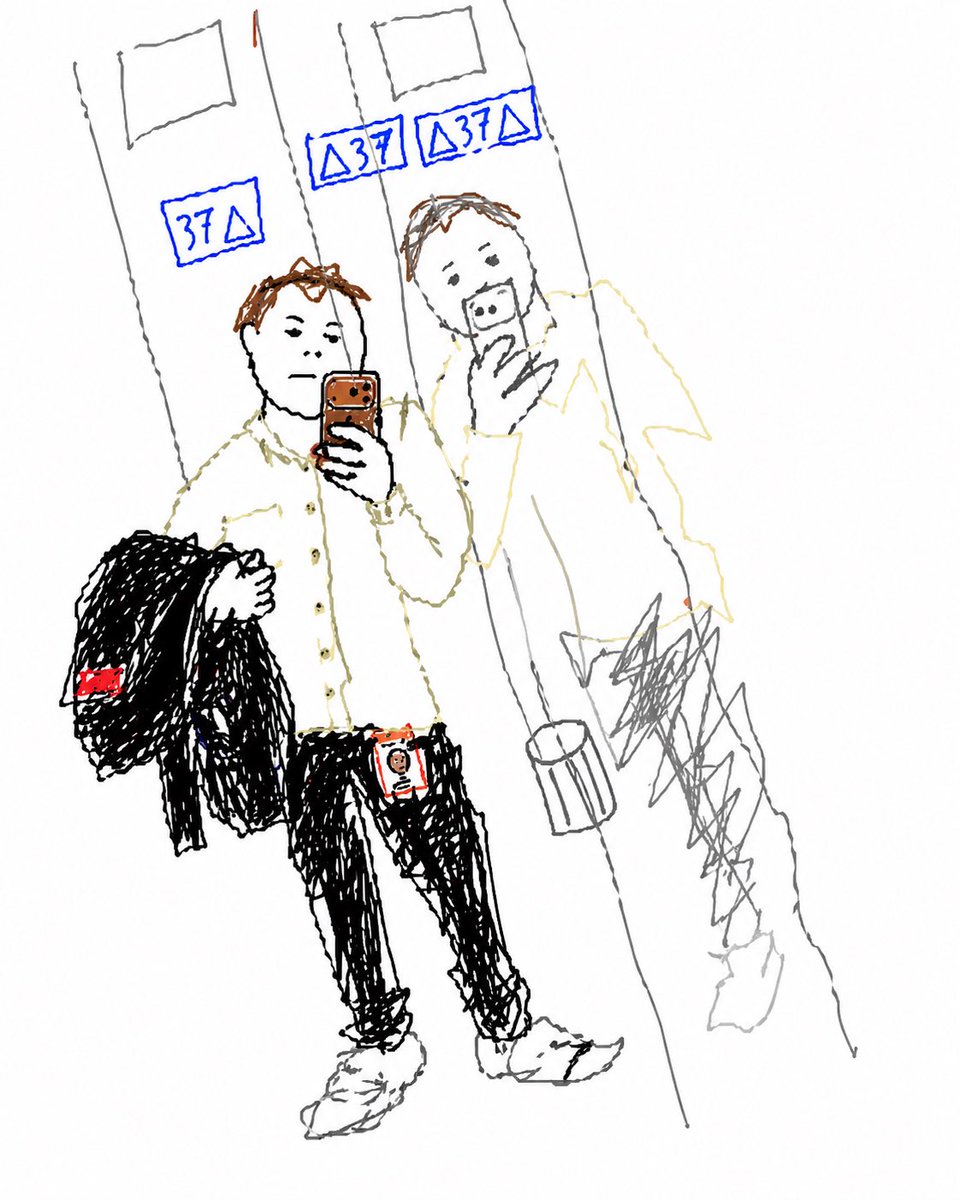
Elevator Selfie to Doodle Sketch — Sora 2 Prompt
Transform a mirror selfie into a messy, childlike hand-drawn sketch with MS Paint charm while preserving pose, clothing, and key scene details.
PROMPT · EN
使用提供的参考图像,将其中的镜面自拍构图重绘为纯白背景下非常粗糙的儿童涂鸦/草图。保持主体姿势、服装、手机、搭在手臂上的夹克、工牌、电梯镜面、地面以及反射出的身影在相同位置,但用细而不匀的手绘线条、凌乱的涂鸦和极简的细节重新绘制,呈现出类似 MS Paint 或笔记本草图的快速绘画感。保留 3 个蓝色的电梯楼层显示屏,并将其简化为手绘的蓝色标志。将面部区域处理为模糊的色块以遮挡细节。仅在参考图中突出的位置使用稀疏的色彩点缀:蓝色的电梯楼层数字、棕色的头发/手机、黑色的夹克和裤子、白色的衬衫和鞋子,以及夹克标签和工牌上的少量红色细节。
About this prompt
Transform a mirror selfie into a messy, childlike hand-drawn sketch with MS Paint charm while preserving pose, clothing, and key scene details. Use it as a Concept Art starting point for GPT Image 2: keep the visual structure and style constraints intact, then swap in your own subject, brand, or scene.
Start with small changes to subject, scene, camera, and color, then generate a few variations to compare composition and detail without turning the page copy into keyword stuffing.
How to use this prompt
- Copy the full prompt text from the page.
- Open your preferred AI image generator (Sora 2 recommended).
- Upload your reference mirror selfie image.
- Paste the prompt and adjust color or style variables if desired.
- Generate and refine until you achieve the perfect rough doodle look.


