
GPT Image 2AI Prompt
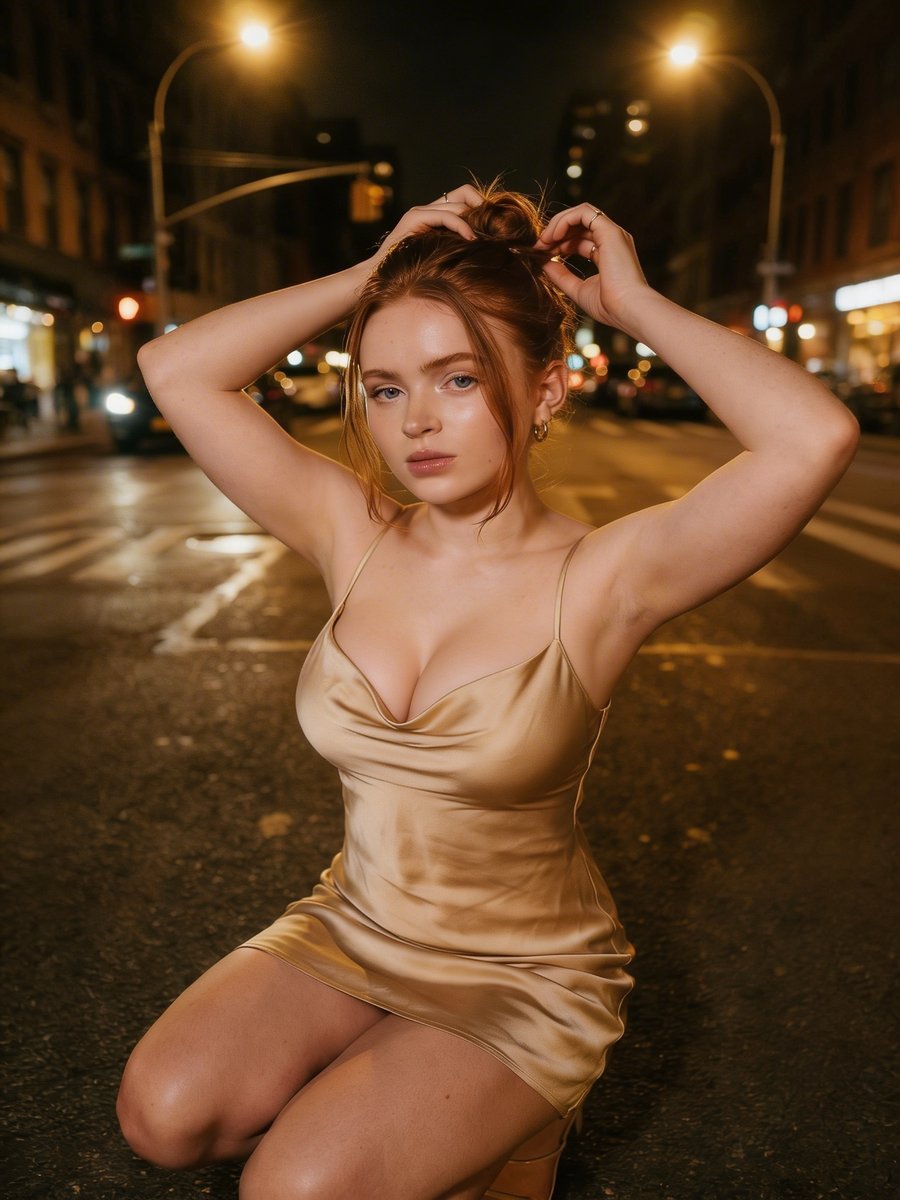
Customizable Cinematic Night Street Portrait — Sora 2 Prompt
Create high-detail cinematic fashion portraits with bokeh city backgrounds and adjustable hair/outfit colors — perfect for Sora 2.
PROMPT · EN
{ "scene": "一位年轻女性在夜晚的城市街道中央摆拍", "subject": { "gender": "女性", "appearance": { "hair": "arghair color: 红/赤褐色,扎成松散的发髻,几缕发丝垂在脸颊两侧", "skin": "白皙,带有平滑且柔和的高光质感", "expression": "冷静、自信,眼神略显严肃" }, "outfit": { "dress": "短款缎面吊带裙,色调为 argdress color: 香槟/金色", "accessories": [ "小巧的圆环耳环" ] }, "pose": "跪在街道上,双手抬起整理头发" }, "environment": { "location": "arglocation: 夜晚的城市街道", "background": "模糊的城市建筑、汽车和路灯,营造出虚化效果", "lighting": "温暖的路灯与柔和的闪光灯结合,呈现电影般的夜间氛围" }, "style": "电影感街头摄影,浅景深,高细节,暖色调,时尚编辑审美"
}
About this prompt
Create high-detail cinematic fashion portraits with bokeh city backgrounds and adjustable hair/outfit colors — perfect for Sora 2. Use it as a Concept Art starting point for GPT Image 2: keep the visual structure and style constraints intact, then swap in your own subject, brand, or scene.
Start by replacing hair color, dress color, and location, then keep the camera, composition, and material cues in the same order. This makes the output easier to compare across variations.
How to use this prompt
- Copy the complete prompt JSON.
- Open Sora 2 or any text-to-image tool supporting structured prompts.
- Modify the arguments for hair color, dress color, or location to customize your output.
- Submit the prompt and generate a high-detail cinematic night portrait.


