
GPT Image 2AI Prompt
Lavender Balm Product Shot — Sora 2 Prompt
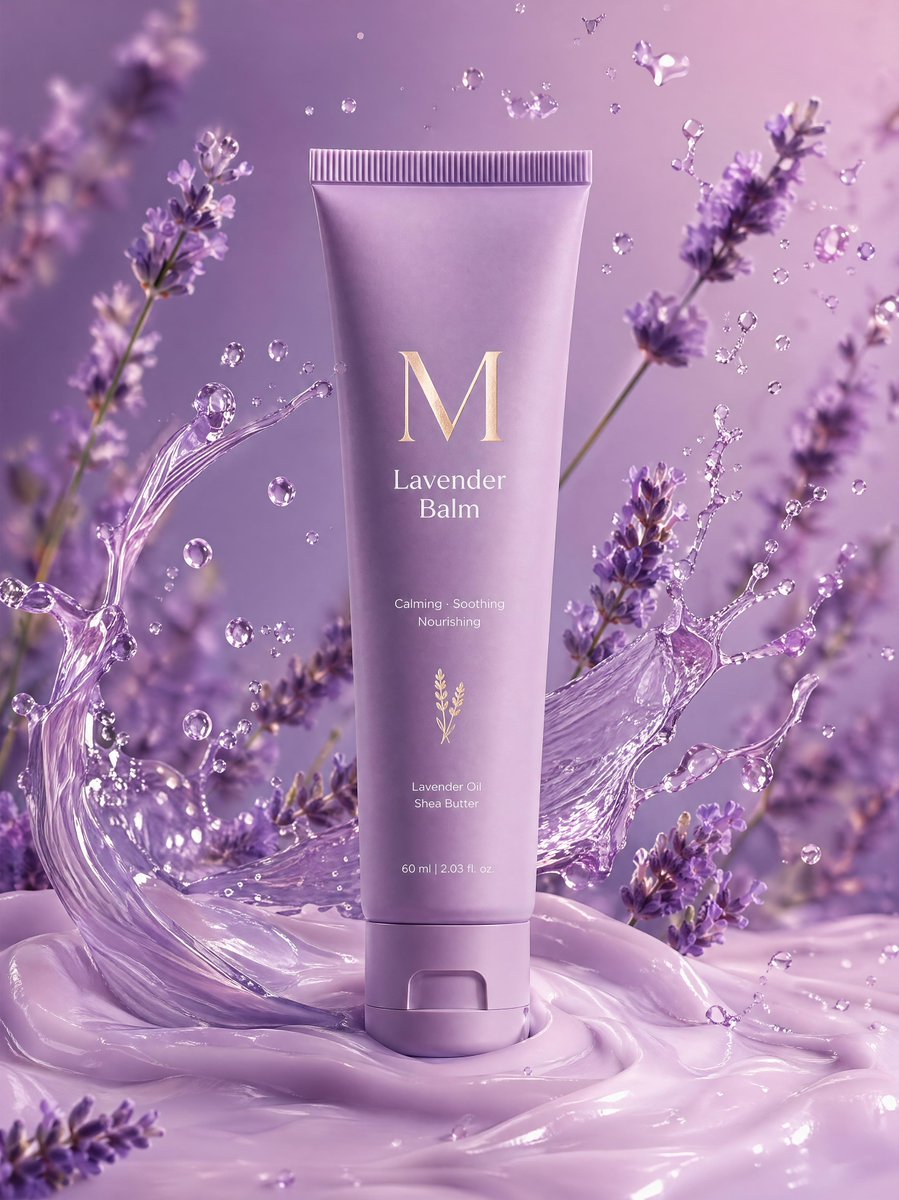
A luxury lavender balm tube with mid-air oil splashes and motion-blurred blooms, creating a soft, dreamy product photography aesthetic.
PROMPT · EN
一支标有 "M Lavender Balm" 的高级哑光薰衣草色软管垂直放置在奶油般的淡紫色表面上,薰衣草花朵在动态模糊中环绕,薰衣草油滴在半空中飞溅。极简主义的柔和紫色渐变背景,光泽质感,温暖梦幻的灯光,超清晰细节。
About this prompt
A luxury lavender balm tube with mid-air oil splashes and motion-blurred blooms, creating a soft, dreamy product photography aesthetic. Use it as a Concept Art starting point for GPT Image 2: keep the visual structure and style constraints intact, then swap in your own subject, brand, or scene.
Start with small changes to subject, scene, camera, and color, then generate a few variations to compare composition and detail without turning the page copy into keyword stuffing.
How to use this prompt
- Copy the full prompt text.
- Choose a compatible AI image or video generator (e.g., Sora 2, Runway, or Midjourney).
- Paste the prompt and optionally adjust details like tube label text, background gradient shades, or splash intensity.
- Generate and review the output. Iterate by refining lighting or composition keywords for best results.


