
GPT Image 2AI Prompt
Emotional Hand-Drawn Annotation — Food & Lifestyle Photo Prompt
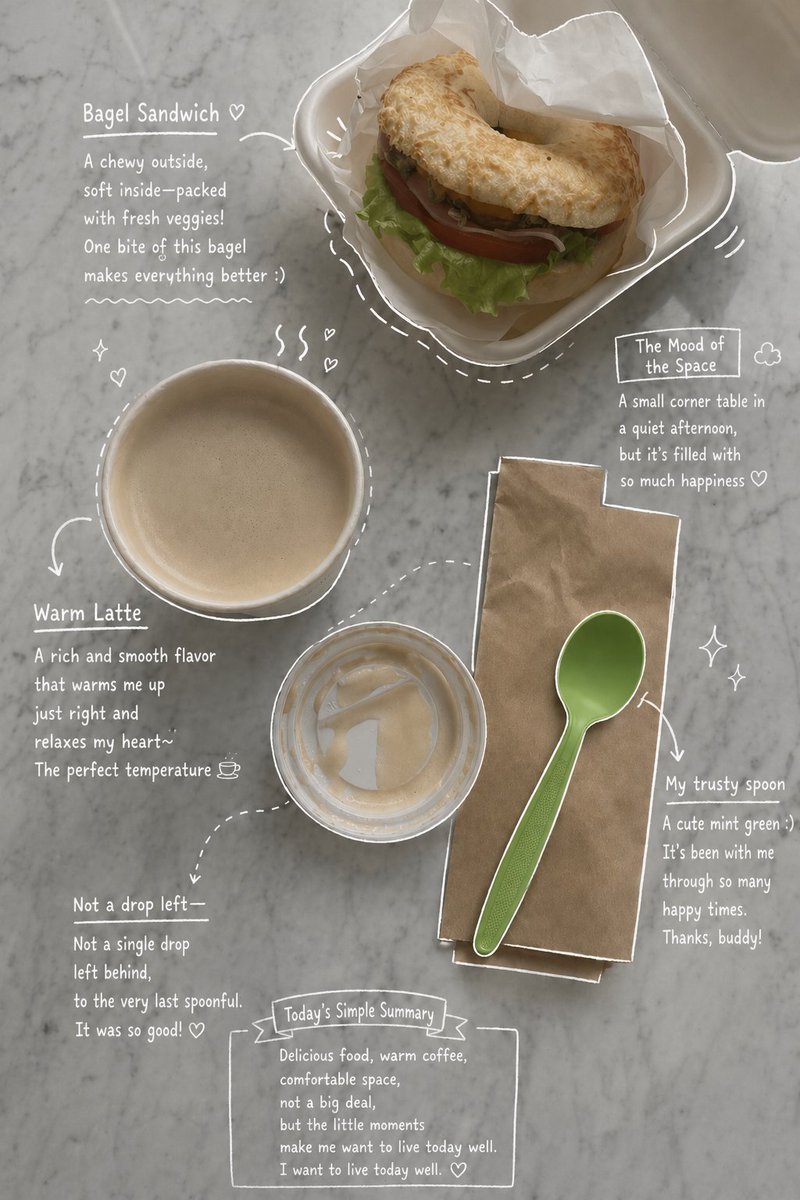
Transform your food or lifestyle photo into a heartfelt, magazine-style layout with white hand-drawn annotations and introspective notes.
1 / 4
PROMPT · EN
请使用上传的照片作为主要底图。 根据图片中展示的 argelements: 咖啡、饮品、甜点、餐盘、道具、桌面陈设 以及整体构图,创作出既美观又富有情感的视觉效果,使其自然地反映照片中的真实元素。请勿添加人物。保持对照片中实际食物和饮品种类、摆放方式以及所捕捉氛围的忠实还原。 随后,仔细观察照片中的每个元素,并添加与主体相符的 argannotation style: 手绘风格标注: 使用 argline color: 白色钢笔风格草图线条,呈现出粗糙、略微不均匀的手绘质感。 包含物体轮廓、箭头和虚线,以引导视觉动线。 添加简短的英文手写笔记,语调应保持随性、内省且富有情感。 针对饮品:描述口感、温度和心情。 针对甜点:描述质地和风味。 针对空间:描述氛围感。 包含一段关于场景的简短总结。 巧妙地融入蒸汽、闪光、爱心或微小的表情符号等细节。 保持简洁、开阔的排版,呈现出 Instagram 快拍或杂志备忘录般的审美风格。 最终成品应看起来像是原图的情感化版本,切勿强行加入与原图不符的元素。
About this prompt
Transform your food or lifestyle photo into a heartfelt, magazine-style layout with white hand-drawn annotations and introspective notes. Use it as a Concept Art starting point for GPT Image 2: keep the visual structure and style constraints intact, then swap in your own subject, brand, or scene.
Start by replacing elements, annotation style, and line color, then keep the camera, composition, and material cues in the same order. This makes the output easier to compare across variations.
How to use this prompt
- Copy the prompt and replace the photo with your own image of food, drinks, or a scene.
- Choose a compatible AI model like Sora 2 or similar image generators that support image-to-image and text overlays.
- Tweak the variables in the curly braces—such as
elements,annotation style, andline color—to match your specific photo's content and desired aesthetic. - Generate the image and review the output. If the annotations feel off, adjust the descriptive notes in the prompt to better reflect the mood of your original photo.


