
Satellite Anomaly Web Interface Mockup — Sora 2 Prompt
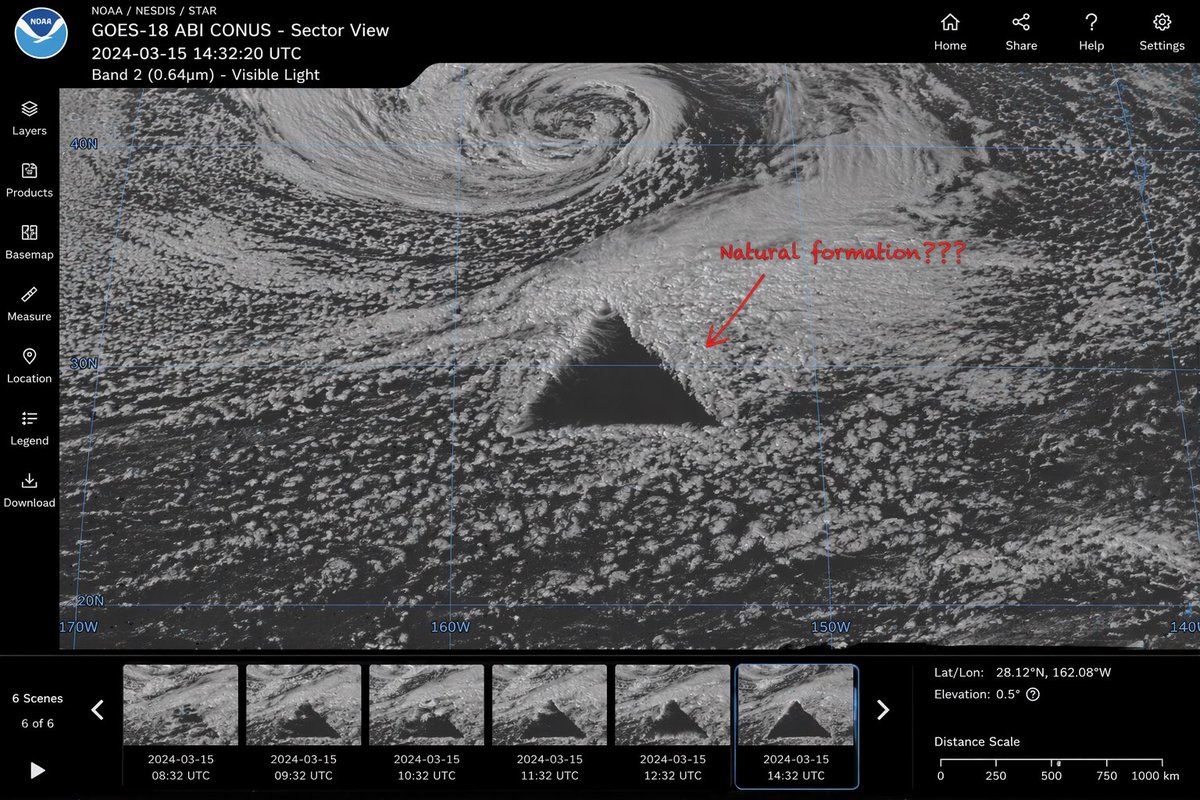
Generate a realistic satellite image UI featuring a massive geometric triangle anomaly, handwritten annotation, timeline thumbnails, and full interactive controls.
About this prompt
Generate a realistic satellite image UI featuring a massive geometric triangle anomaly, handwritten annotation, timeline thumbnails, and full interactive controls. Use it as a Concept Art starting point for GPT Image 2: keep the visual structure and style constraints intact, then swap in your own subject, brand, or scene.
This prompt is organized as structured JSON with fields such as type, main display, and ui layout. Keeping that hierarchy helps the model separate the subject, layout, interface elements, and detail constraints.
Start with small changes to subject, scene, camera, and color, then generate a few variations to compare composition and detail without turning the page copy into keyword stuffing.
How to use this prompt
- Copy the prompt code from sora2hub.com.
- Paste it into an AI video/image model (e.g., Sora 2).
- Adjust optional arguments like
anomaly shape,annotation text,satellite name, ortimestampto customize the scene. - Generate the output and iterate to refine details like grid overlay or data readouts.
- Use the result for design inspiration, storytelling, or visual effects projects.


