
GPT Image 2AI Prompt
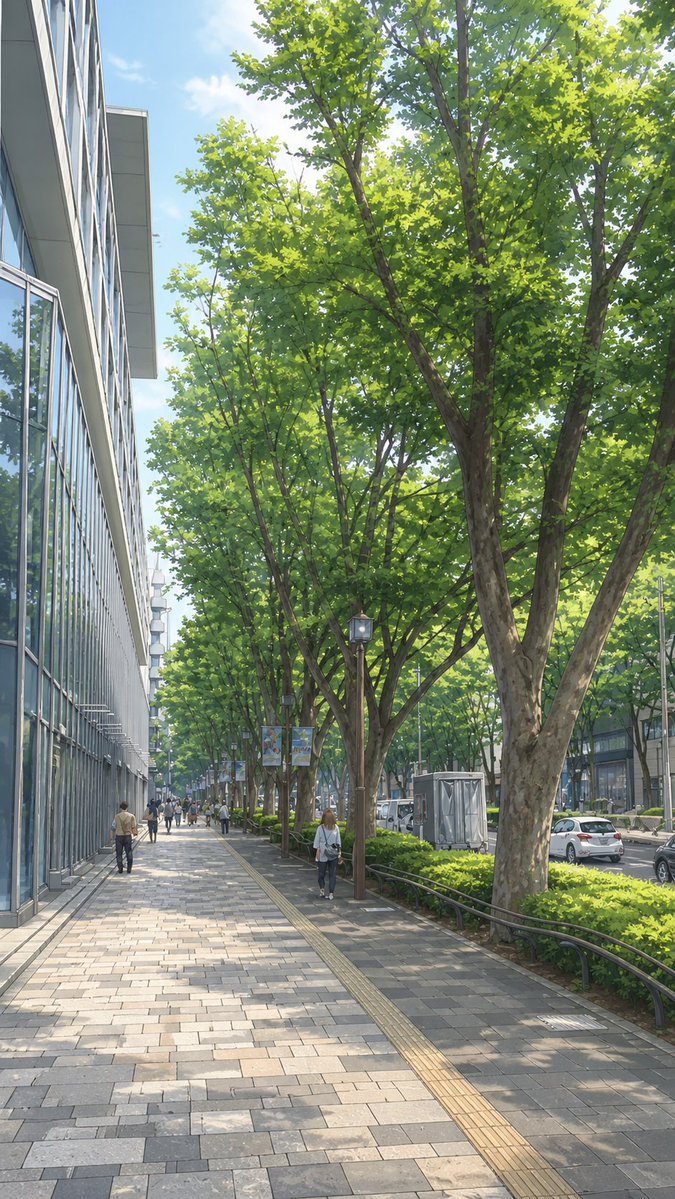
Street View to Anime Cityscape — Sora 2 Prompt
Transform real Google Street View screenshots into clean, hand-drawn anime-style city backgrounds, preserving layout while adding ideal daylight.
PROMPT · EN
使用提供的参考图像,将谷歌地图街景照片转换为干净的手绘动漫风格城市景观插画,同时保留相同的摄像机角度、人行道构图、树木排列、左侧建筑、右侧道路以及行人位置。移除所有谷歌地图的 UI 覆盖层、标签、箭头、按钮及截图元素。将阴天氛围替换为明亮清澈的日间光照,加入柔和的蓝天、轻柔的阳光、温暖的高光以及略显理想化的色彩。在保持场景布局真实的同时,使其呈现出精致、宁静且如画的效果,如同日常系动漫中的背景插画。
About this prompt
Transform real Google Street View screenshots into clean, hand-drawn anime-style city backgrounds, preserving layout while adding ideal daylight. Use it as a Concept Art starting point for GPT Image 2: keep the visual structure and style constraints intact, then swap in your own subject, brand, or scene.
Start with small changes to subject, scene, camera, and color, then generate a few variations to compare composition and detail without turning the page copy into keyword stuffing.
How to use this prompt
- Copy the entire prompt text.
- Paste it into your chosen AI image generator (e.g., Sora 2, Midjourney).
- Upload your reference Google Street View image.
- Adjust any specific details like 'bright daylight' or 'soft blue sky' to your preference.
- Generate and refine as needed.


