
GPT Image 2AI Prompt
Custom LEGO Brick House & Family Set — Sora 2 Prompt
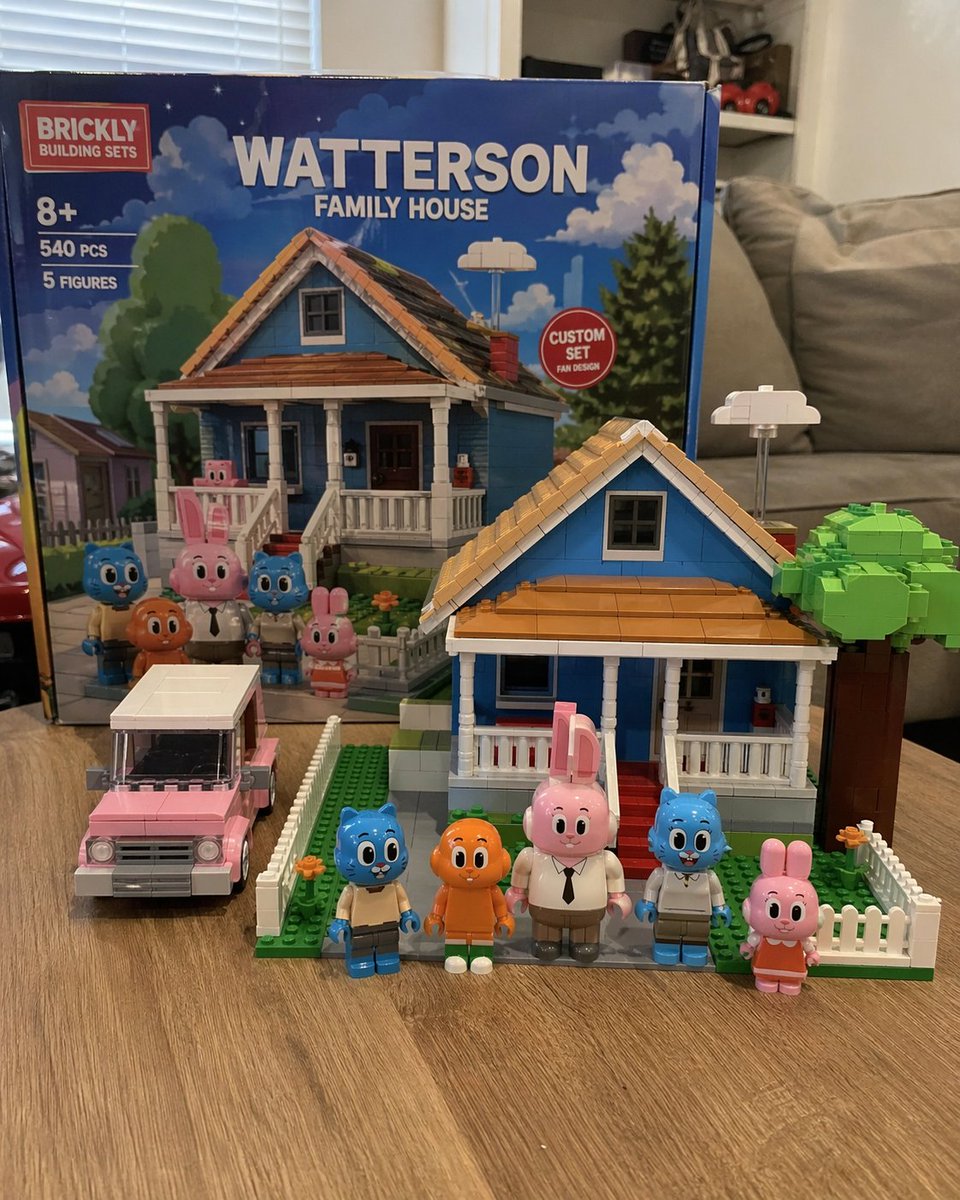
Generate a photorealistic tabletop scene of a custom brick building set, complete with a colorful house, car, and five unique minifigure characters in a cozy living room.
PROMPT · EN
一张写实风格的业余摄影作品,展示了一套定制积木套装,放置在客厅的浅色木纹桌面上。背景中立着一个巨大的产品包装盒,上面印有红色标志,写着“argbrand name: BRICKLY BUILDING SETS”。包装盒上印有“8+”、“540 PCS”、“5 FIGURES”等字样,以及醒目的大标题“argset title: WATTERSON FAMILY HOUSE”。盒子上有一个红色圆形徽章,写着“CUSTOM SET FAN DESIGN”,盒面图案描绘了蓝天下的房屋和角色。前景中摆放着拼装完成的 arghouse color: blue 双层郊区房屋积木模型,配有棕色屋顶、白色门廊、红色台阶、白色尖桩篱笆和一棵积木拼成的绿色树木。房屋左侧是一辆拼装好的 argcar color: pink 旅行车模型。房屋前方整齐排列着 5 个定制积木人仔:一只穿棕褐色裤子的蓝色猫、一条长腿的橙色鱼、一只穿白衬衫打领带的高个粉色兔子、一只穿白衬衫的蓝色猫,以及一只穿橙色连衣裙的小粉色兔子。背景是略显模糊的客厅,配有灰色沙发和白色百叶窗。
About this prompt
Generate a photorealistic tabletop scene of a custom brick building set, complete with a colorful house, car, and five unique minifigure characters in a cozy living room. Use it as a Concept Art starting point for GPT Image 2: keep the visual structure and style constraints intact, then swap in your own subject, brand, or scene.
Start by replacing brand name, set title, house color, and car color, then keep the camera, composition, and material cues in the same order. This makes the output easier to compare across variations.
How to use this prompt
- Copy the full prompt text from the page.
- Choose a compatible AI model like Sora 2 or similar image generators.
- Tweak variables such as
brand name,set title,house color, andcar colorto customize your scene. - Paste the customized prompt into the model's input field.
- Generate the image and review the output for desired realism and detail.


