
Sora2 Hub
Sora2 Hub
  • Prompt Library
  • Pricing
  • Showcase
  • Blog
Sora2 Hub
Sora2 Hub
Sora2 Hub

Sora2 Hub

Professional AI creation platform powered by Sora 2, Veo 3.1, and Nano Banana Pro. Create stunning videos and studio-grade images with advanced control, HD quality, and no watermarks.

Email:support@sora2hub.org

AI Video Generator

  • Text to Video
  • Image to Video
  • Veo 3.1
  • Sora 2
  • Kling 3.0
  • Kling 2.6
  • Kling 2.5
  • Runway
  • Wan 2.6
  • Seedance 2.0
  • Hailuo 2.3
  • Grok Imagine
  • HappyHorse-1.0

AI Image Generator

  • Text to Image
  • Image to Image
  • Nano Banana Pro
  • Nano Banana
  • 4o Image
  • Flux Kontext
  • Z Image
  • Seedream 4.5
  • Seedream 5.0 Lite
  • Nano Banana 2
  • GPT Image 2
  • AI Image Upscaler

AI Effects

  • AI Age Filter
  • AI Gender Swap
  • AI Kiss
  • AI Hug
  • Ghibli Image
  • AI Mermaid Filter
  • AI Bodyshake
  • Smiling Filter
  • AI Fat
  • Action Figure

Product

  • Features
  • Showcases
  • Pricing

Company

  • About
  • Contact

© 2025 • Sora2 Hub ORG All rights reserved.

  • Privacy Policy
  • Terms of Service
  • Refund Policy
  1. Home
  2. /
  3. Prompts
  4. /
  5. GPT Image 2
  6. /
  7. Crayon Storybook Illustration — Sora 2 Prompt
GPT Image 2AI Prompt

Crayon Storybook Illustration — Sora 2 Prompt

Transform any photo into a nostalgic, childlike crayon illustration with soft pastel colors, wobbly lines, and a whimsical storybook feel.
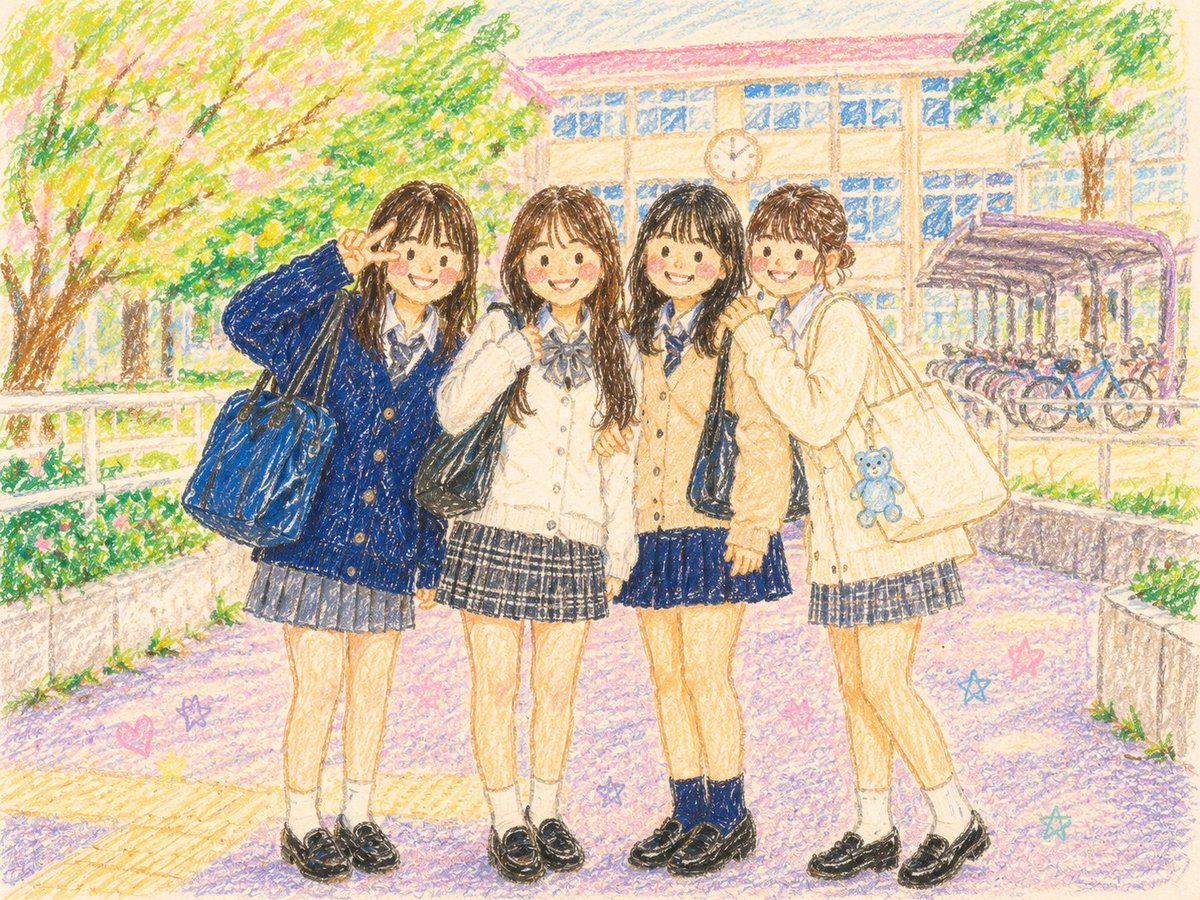
Crayon Storybook Illustration — Sora 2 Prompt
1 / 2
PROMPT · EN
将这张参考照片转换为柔和且略带稚拙的 argstyle: 绘本风格 插图,仿佛出自孩童之手,使用蜡笔绘制而成。人物的面部、手部和服装细节均以柔和的圆润线条勾勒,避免过多的细节描绘。色彩运用不局限于传统配色,而是自由地使用明亮的 argcolor tones: 粉彩色调。粉色、薄荷绿、柠檬黄、薰衣草紫和浅蓝色随机混合,以孩童般的想象力重新诠释图像。线条略显稚拙,色彩呈现出蜡笔特有的粗糙质感、不均匀感、涂抹痕迹和晕染效果。布局自然,宛如孩子正用画笔装饰珍贵的回忆。整体画面柔和地融入 argatmosphere: 充满童趣的蜡笔画梦幻世界 中。这是一张怀旧、可爱且略带感伤,值得珍藏在相册里的照片。

About this prompt

Transform any photo into a nostalgic, childlike crayon illustration with soft pastel colors, wobbly lines, and a whimsical storybook feel. Use it as a Concept Art starting point for GPT Image 2: keep the visual structure and style constraints intact, then swap in your own subject, brand, or scene.

Start by replacing style, color tones, and atmosphere, then keep the camera, composition, and material cues in the same order. This makes the output easier to compare across variations.

How to use this prompt

  1. Copy the prompt text below.
  2. Select your preferred AI image generation model (e.g., Sora 2).
  3. Replace the bracketed variables like {style} and {color tones} with your desired artistic style and color palette.
  4. Upload or specify your reference photo.
  5. Generate the image and refine the variables if needed.

FAQ

麻酱AI实验室

@zhongying14→

Published
May 15, 2026
Language
EN
Model
GPT Image 2
Category
Concept Art
GPT Image 2Concept Artgpt-image-2twitter
Views
2.7K
Copies
217
Likes
81

Share

More from GPT Image 2

Browse all
AI-Generated Crossover Fighter Screenshot — Sora 2 Prompt

AI-Generated Crossover Fighter Screenshot — Sora 2 Prompt

@momoringo_sub
Anime Idol Profile Page — Lavender Art Style Prompt

Anime Idol Profile Page — Lavender Art Style Prompt

@uzuyanurp
Minimalist Skincare Brand Manual — Sora 2 Prompt

Minimalist Skincare Brand Manual — Sora 2 Prompt

@FranromeGraph

Create faster with Sora2Hub prompts.

Use curated prompt pages as searchable entry points, then jump straight into generation with the right model context.

Explore prompts

