
GPT Image 2AI Prompt
Kyoto Kinkaku-ji Travel Photo — AI Scene Swap Prompt
Transform any indoor portrait into a stunning, realistic travel snapshot at Kyoto's Golden Pavilion with this AI prompt. Perfect for creating unique souvenir-style photos.
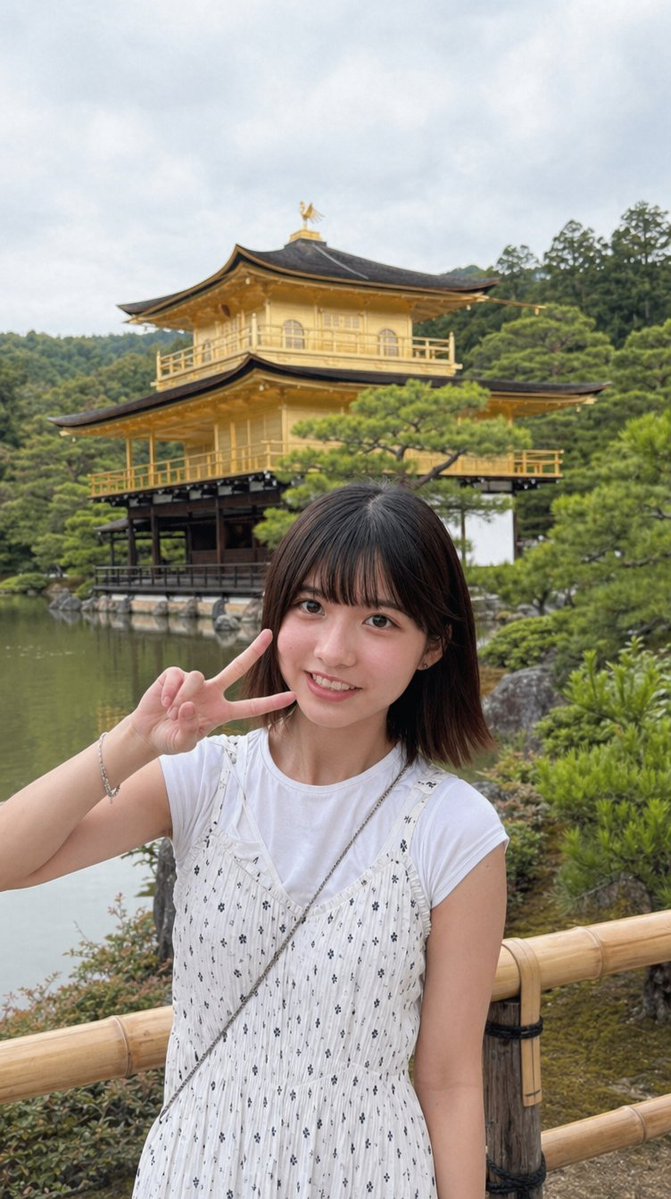
PROMPT · EN
使用提供的参考图像,在保持人物形象和写实摄影风格不变的前提下,将其转换为在京都金阁寺户外拍摄的旅行快照。将街机厅背景替换为宁静池塘边的金阁寺,背景包含绿树、多云的日间天空以及前景的竹篱笆。重新构图为竖屏手机照片,展示人物从大腿中部以上的身体部位,人物站在金阁寺前,左手在脸部附近比出剪刀手。将服装更改为白色短袖 T 恤搭配无袖白色印花连衣裙,并添加细斜挎带和手链。移除所有字幕、水印、抓娃娃机和毛绒玩具。保持面部区域如参考图中所示进行遮挡/模糊处理。
About this prompt
Transform any indoor portrait into a stunning, realistic travel snapshot at Kyoto's Golden Pavilion with this AI prompt. Perfect for creating unique souvenir-style photos. Use it as a Concept Art starting point for GPT Image 2: keep the visual structure and style constraints intact, then swap in your own subject, brand, or scene.
Start with small changes to subject, scene, camera, and color, then generate a few variations to compare composition and detail without turning the page copy into keyword stuffing.
How to use this prompt
- Copy the Prompt: Copy the entire prompt text to use as a base. 2. Choose Your Model: Select a compatible AI image generator like Sora 2 that supports reference images. 3. Upload Your Image: Provide your own portrait photo as the reference image. 4. Tweak Variables (Optional): Adjust details like the specific hand gesture or clothing style to your preference. 5. Generate & Refine: Run the prompt and regenerate if needed until you get the perfect travel snapshot.


