
Magnus Effect Minimalist Infographic — Sora 2 Prompt
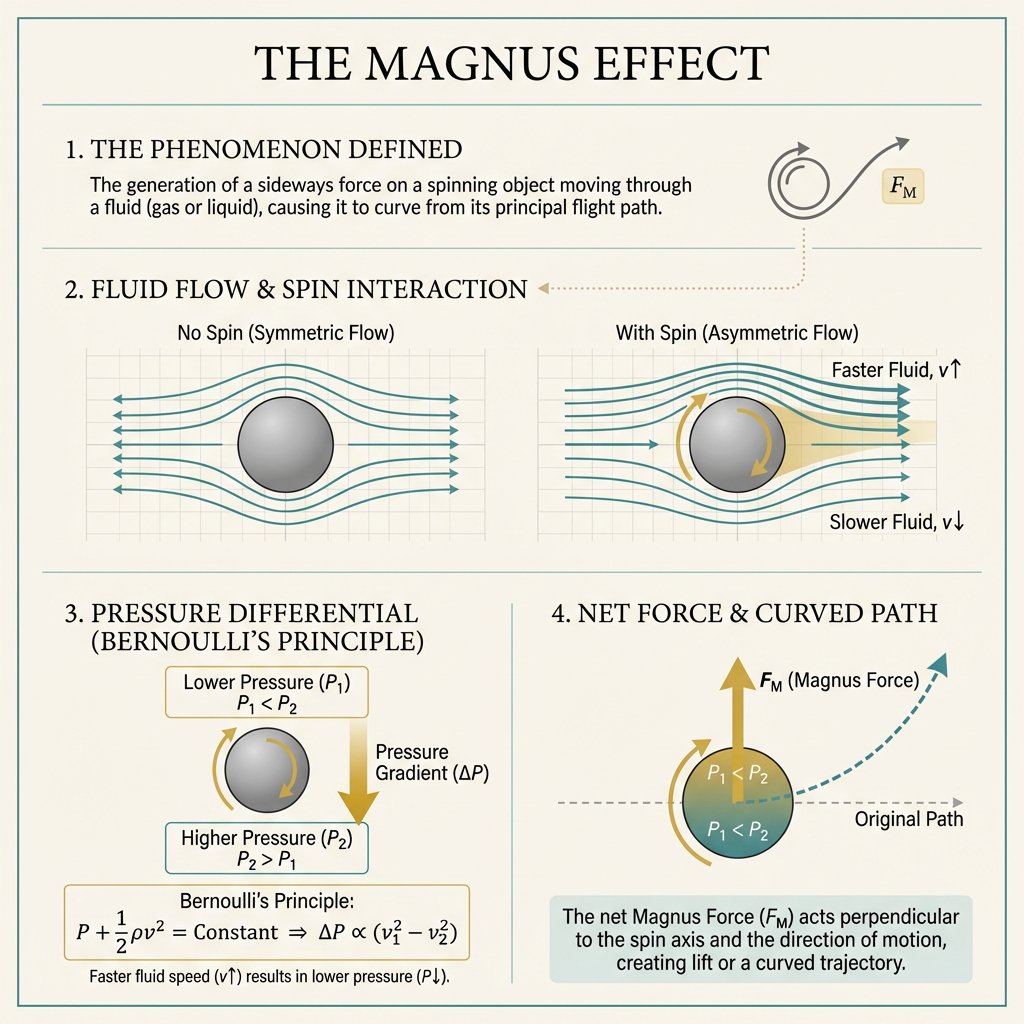
Create a minimalist academic poster explaining the Magnus effect with flow diagrams, pressure equations, and clean visuals—ideal for education.
About this prompt
Create a minimalist academic poster explaining the Magnus effect with flow diagrams, pressure equations, and clean visuals—ideal for education. Use it as a Concept Art starting point for GPT Image 2: keep the visual structure and style constraints intact, then swap in your own subject, brand, or scene.
This prompt is organized as structured JSON with fields such as type, topic, style, layout, content details, and rendering. Keeping that hierarchy helps the model separate the subject, layout, interface elements, and detail constraints.
Start with small changes to subject, scene, camera, and color, then generate a few variations to compare composition and detail without turning the page copy into keyword stuffing.
How to use this prompt
- Copy the prompt from the page.
- Open your preferred AI image generator (e.g., Sora 2, Midjourney, DALL·E) and create a new project.
- Paste the prompt into the input field. For Sora 2, ensure you are using text-to-image mode.
- (Optional) Modify variables like color scheme or layout if you need a different style.
- Generate the image and download the high-resolution poster for presentations or study materials.


