
GPT Image 2AI Prompt
Cinematic Rainy Rooftop Sniper Diorama — Sora 2 Prompt
Create a moody, hyper-realistic miniature diorama of a rooftop sniper scene with noir atmosphere, cinematic lighting, and customizable weather and style.
PROMPT · EN
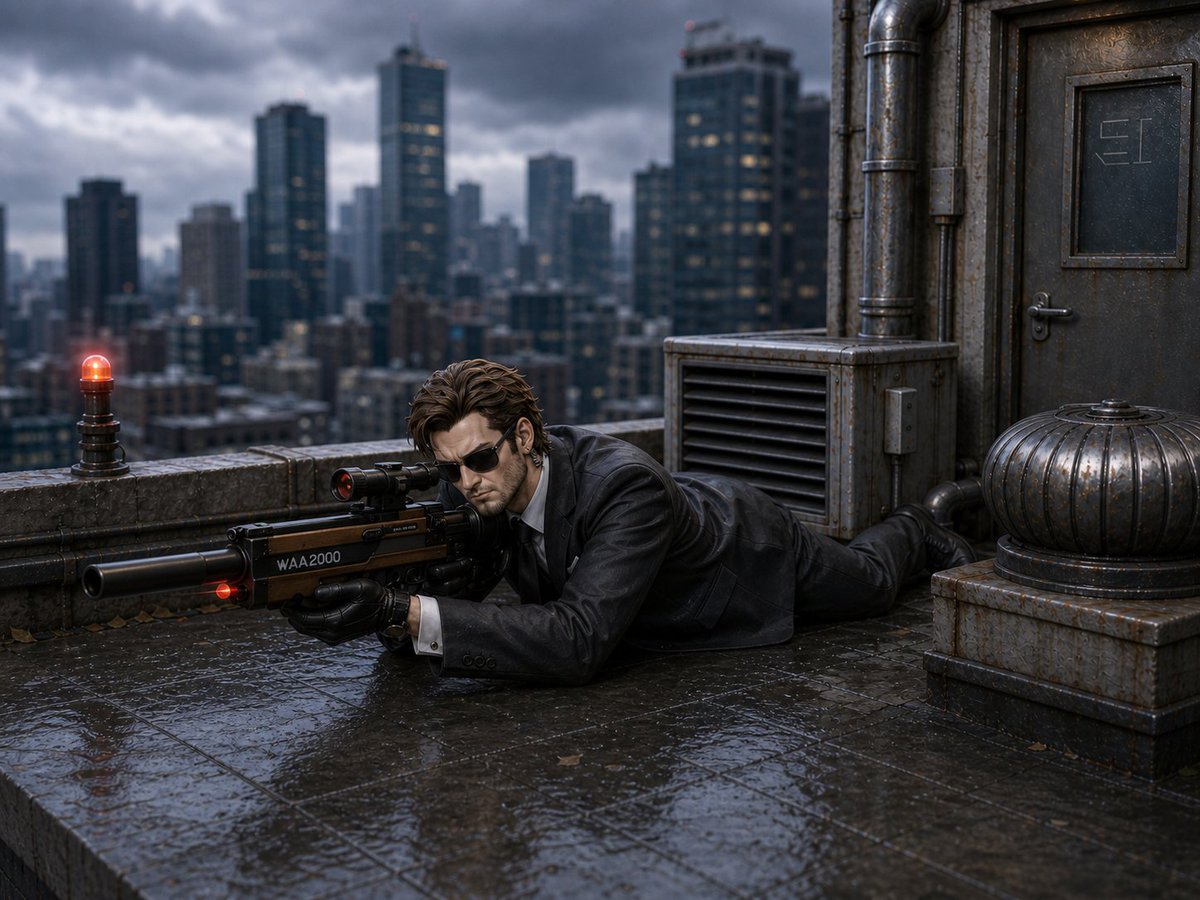
Create a cinematic hyper-realistic miniature diorama scene on a rainy rooftop in a dense modern city, shot at low eye level with shallow depth of field. A single male operative in a wet black suit, white shirt, black tie, and black gloves lies prone on slick reflective stone tiles, aiming a large futuristic suppressed sniper rifle labeled “WAA2000” with a small glowing red laser/indicator near the barrel; his face is deliberately obscured by a soft square blur. The rooftop contains exactly 4 prominent fixtures: one small red warning beacon glowing on the parapet at left, one industrial louvered ventilation unit behind the man, one heavy weathered metal door with a small inset panel at right, and one ribbed metal dome turbine on a square base in the lower right. The background is a blurred skyline of tall dark skyscrapers under dramatic storm clouds, with wet concrete, rusted pipes, grime, fallen leaves, puddle reflections, cool blue-gray color grading, moody noir atmosphere, high detail, realistic rain-soaked textures, and diorama-like scale-model precision. Use a argscene style: cinematic hyper-realistic miniature diorama look, a argweather: rainy stormy evening atmosphere, a argcharacter outfit: wet black suit with white shirt and black tie, a argweapon label: WAA2000, and a argcity backdrop: dark blurred skyscraper skyline.
About this prompt
Create a moody, hyper-realistic miniature diorama of a rooftop sniper scene with noir atmosphere, cinematic lighting, and customizable weather and style. Use it as a Concept Art starting point for GPT Image 2: keep the visual structure and style constraints intact, then swap in your own subject, brand, or scene.
Start by replacing scene style, weather, character outfit, and weapon label, then keep the camera, composition, and material cues in the same order. This makes the output easier to compare across variations.
How to use this prompt
- Copy the entire prompt text above.
- Open your AI image generator (e.g., Sora, Runway, Pika) and paste it into the prompt field.
- Customize the optional variables in curly braces
{}—such as scene style, weather, and weapon label—to tailor the output. - Generate the image and review the result. Adjust variables or add details for refinement.
- Use the generated image for concept art, visual storytelling, or as a base for further editing.


