
GPT Image 2AI Prompt
Dark Mode X Tweet Mockup — Sora 2 Prompt
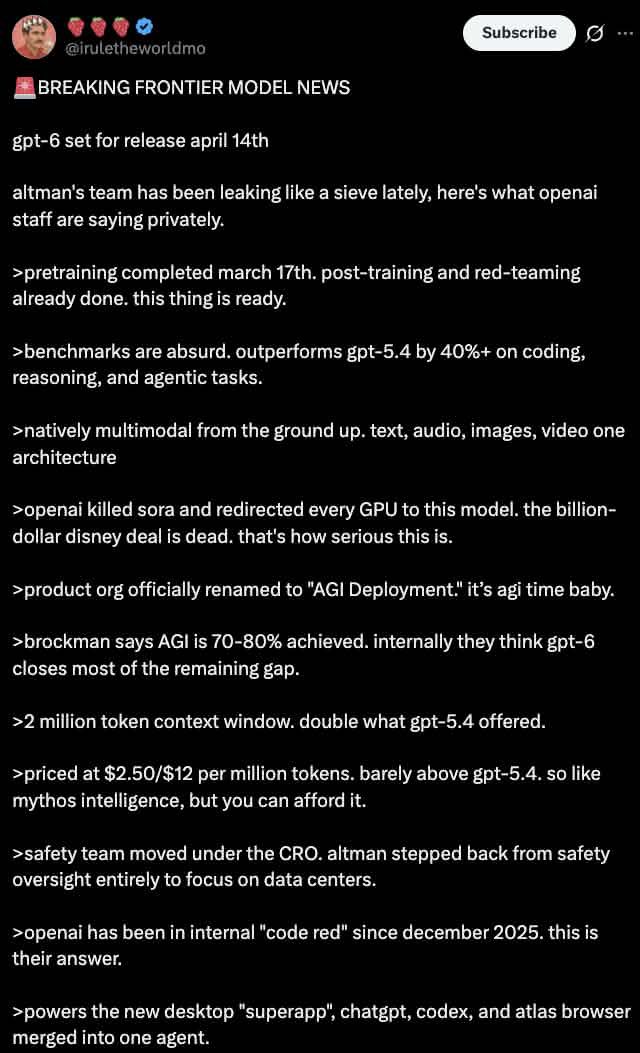
Generate a photorealistic dark-mode X (Twitter) tweet screenshot with customizable headline, bullet points, and verified badge—ideal for social media previews.
PROMPT · EN
一张 X 推文的深色模式截图。个人资料显示为一名身穿红色衬衫、头戴皇冠且留着胡子的男性,用户名 argusername: @iruletheworldmo,后跟三个草莓表情符号和一个蓝色认证勾选标记。右上角有一个“订阅”按钮。推文正文以 argheadline: 🚨 BREAKING FRONTIER MODEL NEWS 开头,随后是 argsubheadline: gpt-6 set for release april 14th 以及一段关于 OpenAI 泄密事件的简短介绍。下方共有 11 个要点,每个要点均以 `>` 符号开头,详细描述了 argbullet point topic: fictional AI model specs,例如预训练日期、性能超越 gpt-5.4、原生多模态能力、取代 Sora、更名为“AGI 部署”、200 万 token 上下文、定价、安全团队变动、2025 年红色警报以及一款全新的桌面超级应用。文本采用标准的无衬线 UI 字体,在黑色背景上显示为白色。
About this prompt
Generate a photorealistic dark-mode X Twitter tweet screenshot with customizable headline, bullet points, and verified badge—ideal for social media previews. Use it as a Concept Art starting point for GPT Image 2: keep the visual structure and style constraints intact, then swap in your own subject, brand, or scene.
Start by replacing username, headline, subheadline, and bullet point topic, then keep the camera, composition, and material cues in the same order. This makes the output easier to compare across variations.
How to use this prompt
- Copy the prompt from this page.
- Paste it into an advanced text-to-image AI model like Sora 2, DALL·E 3, or Midjourney.
- Replace the variables in curly braces (e.g.,
{argument name="username"}) with your own text to customize the tweet. - Generate the image and review the result; tweak variables and re-run if needed.


