
GPT Image 2AIプロンプト
Photorealistic FACS Expression Grid — AI Prompt
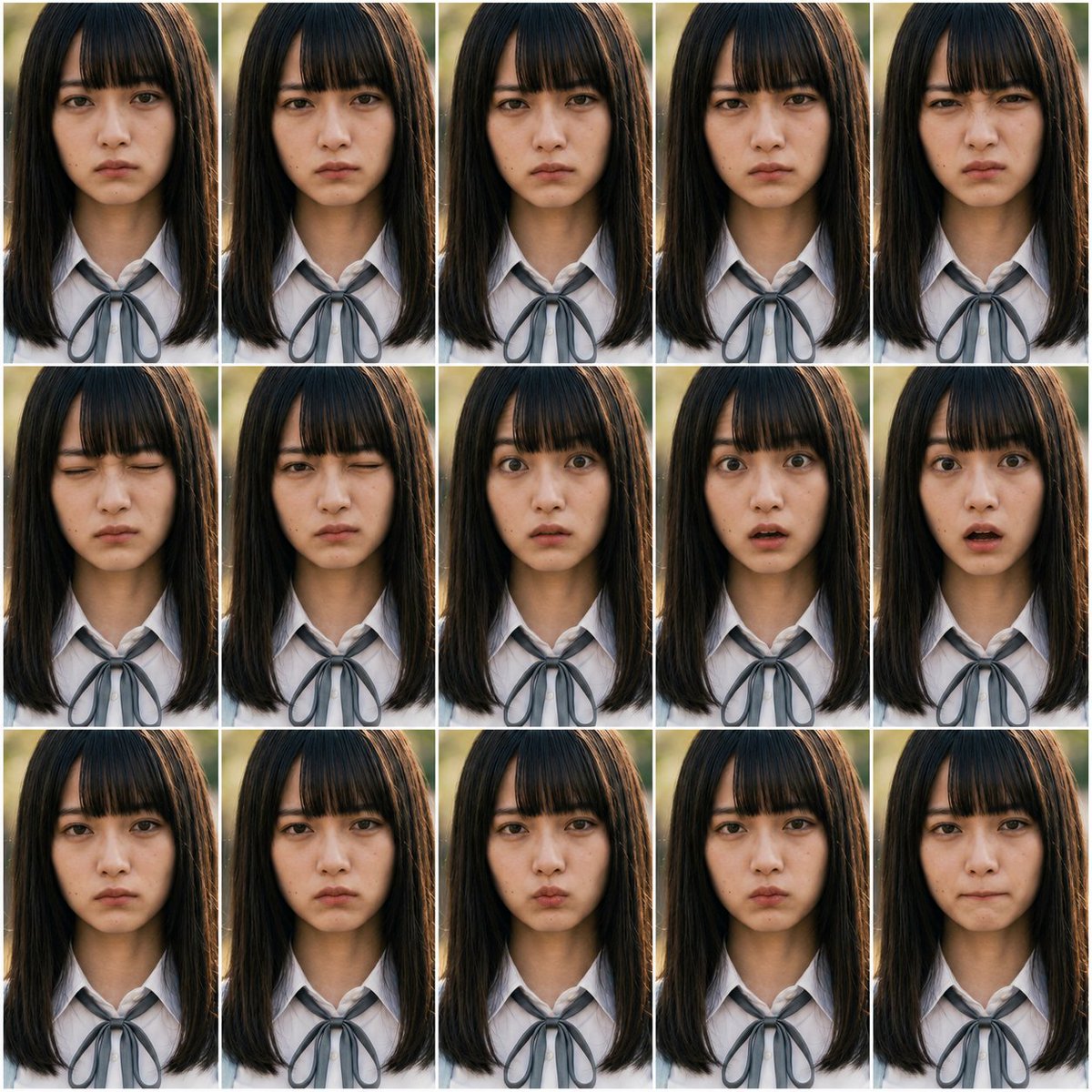
Generate a 15-panel photorealistic portrait grid with controlled facial action unit variations for expression testing and consistency benchmarking.
プロンプト · EN
以 REFERENCE_0 和 REFERENCE_1 作为 FACS 动作单元指南,创建一个照片级真实感的表情控制测试表,而非插画图表。生成 arggrid layout: 3 行 5 列的 15 个画面网格,在每个画面中重复展示相同的 argsubject: 写实的年轻女学生,并保持构图、光照、发型和 argoutfit: 带有灰色丝带领结的白色校服衬衫 完全一致。基于这些 argFACS action units: AU1, AU2, AU4, AU5, AU6, AU7, AU9, AU10, AU12, AU15, AU17, AU20, AU23, AU24, AU25,为每个画面应用不同的细微面部表情变化,同时保持人物身份的一致性,并将变化限制在面部区域。使用从上胸部到头顶的正面特写肖像剪裁,采用自然户外背光、浅景深效果,并在画面之间添加细白分割线。不要包含任何图表标题、标签、AU 文字、说明或日语文本。
このプロンプトについて
Generate a 15-panel photorealistic portrait grid with controlled facial action unit variations for expression testing and consistency benchmarking. Use it as a コンセプトアート starting point for GPT Image 2: keep the visual structure and style constraints intact, then swap in your own subject, brand, or scene.
Start by replacing grid layout, subject, outfit, and FACS action units, then keep the camera, composition, and material cues in the same order. This makes the output easier to compare across variations.
このプロンプトの使い方
- Copy the full prompt text and paste it into your preferred AI image generator.
- Select a high-quality photorealistic model like Sora 2 or Midjourney v6 for best results.
- Customize the variables: adjust grid layout (e.g., 4x4), change subject description, outfit, or swap FACS action units.
- Generate the image and review expression consistency across all panels.
- Iterate by refining AU intensity or lighting details for cleaner results.


