
GPT Image 2AIプロンプト
Ghibli-Style Man at Paris Opera — Sora 2 AI Prompt
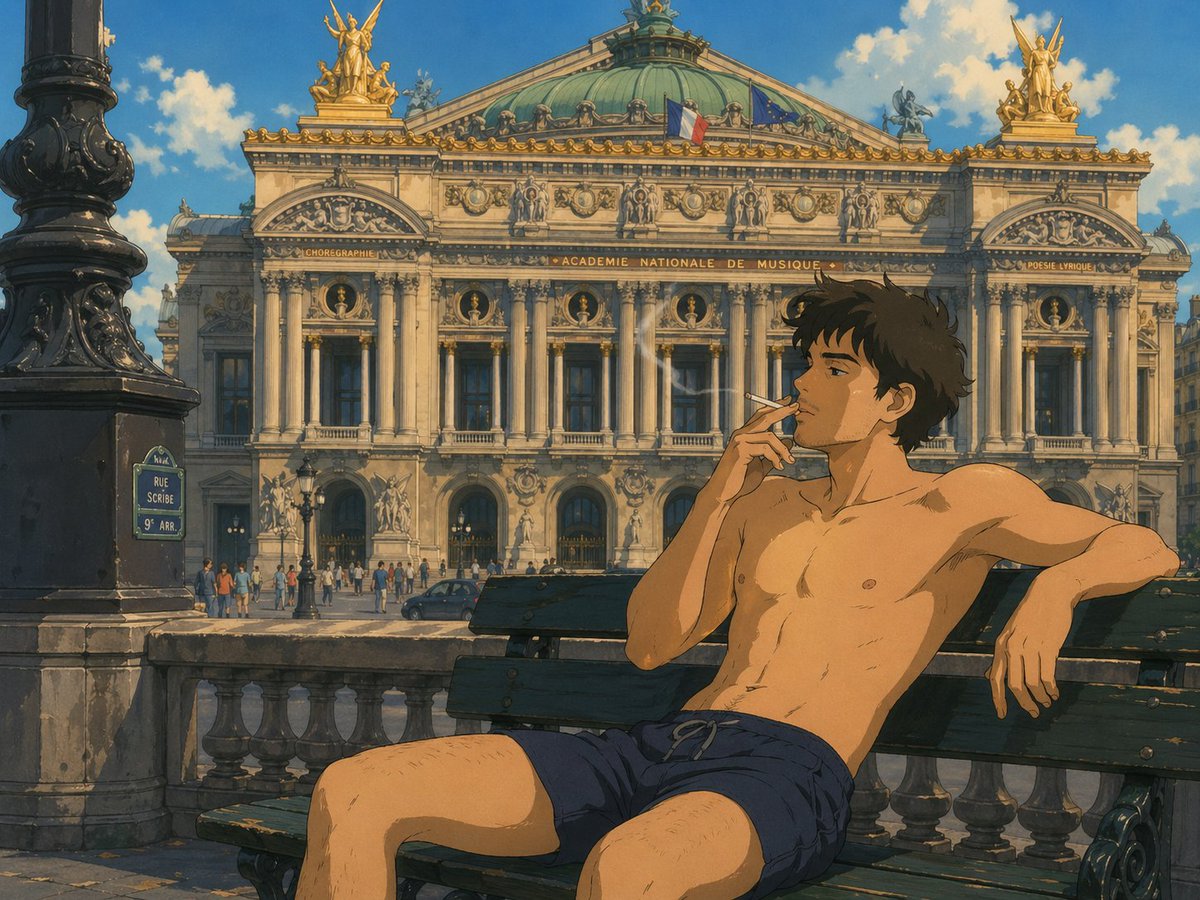
Create a warm, hand-drawn anime scene of a relaxed man smoking on a bench before the iconic Palais Garnier, complete with cinematic sunlight and a nostalgic European summer vibe.
プロンプト · EN
一幅温暖且富有绘画感的动漫插画,采用吉卜力工作室风格,展示了一位 argsubject type: 年轻男子 赤裸上身坐在巴黎歌剧院(Palais Garnier)前一张深绿色木质长椅上。他仅穿着 argshorts color: 藏青色 系带短裤,拥有苗条的运动型身材,深棕色短发略显凌乱,姿态轻松随意,一只手臂伸展在长椅靠背上,另一只手轻轻地将点燃的香烟凑近嘴边。他双腿自然分开坐着,缕缕轻烟在阳光明媚的空气中升起。背景是 arglandmark: 巴黎歌剧院 的详细正面视图,呈现出华丽的布杂艺术(Beaux-Arts)建筑风格,包括高耸的圆柱、雕塑人物、镀金的屋顶雕像、绿色的氧化铜圆顶,以及屋顶上可见的两面旗帜:法国国旗和欧盟旗帜。左侧前景包含 1 盏大型黑色华丽路灯和 1 个写有 argstreet sign text: RUE SCRIBE 9e ARR. 的蓝色巴黎路牌。在长椅和街道之间增加石质栏杆,歌剧院入口附近有少量行人,道路上有一辆深色汽车。采用明亮的午后阳光、柔和的蓝天、蓬松的白云、电影级构图、手绘质感、怀旧的赛璐珞动画调色,营造出宁静、浪漫的欧洲夏季氛围。
このプロンプトについて
Create a warm, hand-drawn anime scene of a relaxed man smoking on a bench before the iconic Palais Garnier, complete with cinematic sunlight and a nostalgic European summer vibe. Use it as a コンセプトアート starting point for GPT Image 2: keep the visual structure and style constraints intact, then swap in your own subject, brand, or scene.
Start by replacing subject type, shorts color, landmark, and street sign text, then keep the camera, composition, and material cues in the same order. This makes the output easier to compare across variations.
このプロンプトの使い方
- Copy the full prompt text from the page.
- Paste it into your chosen AI image generator (like Sora 2, Midjourney, or DALL-E).
- Customize the bracketed variables like
{subject type}and{shorts color}to change the character's appearance. - Adjust the
defaulttext inside the quotes to set your preferred options. - Generate and refine the image, using the usage guide for best results.


